Recording
How to record vocals in Logic Pro
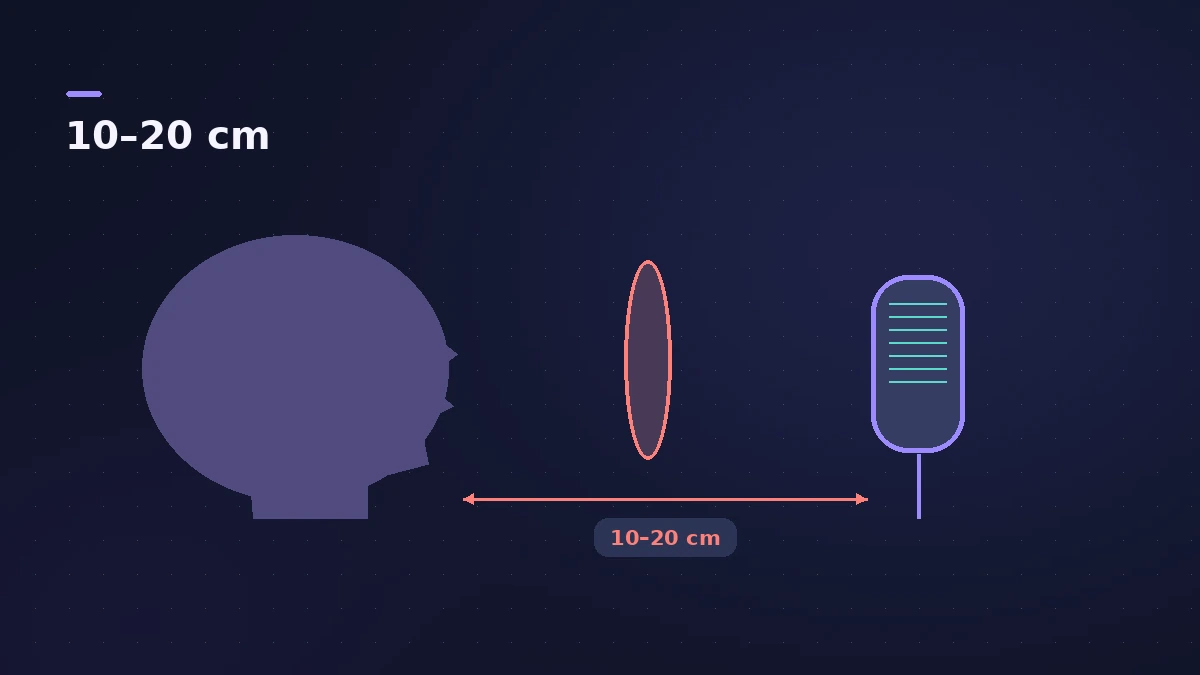
A good vocal recording is mostly about the singer and the microphone; the Logic Pro side takes a minute. Set the singer 10–20 cm from a cardioid mic behind a pop filter, arm a mono audio track on the right input, set a healthy level and record several takes in Cycle mode so you can comp the best lines later.
 Owen Hartley

Where to find it
Track > New Audio Track
Vocal recording checklist
| Step | Setting |
|---|---|
| Track | Mono audio track on the mic input |
| File format | WAVE (BWF), 24-bit |
| Monitoring | Input Monitoring on, small buffer — or direct monitoring |
| Takes | Cycle mode with a take folder |
| Count-in | One or two bars (Shift-K) |
Fixing one line rather than the whole verse? Use punch-in recording. Missed a great ad-lib? Try Flashback Capture.
Step by step
-
1
Set up the microphone
Use a cardioid mic for most voices. Shure suggests about 10–20 cm between singer and mic and a pop filter in front of a condenser to tame "p" and "b" sounds. Keep the distance the same through the take.
-
2
Create and arm an audio track
Add an audio track, choose the mic's input (for example Input 1) and set it to mono. Click the track's Record Enable button.
-
3
Set the input level
Set the gain on your interface, not in Logic Pro. Sing the loudest part and keep the meter clear of red — with 24-bit recording there's plenty of headroom to record lower.
-
4
Monitor without delay
Turn on Input Monitoring to hear yourself through Logic Pro with any effects, and keep the I/O buffer small. If you hear delay, use your interface's direct monitoring instead.
-
5
Record takes
Set a cycle area over the section, press R and sing it several times. Logic Pro collects the passes in a take folder for comping.
Common mistakes
- Singing too close to a cardioid mic, which boosts the low end (proximity effect).
- Hearing the click bleed into the vocal mic from open headphones or speakers.
- Changing the mic gain between takes, which makes comping uneven.
After the recording
Comp the best phrases from your take folder, then tune and shape the vocal with Flex Pitch and the steps in mixing vocals.
Sources
- Shure — How to record and mix vocals
- Shure (EU) — How to record and mix vocals
- Apple — Logic Pro User Guide: Before recording audio
- Apple — Logic Pro X 10.1 Help: Record audio (old)
- Apple — Logic Pro X 10.1 Help: Turn on input monitoring (old)
- Apple — Logic Pro 9 manual: Enabling software monitoring for recording (old)
- Apple — Logic Pro User Guide: Recording settings
- Apple — Logic Pro X 10.4 Help: Record multiple audio takes (old)
- Apple Support — Manage input monitoring latency in Logic Pro for Mac
Checked November 2026. Logic ProFiles is independent of Apple; menu names can differ slightly between Logic Pro versions.
Frequently asked questions
How far should I be from the microphone?
+
Shure's guidance is roughly 10–20 cm for most voices. Closer adds bass through the proximity effect on cardioid mics.
Should I record vocals with effects?
+
You don't have to. Apple notes that effects on the record-enabled track are monitored but not recorded, so a singer can hear reverb while the take stays dry for the mix.
Mono or stereo for vocals?
+
Mono. One microphone gives one channel of audio.
Related
- Dynamic or condenser: choosing a mic for Logic ProDynamic or condenser for home recording in Logic Pro: which suits vocals, guitar amps and untreated rooms, what phantom power is, and USB vs XLR microphones.
- Acoustic treatment for a home studioTreat a small room for mixing in Logic Pro: bass traps in the corners first, absorbers at first reflection points via the mirror trick, then a ceiling cloud.
- Live vocals in MainStageRun live vocals through MainStage: choose the mic input on an audio channel strip, add compression and DeEsser 2, and turn on feedback protection to mute howls.
- How to record vocals in Logic Pro for iPadRecord vocals in Logic Pro for iPad with the built-in mic, a USB mic or an interface: pick the input, set Input Gain, use headphones and Low Latency mode.
- Headphone cue mix in Logic ProGive a singer their own headphone mix in Logic Pro: pre-fader sends to an aux, the aux output to spare outputs, Copy Fader to Send and Sends on Faders.
- How to use a USB microphone in Logic ProSet up a USB microphone in Logic Pro: choose it as the input device, pick the output for headphones, arm a mono track, set gain on the mic and use two USB mics.
- Mono or stereo tracks in Logic ProMono or stereo track in Logic Pro? Use mono for one mic or one cable, stereo for keyboards with L/R outs and mic pairs, and switch with the input format button.
- Logic Pro recording only on one sideMic or guitar only in the left ear in Logic Pro? Set the track to mono with the right input, or play one side of an old stereo take with Left format.
- Logic Pro recording too quietVocals or guitar recording too quietly in Logic Pro? Raise interface gain, check the input device and track input, phantom power and Mic Mode.
- Logic Pro recording distortedVocals or guitar sound harsh and distorted in Logic Pro? Lower interface gain until peaks stay out of the red, and keep the master below 0 dB.
- Feedback when recording in Logic ProScreeching or howling when you record in Logic Pro? Use headphones, turn monitoring off on speakers, avoid built-in mic and speakers, check loopback.
- Pitch Correction plug-in in Logic ProAuto-tune vocals with Logic Pro's Pitch Correction plug-in: set Root and Scale, adjust Response for natural or hard tuning, bypass notes and use Global Tuning.
- How to record and mix a podcast in Logic ProRecord, edit and mix a podcast in Logic Pro, check loudness with the Loudness Meter against Apple Podcasts' -16 LKFS and -1 dBFS true-peak advice, and bounce.
- Recordings sound processed? Check Mic ModeIf recordings in Logic Pro sound thin, processed or noise-gated, macOS Mic Mode may be changing the input. Set Mic Mode to Standard in the menu bar.
- Cycle recording and take folders in Logic ProRecord several takes of one section in Logic Pro: set a cycle area, choose Create Take Folder, record multiple passes, then preview takes and comp.
- How to punch in and out in Logic ProFix part of a take in Logic Pro with punch recording: Autopunch with set punch-in and punch-out points, or Quick Punch-In on the fly during playback.
- How to mix vocals in Logic ProMix vocals in Logic Pro with stock plug-ins: tune with Flex Pitch, clean up with Channel EQ, control level with Compressor, add reverb on a send and automate.
- Recording in Logic ProHow to record in Logic Pro: vocals, electric and acoustic guitar, bass, drums and MIDI, plus cycle takes, punch-in, Flashback Capture and step input.