Logic Pro for iPad
How to record vocals in Logic Pro for iPad
You can record vocals with the iPad's built-in microphone, a USB mic on the USB-C port, or a mic through an audio interface. The main things to get right are the input, the level and how you hear yourself.
 Owen Hartley

Where to find it
Settings > App Settings > Audio
Input options
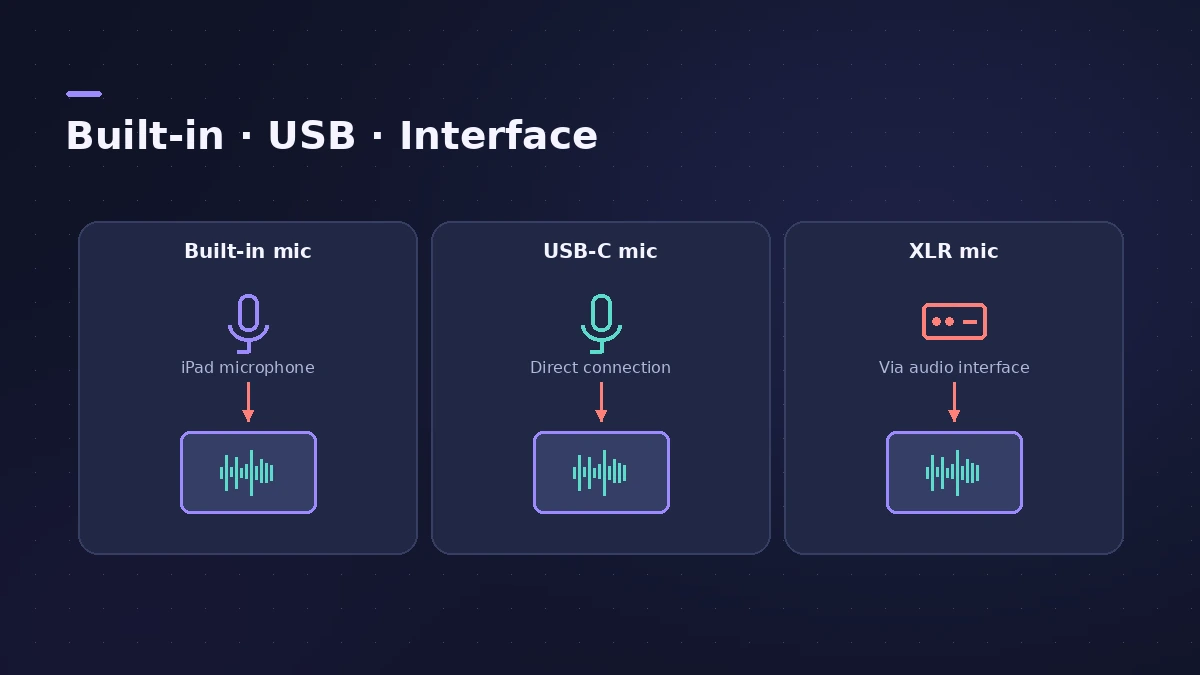
| Input | How | Monitoring |
|---|---|---|
| Built-in mic | Choose iPad Microphone | Headphones only |
| USB mic | Plug into USB-C | Headphones |
| Mic via interface | XLR into the interface | Interface or iPad headphones |
Step by step
-
1
Connect the mic
Use the built-in mic, plug a USB mic into USB-C, or connect an XLR mic to an audio interface.
-
2
Choose the input device
In Audio Devices settings, pick iPad Microphone or your interface. With Autoselect on, a connected device is chosen automatically.
-
3
Set up the track
Add an audio track and set its input and channel format in the Fader; set the level with the Input Gain slider.
-
4
Use headphones
Software monitoring is turned off automatically when you use the built-in mic with the built-in speakers, to avoid feedback.
-
5
Reduce latency
Turn on Low Latency Monitoring mode to bypass plug-ins that add too much delay while you record.
Common mistakes
- Monitoring through the iPad speakers and wondering why you can't hear yourself.
- Leaving Low Latency Monitoring mode on and mixing with plug-ins bypassed — the sound can change.
More recording tips
Mic technique and vocal settings are the same as on the Mac — see recording vocals. For interfaces on iPad, see audio interface on iPad.
Sources
- Apple — Logic Pro for iPad Guide: Before recording audio
- Apple — Logic Pro for iPad Guide: Audio Devices settings
- Apple — Logic Pro for iPad Guide: Connect audio and MIDI devices
- Apple — Logic Pro for iPad Guide: General Audio settings
- Apple — Logic Pro for iPad Guide: Use input monitoring on tracks
- Apple — Logic Pro for iPad Guide: Record with Low Latency Monitoring mode
Checked November 2026. Logic ProFiles is independent of Apple; menu names can differ slightly between Logic Pro versions.
Frequently asked questions
Can I record vocals with the iPad's built-in microphone?
+
Yes. Choose iPad Microphone as the input; use headphones to hear yourself, as software monitoring is off with the built-in speakers.
What does Low Latency Monitoring mode do?
+
It bypasses plug-ins that push the record-enabled track's latency above the Limit (up to 30 ms) and turns off its sends.
Related
- How to record vocals in Logic ProRecord vocals in Logic Pro: set up the mic and pop filter, arm an audio track, set the level, monitor without delay and record several takes to comp later.
- Use an audio interface or MIDI keyboard with Logic Pro for iPadConnect an audio interface, mic or MIDI keyboard to Logic Pro for iPad: Autoselect picks the device; App Settings > Audio sets inputs, outputs and buffer.
- Feedback when recording in Logic ProScreeching or howling when you record in Logic Pro? Use headphones, turn monitoring off on speakers, avoid built-in mic and speakers, check loopback.
- Logic Pro for iPadLogic Pro for iPad guides: subscription, compatible iPads, Mac round-trips, AUv3 plug-ins, audio interfaces, Stem Splitter, exporting and fixes.