Fix Problems
Logic Pro recording only on one side
You record one microphone or a guitar, and it plays back only in the left (or right) ear. Nothing is broken: one mic recorded onto a stereo track puts the signal on one channel. Switch the track to mono — and existing takes can be rescued without re-recording.
 Owen Hartley

Applies to: Logic Pro 13, 12 and 11 for Mac.
Most likely causes
- One mic or instrument recorded on a stereo track (Input 1-2) (most common)
- Track input set to the wrong input number (common)
- Pan moved to one side (occasional)
Which format to use
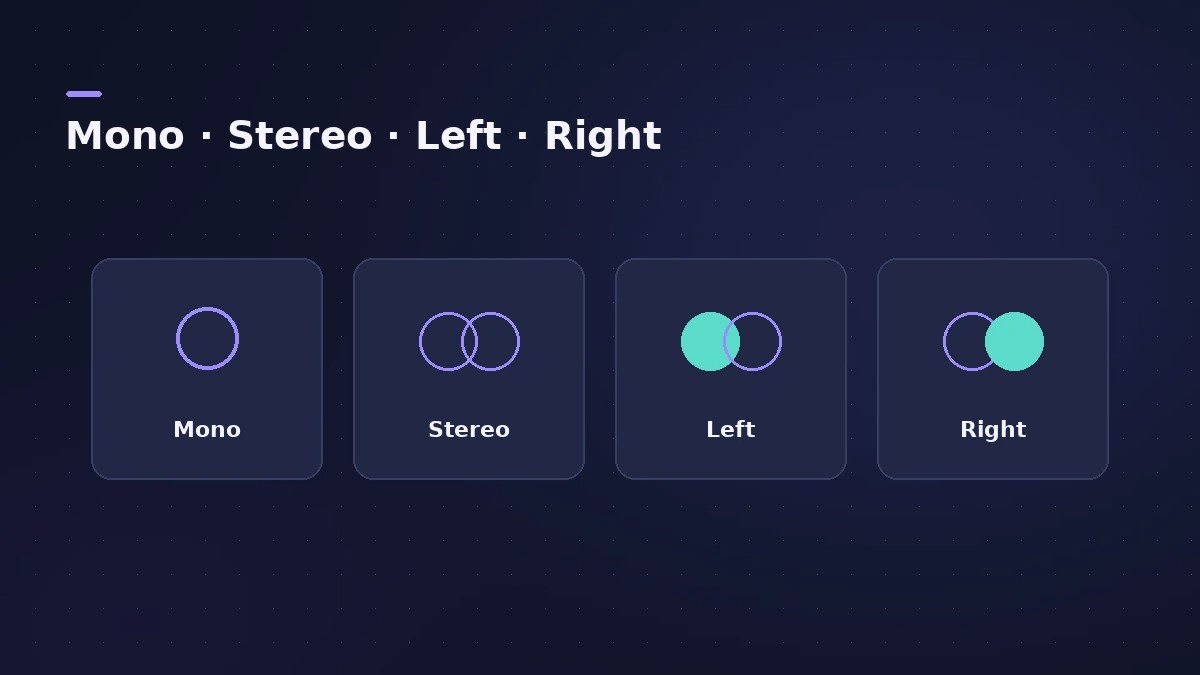
| Source | Track format | Input |
|---|---|---|
| One mic, one guitar | Mono | Input 1 (single) |
| Keyboard with L and R outs | Stereo | Input 1-2 |
| Old take on one side | Left or Right | — |
If only the left side plays everywhere — even with other apps — check your audio interface outputs instead.
Fixes, in order
1. Set the track to mono
Click the input format button on the channel strip so it shows a single circle (mono). A mono input plays in both ears by default.
2. Choose the right input
Pick the single input your mic or guitar is plugged into — for example Input 1 — not the pair Input 1-2.
3. Rescue old takes with Left or Right
For a stereo file with signal on one side, click-hold the format button and choose Left (or Right). Only that channel plays, as mono.
4. Centre the pan
Option-click the pan knob to reset it to the centre.
5. Record two sources on two mono tracks
For a mic and a guitar at once, use two mono tracks — Input 1 and Input 2 — rather than one stereo track.
Sources
- Apple — Logic Pro X 10.1 Help: Channel strip input formats (old)
- Apple — Logic Pro X 10.1 Help: Channel strip controls (old)
- Focusrite — Hearing audio in only one side when recording
- Apogee — Mic input only plays in left or right
- Apple Community — Sound comes only from the left ear
Checked November 2026. Logic ProFiles is independent of Apple; menu names can differ slightly between Logic Pro versions.
Frequently asked questions
Why is my mic only in my left ear in Logic Pro?
+
The track is stereo and the mic is on one channel. Set the track to mono with the mic's input selected.
Can I fix recordings that are already on one side?
+
Yes. Choose Left (or Right) from the channel strip's format button to play only the side with signal.
When should I use a stereo track?
+
For true stereo sources, such as a keyboard with left and right outputs.
Related
- Mono or stereo tracks in Logic ProMono or stereo track in Logic Pro? Use mono for one mic or one cable, stereo for keyboards with L/R outs and mic pairs, and switch with the input format button.
- How to record vocals in Logic ProRecord vocals in Logic Pro: set up the mic and pop filter, arm an audio track, set the level, monitor without delay and record several takes to comp later.
- Panning and pan law in Logic ProPan in Logic Pro the right way: Pan on mono strips, Balance or Stereo Pan on stereo strips, and pick a pan law — 0 dB, −3 dB or −3 dB compensated.
- Logic Pro not recording audio — 9 fixes to tryLogic Pro won't record audio from your mic or interface? Check microphone access, the input device, record-enable state, unique inputs and the recording format.
- How to check your mix in mono in Logic ProCheck a Logic Pro mix in mono: put Gain on the Stereo Out and turn on Mono, watch MultiMeter's Correlation meter, and fix weak parts with polarity or width.
- Fix Logic Pro problems — errors, crashes and no soundStep-by-step fixes for Logic Pro on Mac: system overload, disk too slow, no sound, crashes, latency, missing plug-ins, MIDI keyboards and recording problems.