Mixing
Panning and pan law in Logic Pro
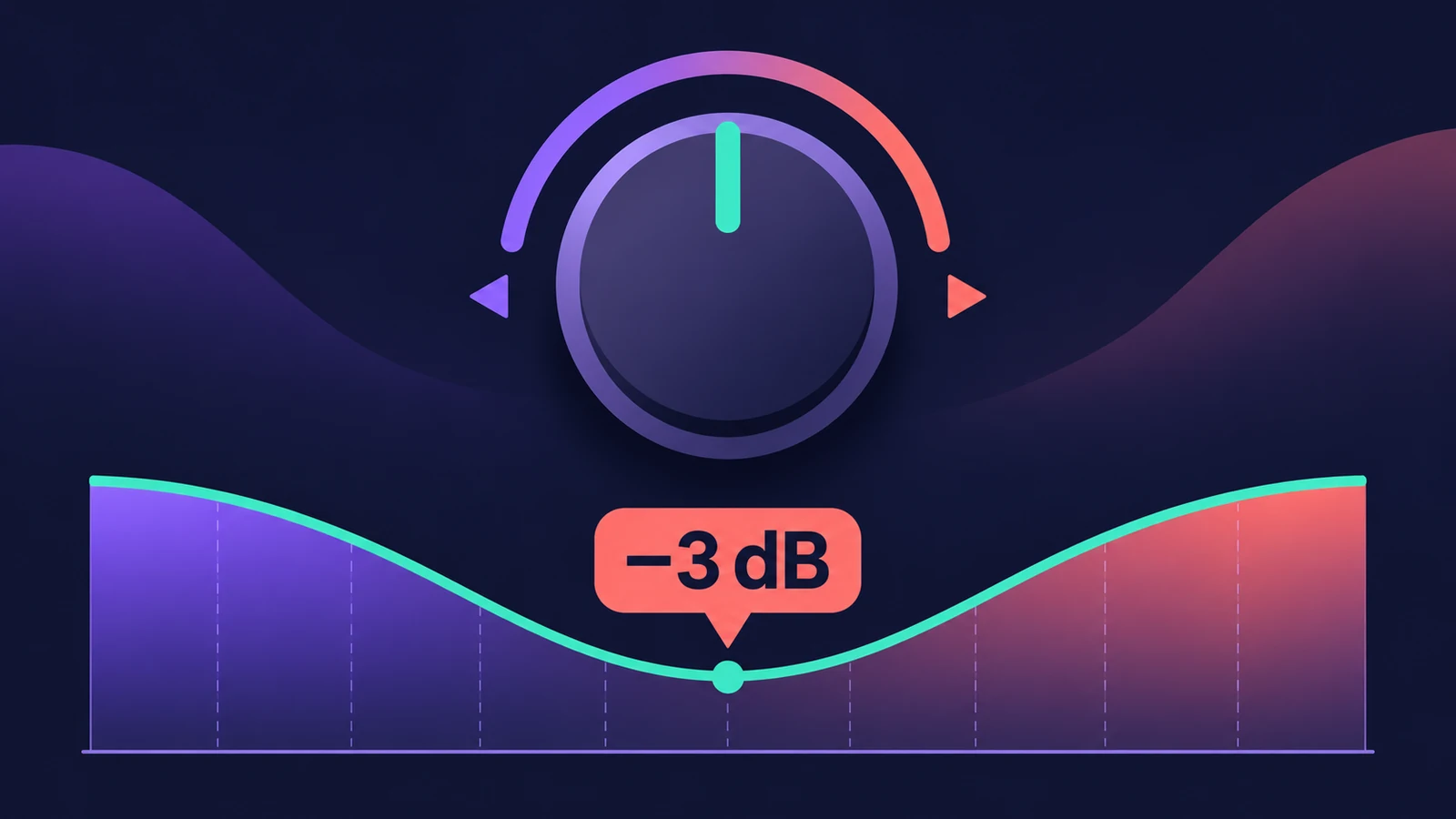
On a mono channel the pan knob places the sound; on a stereo channel it's a balance control unless you switch it to Stereo Pan. Pan law decides how much the level drops in the centre — a per-project setting with three choices.
 Owen Hartley
Where to find it
File > Project Settings > Audio > Pan Law
Pan law options
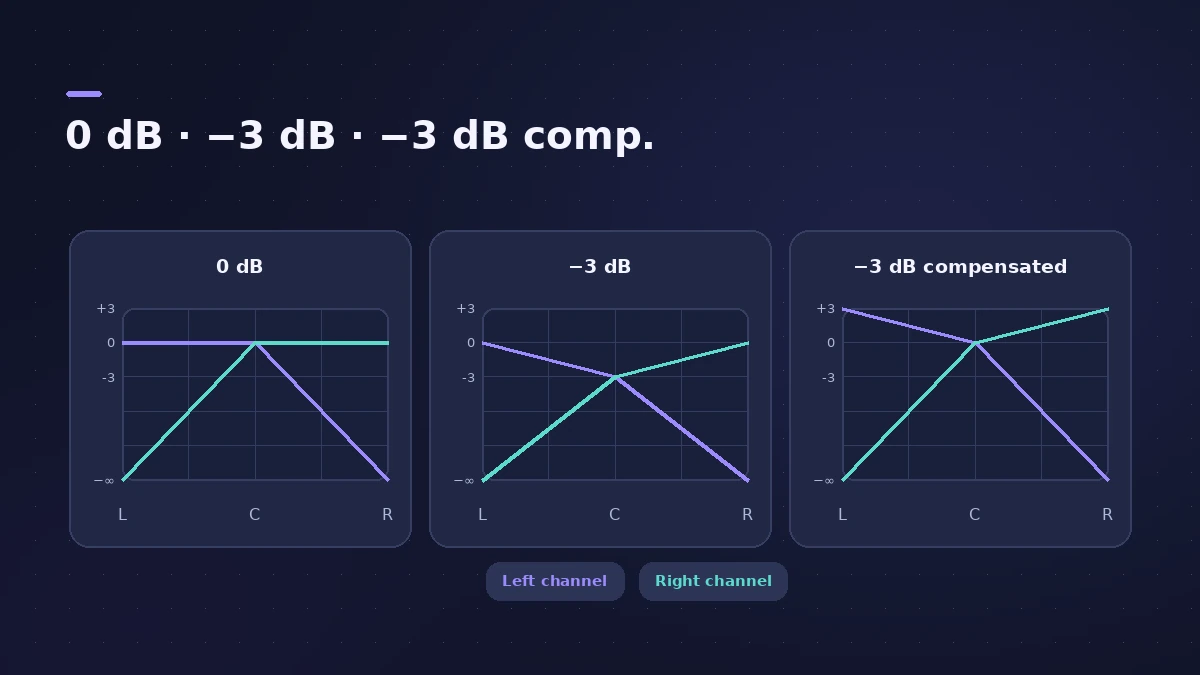
| Pan law | Full-scale signal in the centre | What you hear |
|---|---|---|
| 0 dB | No change | Centred signals seem louder than panned ones |
| −3 dB | −3 dB | Even loudness across the field |
| −3 dB compensated | 0 dB (up to +3 dB at the sides) | Even loudness, 3 dB hotter overall |
Pan modes
| Strip | Control |
|---|---|
| Mono | Pan |
| Stereo | Balance (default) or Stereo Pan |
Step by step
-
1
Pan mono tracks
On mono strips the knob sets the left/right position.
-
2
Decide how stereo tracks pan
On stereo strips the knob is a Balance control by default. Switch the pan mode to Stereo Pan to move and narrow the whole image.
-
3
Check the pan law
Open the Audio project settings and choose 0 dB, −3 dB or −3 dB compensated. It's per project, so check older projects.
-
4
Extend it to balancers if needed
Tick Apply Pan Law Compensation to Stereo Balancers to include balance controls and plug-ins such as Direction Mixer.
Common mistakes
- Switching pan law halfway through a mix — centred and panned tracks change balance.
- Using a stereo track's balance knob and expecting true panning.
- Panning hard with −3 dB compensated on tracks already near the top of the meters.
More stereo control
For precise width and true stereo panning in a plug-in, use Direction Mixer. Check the result with a mono check.
Sources
- Apple — Logic Pro X 10.1 Help: Audio project settings (Pan Law) (old)
- Apple — Logic Pro for iPad User Guide: Set channel strip pan position
- Apple — Logic Pro X 10.1 Help: Channel strip controls (pan/balance, Dim) (old)
- Sound On Sound — Logic Tips: Direction Mixer and Pan Law (Nov 2011)
- Ask.Audio — Mixing Essentials: Imaging in Logic Pro
Checked November 2026. Logic ProFiles is independent of Apple; menu names can differ slightly between Logic Pro versions.
Frequently asked questions
What pan law does −3 dB compensated use?
+
A full-scale signal stays at 0 dB in the centre and rises up to +3 dB when panned hard left or right.
Which pan law should I use?
+
Ask.Audio notes most people pick a −3 dB option. Both −3 dB laws give the same balance; compensated is 3 dB louder overall. Pick one and stay with it for the project.
Related
- Logic Pro recording only on one sideMic or guitar only in the left ear in Logic Pro? Set the track to mono with the right input, or play one side of an old stereo take with Left format.
- Direction Mixer in Logic ProUse Direction Mixer in Logic Pro to widen or narrow a stereo track, pan a stereo signal properly instead of balancing it, split by frequency and decode M/S.
- How to check your mix in mono in Logic ProCheck a Logic Pro mix in mono: put Gain on the Stereo Out and turn on Mono, watch MultiMeter's Correlation meter, and fix weak parts with polarity or width.
- How to mix a song in Logic Pro, step by stepA step-by-step mixing workflow for Logic Pro with stock plug-ins: organise tracks, balance levels, EQ, compress, add space with sends, automate, check loudness.
- The Logic Pro Mixer explainedFind your way around the Logic Pro Mixer: open it with X, switch Single, Tracks and All views, filter strip types, and learn what aux, output and VCA do.
- Mix and master in Logic ProMix and master songs in Logic Pro with stock tools: vocal tuning, EQ, compression, sends, automation, Mastering Assistant, LUFS targets and Dolby Atmos.