Plug-ins
Direction Mixer in Logic Pro
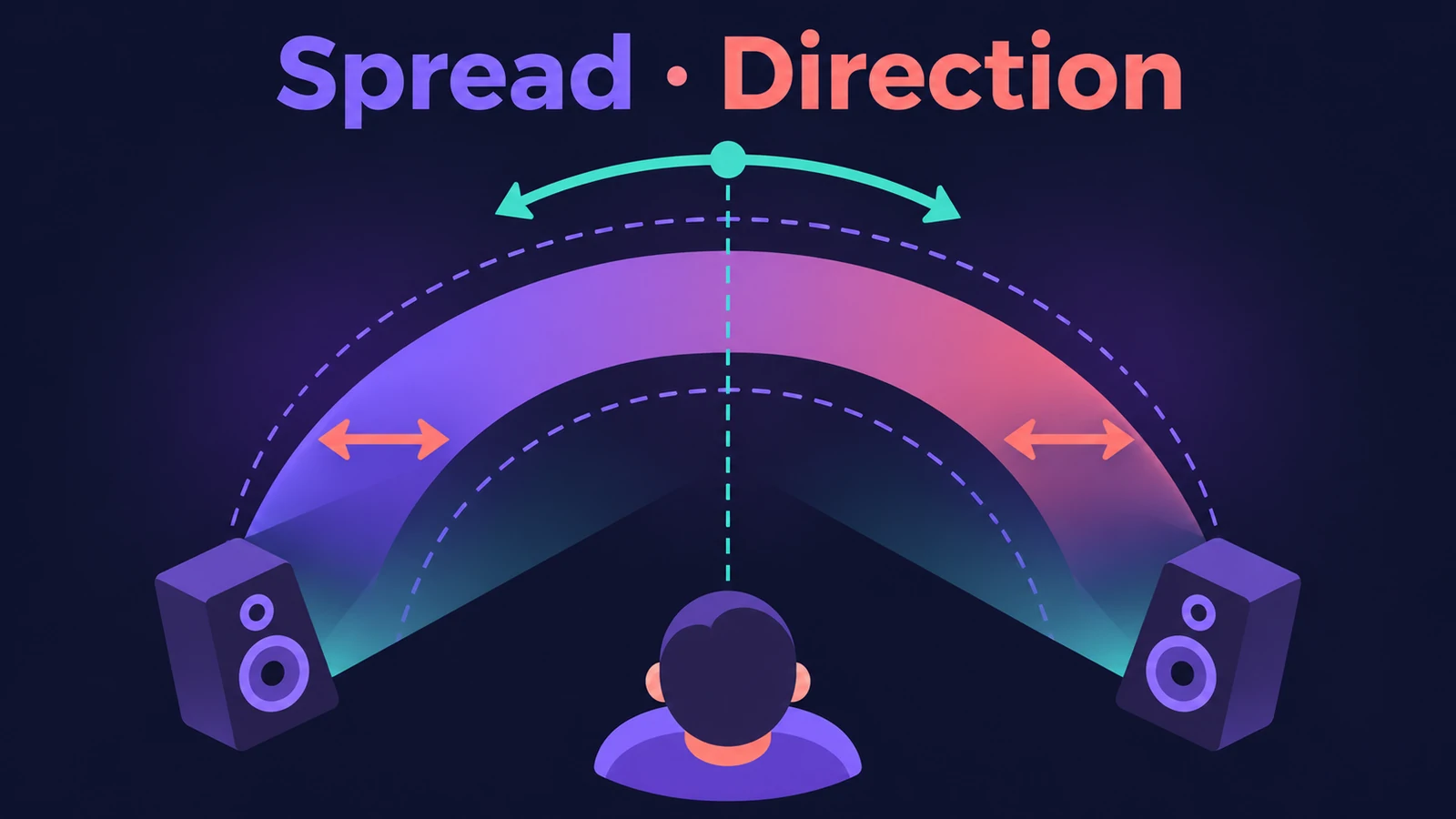
On a stereo channel, Logic Pro's pan knob works as a balance control. The Direction Mixer plug-in pans the whole stereo image instead, sets how wide it is with Spread, can treat lows and highs separately and decodes mid/side recordings.
 Owen Hartley
Where to find it
Audio Effect slot > Imaging > Direction Mixer
Direction Mixer controls
| Control | What it does |
|---|---|
| Input LR / MS | Normal stereo or mid/side encoded input |
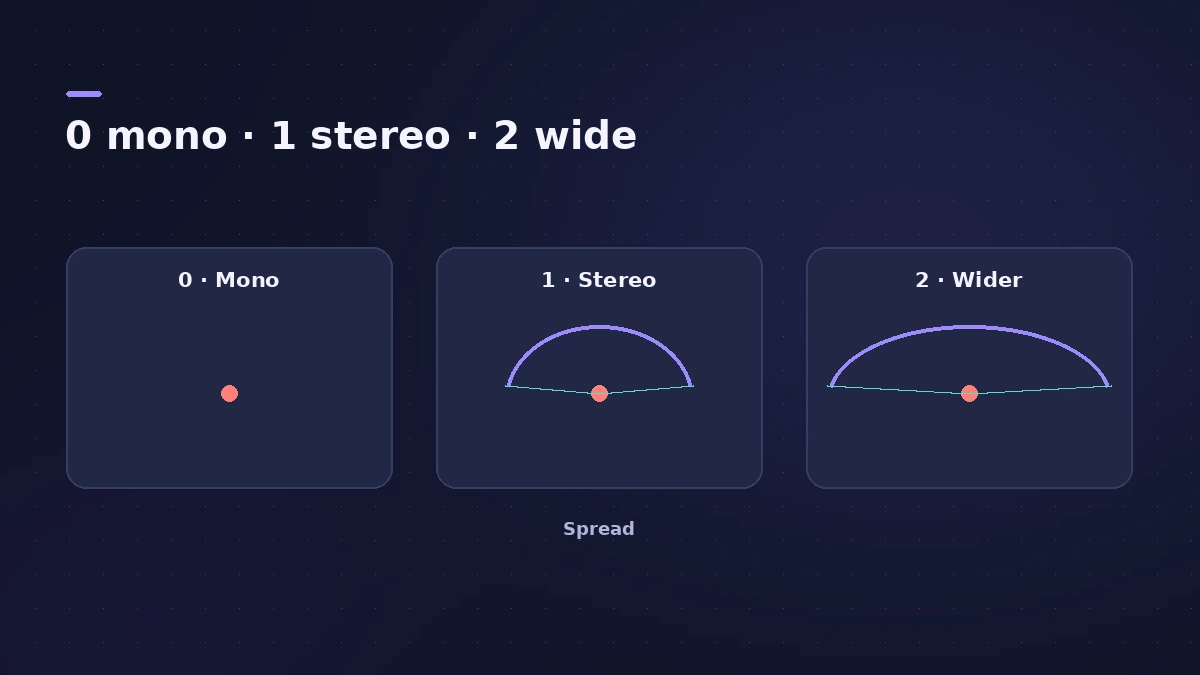
| Spread | Stereo width (LR) or side level (MS) |
| Direction | Pan position of the image's centre |
| Split | Separate controls for low and high frequencies |
| Crossover | Where lows and highs are divided |
| Direction Low / Spread Low | Pan and width for the low band |
Spread with MS input
With an MS signal, Apple's guide says values of 1 or higher make the side signal louder than the middle, and at 2 you hear only the side signal.
Step by step
-
1
Insert Direction Mixer
Choose Imaging > Direction Mixer on a stereo track, such as a piano, synth pad or stereo-miked guitar.
-
2
Choose LR or MS
Use LR for normal left/right stereo, MS for mid/side recordings.
-
3
Set Spread
Ask.Audio explains that 1.00 is normal stereo, lower values narrow the image to mono at 0.00 and values above 1.00 widen it.
-
4
Pan with Direction
Direction moves the centre of the stereo image. At 0 it's centred in the mix.
-
5
Split lows and highs
Turn on Split to get a Crossover and separate Direction Low and Spread Low controls — for example keep the lows narrow and widen the highs.
Common mistakes
- Using the channel pan knob on a stereo track and expecting it to move the whole image — it only changes the balance.
- Widening everything; check the mix in mono after pushing Spread above 1.
- Choosing LR for a mid/side recording, so it isn't decoded.
More stereo tools
For panning basics and automation, see how to mix in Logic Pro. To sum a track to mono or flip its polarity, use the Gain plug-in.
Sources
- Apple — Logic Pro Effects 10.2: Direction Mixer (old)
- Apple — Logic Pro for iPad User Guide: Direction Mixer
- Apple — Logic Pro for iPad User Guide 1.1: Direction Mixer (Split)
- Apple — Final Cut Pro Logic Effects: Intro to Direction Mixer
- Sound On Sound — Logic Tips: Direction Mixer (Nov 2011)
- Sound On Sound — Logic Pro: The Direction Mixer (Sep 2021)
- Ask.Audio — Mixing Essentials: Imaging in Logic Pro
- Apple — MainStage User Guide: Direction Mixer
Checked November 2026. Logic ProFiles is independent of Apple; menu names can differ slightly between Logic Pro versions.
Frequently asked questions
How do I make a stereo track wider in Logic Pro?
+
Insert Direction Mixer and raise Spread above 1. Lower it towards 0 to narrow the track to mono.
How do I decode a mid/side recording in Logic Pro?
+
Insert Direction Mixer on the stereo track and click MS. Sound On Sound describes this as the simple way to decode M/S in Logic Pro.
Why doesn't the pan knob pan my stereo track?
+
On stereo channels Logic Pro's pan control adjusts the balance between left and right. Direction Mixer gives true stereo panning.
Related
- Panning and pan law in Logic ProPan in Logic Pro the right way: Pan on mono strips, Balance or Stereo Pan on stereo strips, and pick a pan law — 0 dB, −3 dB or −3 dB compensated.
- How to check your mix in mono in Logic ProCheck a Logic Pro mix in mono: put Gain on the Stereo Out and turn on Mono, watch MultiMeter's Correlation meter, and fix weak parts with polarity or width.
- MultiMeter in Logic ProCheck a mix with Logic Pro's MultiMeter: spectrum Analyzer, Goniometer for stereo, Correlation meter for mono compatibility, Level and AES 128 Loudness meters.
- Sample Delay in Logic ProUse Sample Delay in Logic Pro to delay left or right by samples or milliseconds: align multi-mic recordings, fix stereo timing and create a Haas-style width.
- Gain plug-in in Logic ProUse Logic Pro's Gain plug-in to change level by dB, invert phase (polarity) on a snare-bottom mic, sum stereo to mono, swap left and right and adjust balance.
- How to mix a song in Logic Pro, step by stepA step-by-step mixing workflow for Logic Pro with stock plug-ins: organise tracks, balance levels, EQ, compress, add space with sends, automate, check loudness.
- Logic Pro signal flow explainedHow audio flows through a Logic Pro channel strip: insert effects in series, sends over buses to aux channels, pre-fader, post-fader and post-pan sends.
- How to mix in Dolby Atmos in Logic ProStart a Dolby Atmos mix in Logic Pro: switch to Spatial Audio, use bed tracks and up to 118 objects, monitor on headphones or speakers, then export the master.
- Plug-ins in Logic ProGuides to Logic Pro's stock plug-ins: Compressor, EQs, limiters, Pitch Correction, Amp Designer, Pedalboard, ChromaGlow, ChromaVerb, Space Designer and delays.