Reference
Logic Pro signal flow explained
Every track's signal runs through its channel strip: through any insert effects in order, past the fader and pan, and out to an output. A send splits off part of the signal on a parallel path, over a bus to an aux channel strip, so several tracks can share one effect.
 Owen Hartley
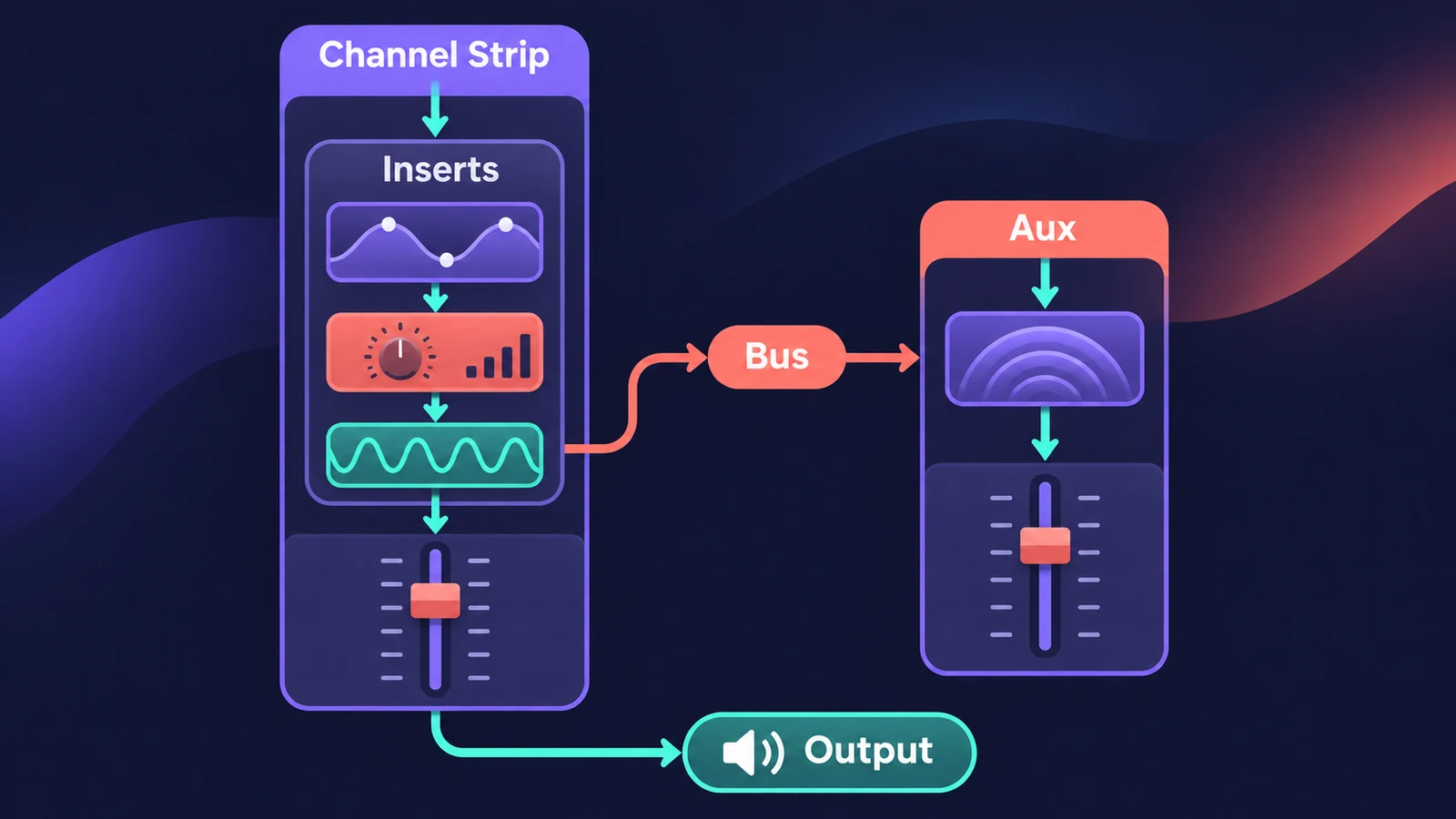
The path through a channel strip
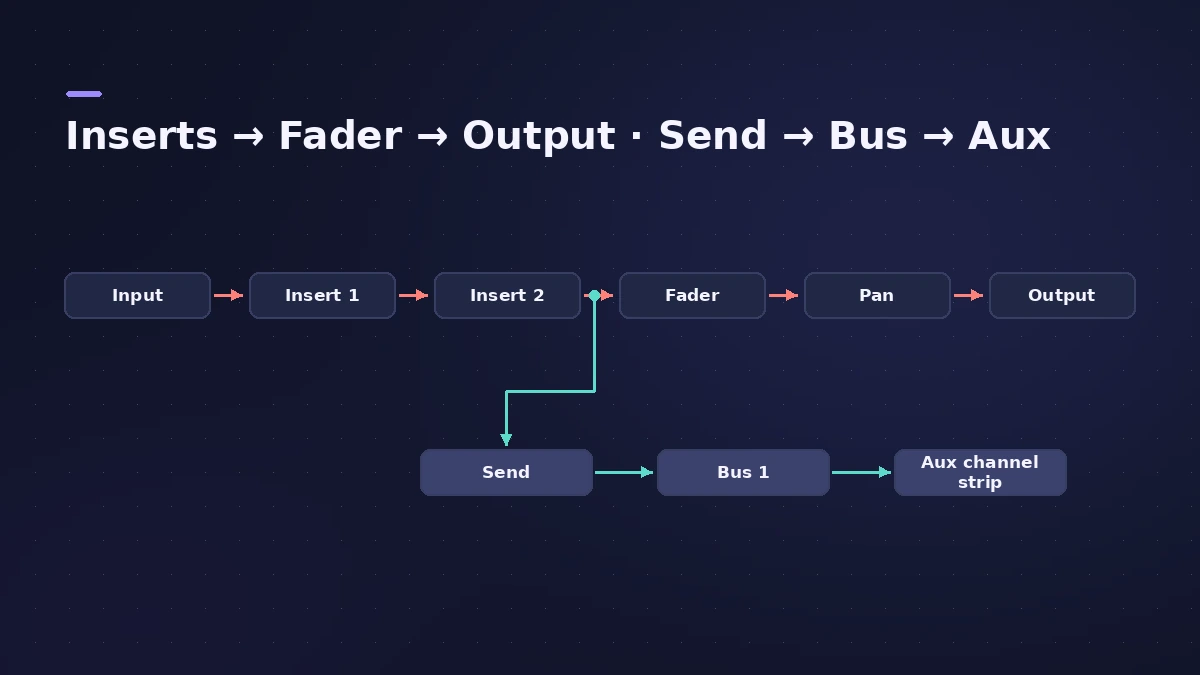
Inserts (in series). When several effects are inserted on a channel strip, the output of one becomes the input of the next. The whole signal is processed — right for EQ and compressors.
Sends (in parallel). A send splits the signal: the main signal continues to its output while a copy travels over a bus to an aux channel strip. Many tracks can share the aux's reverb or delay, which saves processing power.
Output. After the fader and pan, the channel goes to its output, usually the stereo output.
Where a send taps the signal
| Send mode | Follows volume | Follows pan |
|---|---|---|
| Post Pan | Yes | Yes |
| Post Fader | Yes | No |
| Pre Fader | No | No |
For setting this up step by step, see aux sends and buses.
Sources
- Apple — Logic Pro User Guide for iPad: Intro to signal flow
- Apple — Logic Pro User Guide for iPad: Signal flow (sends, Post Fader)
- Apple — Logic Pro User Guide for iPad 3.0: Signal flow (inserts, Pre Fader)
- Apple — Logic Pro User Guide for Mac: Glossary
Checked November 2026. Logic ProFiles is independent of Apple; menu names can differ slightly between Logic Pro versions.
Frequently asked questions
What's the difference between an insert and a send?
+
An insert processes the channel's whole signal; a send splits part of it to an aux channel, so many tracks can share one effect.
Pre-fader or post-fader send?
+
Post-fader sends follow the channel's volume; pre-fader sends aren't affected by the channel's volume or pan.
Related
- Stereo Out vs Master channel strip in Logic ProThe difference between Logic Pro's Stereo Out and Master channel strips: where mastering plug-ins go, which fader affects the bounce, and how Dim works.
- Gain plug-in in Logic ProUse Logic Pro's Gain plug-in to change level by dB, invert phase (polarity) on a snare-bottom mic, sum stereo to mono, swap left and right and adjust balance.
- Direction Mixer in Logic ProUse Direction Mixer in Logic Pro to widen or narrow a stereo track, pan a stereo signal properly instead of balancing it, split by frequency and decode M/S.
- Aux sends and buses in Logic ProSet up aux sends in Logic Pro: send several tracks to one reverb on a bus, choose pre fader, post fader or post pan, and use Sends on Faders for headphones.
- Logic Pro glossaryLogic Pro glossary: region, take, comping, bounce, freeze, bus, channel strip, patch, quantize, latency, Smart Tempo and more — short definitions with links.
- Mix and master in Logic ProMix and master songs in Logic Pro with stock tools: vocal tuning, EQ, compression, sends, automation, Mastering Assistant, LUFS targets and Dolby Atmos.
- Logic Pro referenceLogic Pro reference: a plain-English glossary, supported audio and MIDI file formats, where plug-ins are installed, and how to make custom key commands.