MainStage & Live
Live vocals in MainStage
MainStage can process a singer's microphone as well as instruments. Use an audio channel strip with the mic's input, add vocal effects, and turn on feedback protection so MainStage silences the channel if it starts to howl.
 Owen Hartley

Where to find it
Audio channel strip > Attributes
Vocal channel strip
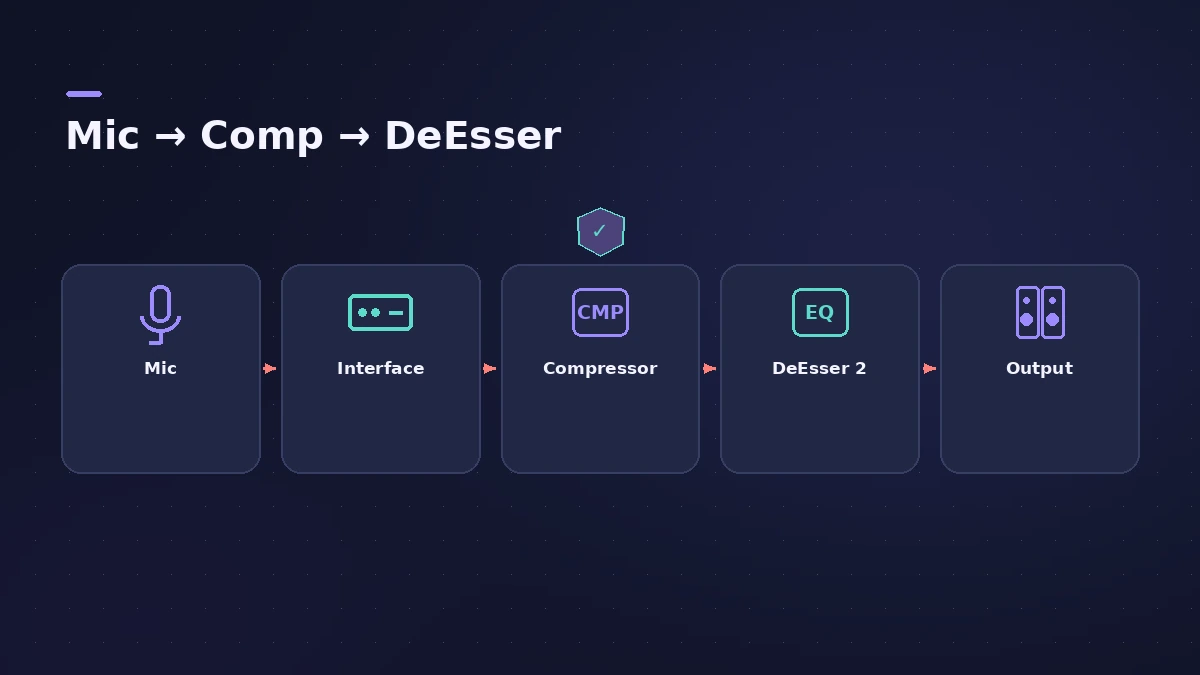
| Slot | Plug-in |
|---|---|
| Input | Mic's interface input |
| Insert 1 | Compressor |
| Insert 2 | DeEsser 2 |
| Attributes | Feedback Protection on |
Step by step
-
1
Choose the mic input
Select the interface input the mic is plugged into on the patch’s audio channel strip.
-
2
Add compression
Compressors are typically used on vocals to keep them prominent.
-
3
Tame sibilance
DeEsser 2 reduces harsh s and t sounds only when they exceed a threshold.
-
4
Turn on feedback protection
In the Attributes tab, select Feedback Protection; it is off by default.
-
5
Act on an alert
When feedback is detected the channel is temporarily silenced; you can mute it, disable protection or keep going.
Common mistakes
- Globally disabling feedback protection in settings and forgetting it.
- Monitoring vocals through speakers pointed at the mic.
Studio vocals
For recording rather than live use, see recording vocals and mixing vocals.
Sources
- Apple — MainStage User Guide: Tips for performing with guitars
- Apple — MainStage User Guide: Use feedback protection
- Apple — MainStage 3.1 Help: Feedback protection (old)
- Apple — MainStage User Guide: DeEsser 2
- Apple — MainStage User Guide: Dynamics processors
- Apple — MainStage 3.6.2 Guide: Audio settings (voice limiter, feedback)
Checked November 2026. Logic ProFiles is independent of Apple; menu names can differ slightly between Logic Pro versions.
Frequently asked questions
Does MainStage protect against feedback?
+
Yes, on audio and external instrument channel strips — turn on Feedback Protection in the Channel Strip Inspector.
Can I use MainStage just for vocals?
+
Yes. Apple notes you can use it with vocals through an audio interface and audio channel strips.
Related
- How to record vocals in Logic ProRecord vocals in Logic Pro: set up the mic and pop filter, arm an audio track, set the level, monitor without delay and record several takes to comp later.
- How to mix vocals in Logic ProMix vocals in Logic Pro with stock plug-ins: tune with Flex Pitch, clean up with Channel EQ, control level with Compressor, add reverb on a send and automate.
- Feedback when recording in Logic ProScreeching or howling when you record in Logic Pro? Use headphones, turn monitoring off on speakers, avoid built-in mic and speakers, check loopback.
- MainStage and live performancePlay Logic Pro's instruments on stage with MainStage 4: concerts and patches, backing tracks, MIDI controllers, Ableton Link and pre-gig checks.