Instruments
Step Sequencer in Logic Pro
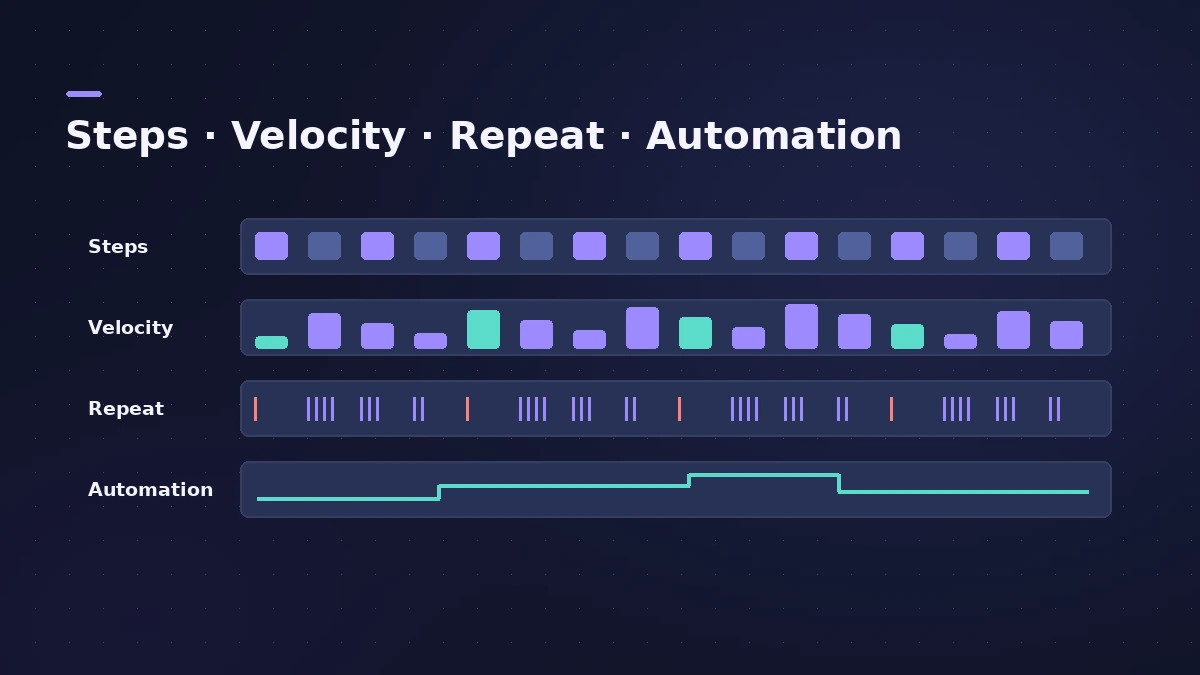
The Step Sequencer lets you program a pattern by switching steps on and off in a grid, like a classic drum machine. Patterns live in Pattern Regions on your tracks, and each row can play a note or automate a parameter — from Logic Pro 12, rows can also follow the key and the chords.
 Owen Hartley

Where to find it
Software instrument track > Create Pattern Region
Step Sequencer by version
| Version | What's new |
|---|---|
| Logic Pro 10.5 | Step Sequencer and Pattern Regions |
| Logic Pro 12 | Rows can follow key, chords or the Chord track |
| Logic Pro 13 | Select a range of steps and edit them together |
Step Sequencer or step input
The Step Sequencer builds looping patterns on a grid. To enter notes one at a time into a normal MIDI region, use step input, and to edit freely afterwards use the Piano Roll.
Step by step
-
1
Create a Pattern Region
On a software instrument track — a Drum Machine Designer kit is a good start — create a Pattern Region. The Step Sequencer opens with a row for each sound.
-
2
Switch steps on
Click steps to turn them on. Change the step rate to work in smaller or larger note values.
-
3
Edit velocity and note repeats
Switch edit modes to set velocity (or value) per step, or add note repeats for rolls.
-
4
Add automation rows
Use Learn to add a row that automates a plug-in or channel parameter step by step.
-
5
Save or reuse patterns
Browse ready-made patterns in the Pattern Browser, and save your own pattern or row template for later.
Common mistakes
- Programming every hit at the same velocity, so the beat sounds stiff.
- Rebuilding a pattern from scratch instead of starting from the Pattern Browser.
- Forgetting that rotate can shift a row to try a new groove in one move.
Learn it with the tutorial
Logic Pro includes a Step Sequencer tutorial project: choose File > New from Template and look under Tutorials. To feed the sequencer your own sounds, see Drum Machine Designer.
Sources
- Apple Support — Build grooves in Logic Pro for Mac with the Step Sequencer
- Apple — Logic Pro User Guide: Pattern creation basics
- Apple — Logic Pro for iPad User Guide: Step Sequencer edit modes
- Logic Studio Training — Logic Pro 12 update: Chord ID, Synth Players and more
- Production Expert — Logic Pro 13 splits drum stems into kit pieces (Nov 2026)
- Sound On Sound — Logic Pro X 10.5 review
Checked November 2026. Logic ProFiles is independent of Apple; menu names can differ slightly between Logic Pro versions.
Frequently asked questions
When was the Step Sequencer added to Logic Pro?
+
In Logic Pro 10.5, with Pattern Regions.
Can the Step Sequencer follow chords?
+
Yes. From Logic Pro 12, rows can follow the key, chords or the Chord track.
What changed in the Step Sequencer in Logic Pro 13?
+
You can select a range of steps and edit them together.
Related
- How to make techno in Logic ProMake techno in Logic Pro: tempo around 130 BPM, a driving kick in Drum Machine Designer, Step Sequencer patterns, sequenced bass and Step FX for movement.
- How to make house music in Logic ProBuild a house track in Logic Pro: tempo around 124–128 BPM, a four-on-the-floor kick in Drum Machine Designer, Synth Player bass and chords, sidechain pump.
- How to make beats in Logic Pro for iPadMake beats in Logic Pro for iPad: load a Drum Machine Designer kit, program Step Sequencer patterns, add velocity and note repeat, then try Beat Breaker.
- Note Repeater in Logic ProCreate MIDI echoes, rolls and stutters with Logic Pro's Note Repeater: sync Delay to tempo, set Repeats, ramp velocity and transpose each repeat.
- Ultrabeat in Logic ProWhat happened to Ultrabeat in Logic Pro, how to check whether your version still has it, and how to rebuild its drum kits with Drum Synth and Step Sequencer.
- How to make a hip-hop or trap beat in Logic ProMake a hip-hop or trap beat in Logic Pro with Drum Machine Designer, the Step Sequencer, hi-hat rolls, an 808 Bass Synth Player and chords that follow along.
- Step FX in Logic ProUse Step FX in Logic Pro: assign three 128-step modulators to filter, distortion, delay, reverb, gate or pan, and set pattern lengths for polyrhythms.
- Live Loops in Logic ProUse Live Loops in Logic Pro: start a grid, drag in loops and regions, trigger cells and scenes in time, then record the performance to the Tracks area.
- Drum Machine Designer in Logic ProBuild an electronic kit in Logic Pro's Drum Machine Designer: clear the pads, drag samples on, set notes, process each pad on its own channel strip.
- The Chord track in Logic ProWhat the Chord track does in Logic Pro: which players and tools follow it — Session Players, Step Sequencer, Play Surface — and how Chord ID fills it for you.
- Step input in Logic Pro — enter notes without playingEnter MIDI notes one at a time in Logic Pro with step input: use the Step Input Keyboard or a MIDI keyboard, set note lengths and add chords and rests.
- The Logic Pro Piano Roll EditorEdit MIDI in the Logic Pro Piano Roll: open it with P, add and move notes, change length and velocity, quantize selected notes and colour notes by velocity.