Plug-ins
Step FX in Logic Pro
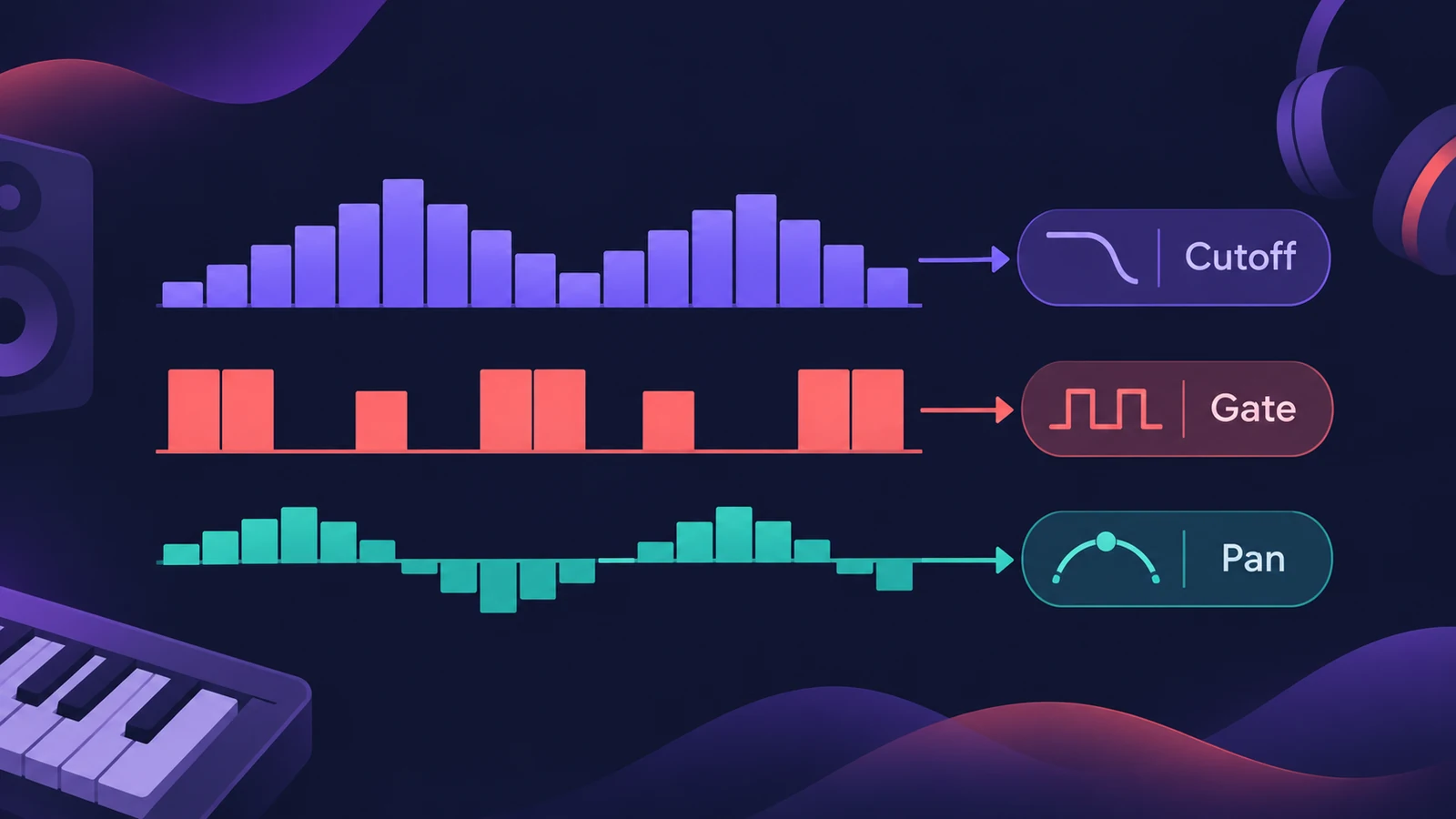
Step FX combines a filter, modulation, delay, reverb and distortion with three independent step modulators of up to 128 steps each. Point them at any effect parameter — or at gate and pan — to turn a static part into a rhythmic, moving one.
 Owen Hartley
Where to find it
Audio Effect slot > Multi Effects > Step FX
Effects in Step FX
| Unit | Notes |
|---|---|
| Multimode filter | Dozens of filter types, including comb, ring mod and distortion types |
| Mod FX | Chorus-like effects, from soft to heavy warping |
| Delay | Syncable stereo delay with filter |
| Reverb | Simple reverb with several characters |
| Distortion | Colour and saturation |
All effect parameters can be modulated by the step modulators.
Step by step
-
1
Insert Step FX
Choose Multi Effects > Step FX on a pad, synth, loop or bus.
-
2
Pick a modulator target
Choose a target for step modulator 1 — such as filter cutoff, gate or pan.
-
3
Draw the steps
Draw step values, or choose an LFO shape preset, and set the pattern length with the handle after the last step.
-
4
Add more modulators
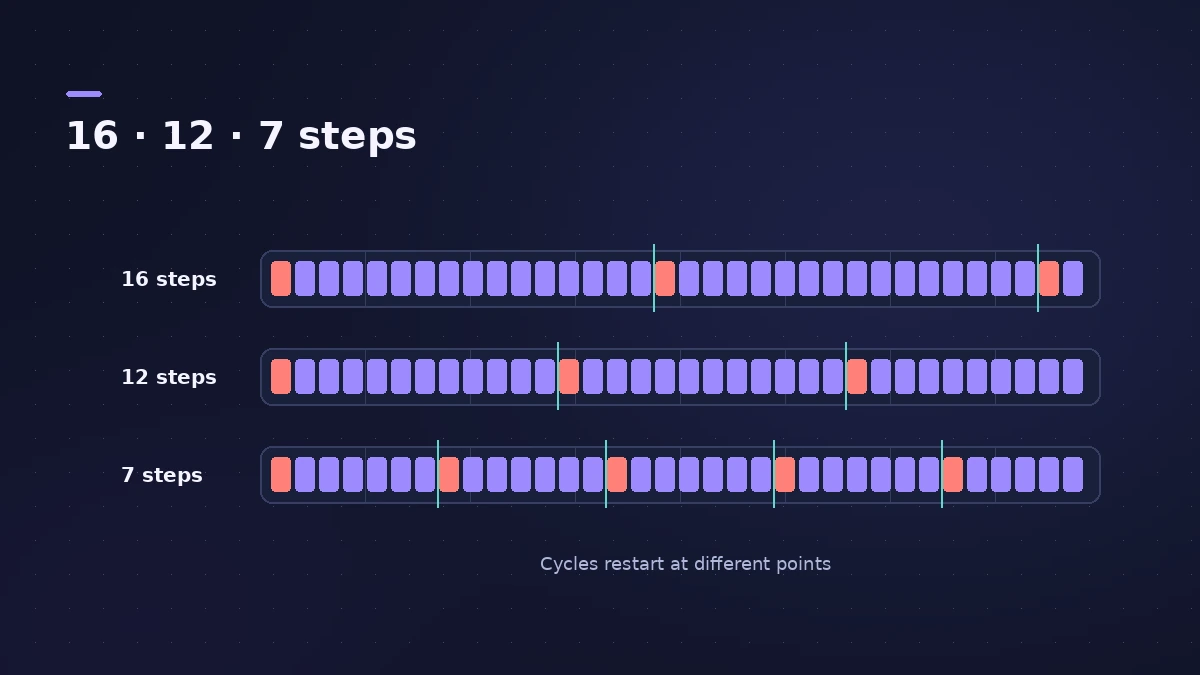
Give modulators 2 and 3 their own targets and lengths; different lengths create polyrhythms.
-
5
Play with the XY pad
Assign up to four parameters to the XY pad for hands-on changes.
Common mistakes
- Using the same pattern length on all three modulators, so nothing shifts.
- Forgetting that reordering the effects changes the sound.
- Stacking deep gate and pan modulation on a whole mix.
Order the effects
Drag effect names in the Effects order strip to change the chain. For a colouring multi-effect, see Phat FX; for DJ-style moves, Remix FX.
Sources
- Apple — Logic Pro for iPad User Guide: Step FX
- Apple — Logic Pro for iPad User Guide: Step FX effects
- Apple — Logic Pro for iPad User Guide: Step FX step modulator
- Apple — Logic Pro for iPad User Guide: Step FX display controls
- MusicRadar — Logic Pro's secret weapons for creative effects
Checked November 2026. Logic ProFiles is independent of Apple; menu names can differ slightly between Logic Pro versions.
Frequently asked questions
How many steps does Step FX have?
+
Three modulators, each with up to 128 steps.
Can two modulators control the same parameter?
+
Yes — and using different lengths creates polyrhythmic effects.
Is Step FX the same as the Step Sequencer?
+
No. The Step Sequencer plays notes; Step FX modulates effect parameters on audio.
Related
- How to make techno in Logic ProMake techno in Logic Pro: tempo around 130 BPM, a driving kick in Drum Machine Designer, Step Sequencer patterns, sequenced bass and Step FX for movement.
- Spectral Gate in Logic ProUse Spectral Gate in Logic Pro for creative sound design: set Center Freq and Bandwidth, Threshold, Super and Sub Energy, blend the original and add modulation.
- Ringshifter in Logic ProUse Ringshifter in Logic Pro as a ring modulator or frequency shifter: pick Single, Dual, OSC or Side Chain mode, set Frequency, add delay, LFO and envelope.
- Phat FX in Logic ProPhat FX in Logic Pro is a colouring multi-effect: distortion, filters, compressor, bass enhancer and Mod FX in a chain you can reorder, plus an XY pad and LFOs.
- Remix FX in Logic ProUse Remix FX in Logic Pro for DJ-style filter, gater, repeater, reverse, scratch and tape stop moves, control it with Logic Remote and record it as automation.
- Beat Breaker in Logic ProBeat Breaker in Logic Pro slices incoming audio and reorders it in real time, with edit modes for time, repeat, cutoff, resonance, volume and pan.
- Step Sequencer in Logic ProProgram beats with Logic Pro's Step Sequencer: create a Pattern Region, set step rate and velocity, add note repeats and automation, follow the chords.