Instruments
Ultrabeat in Logic Pro
Ultrabeat is Logic's long-standing drum synthesizer with a built-in step sequencer. Apple's instrument guide still describes it, but since Logic Pro X 10.5 Drum Machine Designer uses Quick Sampler and Drum Synth by default instead — so most new beats start there.
 Owen Hartley
What Ultrabeat does
Apple's instruments guide describes Ultrabeat as combining several percussion synthesis engines with a step sequencer, for creating new sounds and beats.
What changed in Logic Pro X 10.5
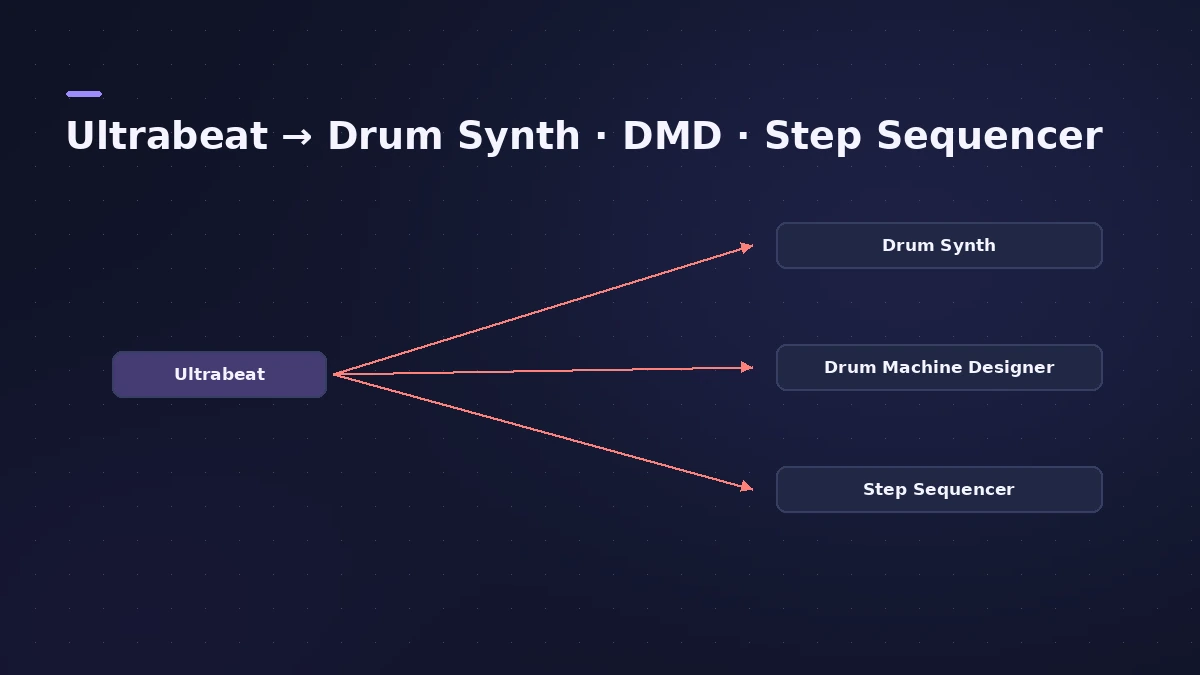
Sound On Sound's review explains that Drum Machine Designer now uses Quick Sampler for samples and Drum Synth for synthesized drums instead of Ultrabeat. A later Sound On Sound workshop describes Apple splitting the Ultrabeat concept into the simpler Drum Synth and the more complex Drum Machine Designer.
| Ultrabeat job | Today's tool |
|---|---|
| Synthesized drum sounds | Drum Synth |
| Kit with a channel per sound | Drum Machine Designer |
| Step programming | Step Sequencer |
| Sample-based hits | Quick Sampler |
Opening old projects
If an older project uses Ultrabeat, check that your Logic Pro version still lists it in the instrument menu. For other older content, see legacy content.
Sources
- Apple — Logic Pro Instruments User Guide (PDF)
- Sound On Sound — Apple Logic Pro X 10.5 review (Sep 2020)
- Sound On Sound — Apple Logic: Drum Synth & Drum Machine Designer (Apr 2021)
- 9to5Mac — Logic Pro X 10.5: exploring Drum Synth
Checked November 2026. Logic ProFiles is independent of Apple; menu names can differ slightly between Logic Pro versions.
Frequently asked questions
Is Ultrabeat still in Logic Pro?
+
Apple's Logic Pro instruments guide still documents Ultrabeat. Check the instrument menu in your version; new projects tend to use Drum Machine Designer and Drum Synth instead.
What replaced Ultrabeat?
+
In Logic Pro X 10.5, Drum Machine Designer switched to Quick Sampler and Drum Synth instead of Ultrabeat, and the Step Sequencer arrived.
Related
- Drum Synth in Logic ProBuild kicks, snares, toms and percussion in Logic Pro's Drum Synth: pick a category and sound type, shape pitch and decay, use it in Drum Machine Designer.
- Drum Machine Designer in Logic ProBuild an electronic kit in Logic Pro's Drum Machine Designer: clear the pads, drag samples on, set notes, process each pad on its own channel strip.
- Step Sequencer in Logic ProProgram beats with Logic Pro's Step Sequencer: create a Pattern Region, set step rate and velocity, add note repeats and automation, follow the chords.
- Logic Pro legacy content — how to get missing patches backPatches, instruments or loops missing after updating to Logic Pro 12 or 13? Install the free Legacy Patches, Instruments and Loops packs from the Sound Library.
- Instruments in Logic ProGuides to Logic Pro's instruments: Session Players, Drummer, Synth Players, Chord ID, Drum Machine Designer, Sampler, Step Sequencer and Play Surface.