Workflows
Logic Pro project templates
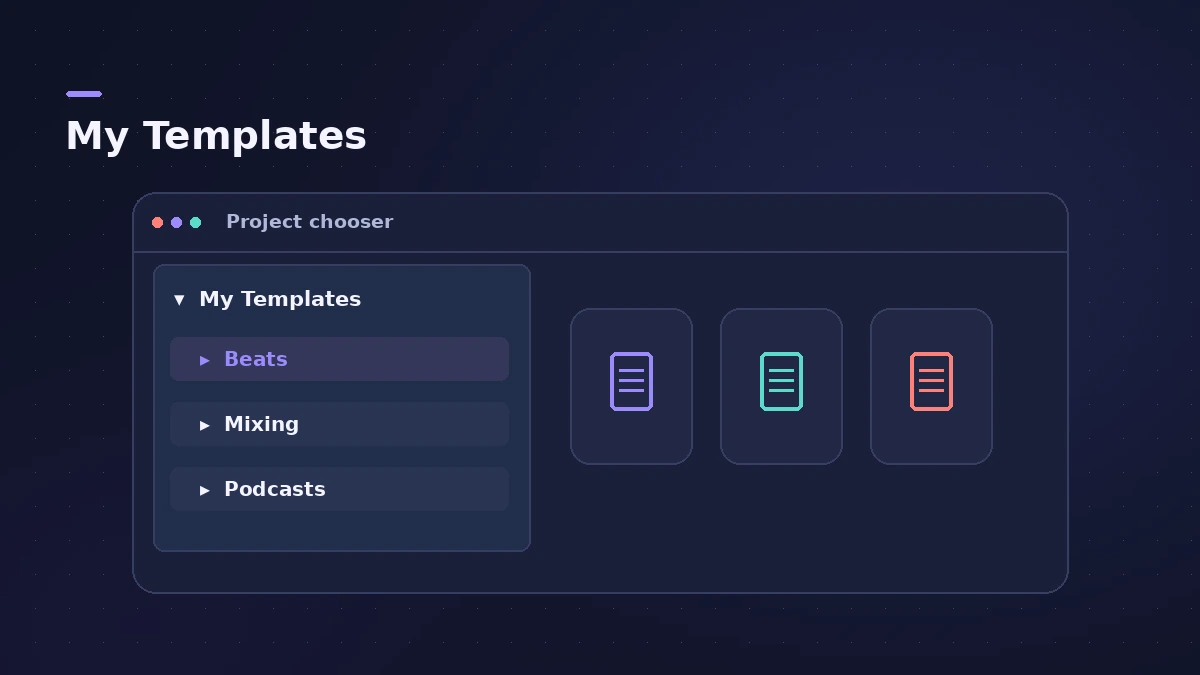
A template is a project you start from instead of an empty session: the tracks, routing, patches and screensets are already in place. You make one with File > Save As Template, and it then appears under My Templates when you create a new project.
 Owen Hartley

Where to find it
File > Save As Template
What goes into a template
| Keep in the template | Leave out |
|---|---|
| Tracks, track names and colours | Recordings and test regions |
| Buses, sends and return effects | Bounces and temporary files |
| Instrument and channel strip patches | Song-specific tempo and key |
| Screensets | Anything you rarely use |
Where templates are saved
Templates live in a Project Templates folder; Dummies gives the current
path as ~/Music/Audio Music Apps/Project Templates. Back that folder up
with your projects — see save and back up projects.
Templates vs patches
A template stores a whole project. To reuse a single track's instrument and effects inside any project, save it as a patch instead.
Step by step
-
1
Build the setup once
Create the tracks, buses, sends and patches you use in most projects — for example a vocal track with its effects, a drum bus and reverb and delay returns. See aux sends and buses.
-
2
Remove the music
Delete test recordings and regions so each new project starts empty but keeps the tracks and routing.
-
3
Choose File > Save As Template
Type a name. Apple's guide notes you can use the Create Folder button in the same dialog to group templates into folders.
-
4
Open it from My Templates
Choose File > New from Template and click My Templates in the Project Chooser. Your template is there with any folders you created.
-
5
Update it when your setup changes
Open the template, change it, then save it again with Save As Template under the same name.
Common mistakes
- Leaving demo audio in the template, so every new project carries the same files.
- Saving with Save As instead of Save As Template — that just makes another project.
- Building one huge template for everything instead of a few small ones per job.
Templates for each workflow
A template per job keeps each start fast: one for beats, one for podcasts and one for scoring to picture. To learn where templates and projects live on disk, see where files are saved.
Sources
- Apple — Logic Pro X 10.1 Help: Save projects (package or folder)
- Apple — Logic Pro X 10.1 Help: Create projects (Project Chooser, My Templates) (old)
- Dummies — How to start a Logic Pro project (default Logic folder, templates)
- Apple — Logic Pro 9 User Manual: Saving projects (backups, templates) (old)
Checked November 2026. Logic ProFiles is independent of Apple; menu names can differ slightly between Logic Pro versions.
Frequently asked questions
Where are Logic Pro templates stored?
+
Dummies gives the folder as ~/Music/Audio Music Apps/Project Templates. Very old versions such as Logic Pro 9 used ~/Library/Application Support/Logic/Project Templates.
Can I sort templates into groups?
+
Yes. Use the Create Folder button in the Save As Template dialog; the folder names appear under My Templates.
Do templates keep screensets?
+
Yes. Apple's guide notes that screensets can be customised for each template.
Related
- How to create a new project in Logic ProCreate a new Logic Pro project with the right settings: template or empty project, tempo and key, sample rate, Flex Time and where the project is saved.
- Save and back up Logic Pro projectsSave Logic Pro projects as a package or folder, revert to earlier backups, consolidate assets before moving a project and back everything up with Time Machine.
- Logic Pro screensets — save and recall window layoutsSave Logic Pro window layouts as screensets and recall them with the number keys: create, switch, lock, revert and import screensets from other projects.
- Where does Logic Pro save files?Where Logic Pro keeps files on a Mac: projects in Music > Logic, the Sound Library bundle, templates, key commands, settings files and third-party plug-ins.
- Logic Pro workflowsStep-by-step Logic Pro workflows by genre — house, techno, drum and bass, lo-fi, synthwave, orchestral, rock — plus beats, film scoring and podcasts.