Learn Logic Pro
Save and back up Logic Pro projects
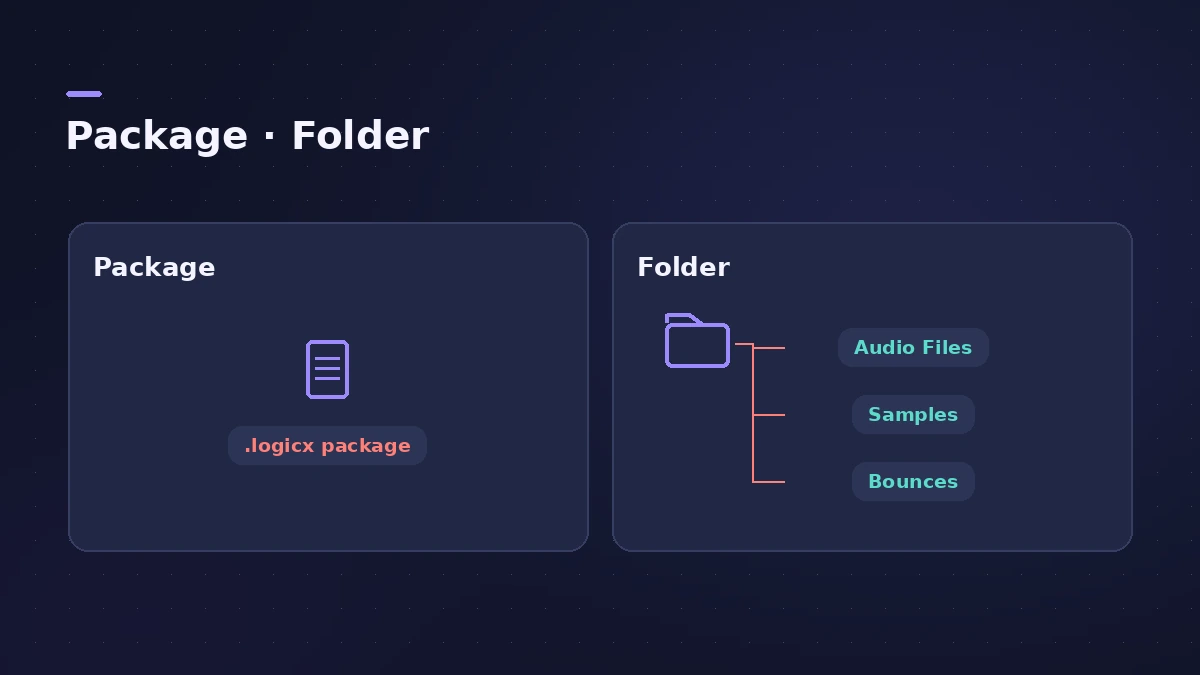
A Logic Pro project is saved either as a package — one .logicx file with the audio inside — or as a folder with subfolders for its assets. Logic Pro keeps backups each time you save, and Logic Pro 13 also keeps your undo history. Before you move or archive a project, consolidate it so every file sits inside it.
 Owen Hartley
Where to find it
File > Save As, File > Project Management
Package or folder
| Package | Folder | |
|---|---|---|
| What you see in the Finder | One .logicx file | A folder with the project and asset subfolders |
| Opens on iPad | Yes | No — convert with Save As > Package |
| Good for | Moving and sharing one song | Several versions sharing the same audio |
Backups, alternatives and undo
Every manual save adds a backup you can return to with File > Revert to. Alternatives (File > Alternatives > New Alternative) let you keep differently named versions of the same project, each with its own settings. Logic Pro 13 turns on Save Undo History by default, so undo still works after you close and reopen a project, and Clean Up Project now also removes references to unused audio files.
New to projects? Start with new project settings.
Step by step
-
1
Check how the project is saved
Choose File > Project Settings > Assets. The header says Project Package or Project Folder.
-
2
Save as a package if you use iPad
Logic Pro for iPad opens only packages. Choose File > Save As, pick Package and the file types to copy in, then save.
-
3
Consolidate the assets
Choose File > Project Management > Consolidate, tick the asset types to copy (audio, Sampler and Alchemy data, impulse responses, video, Sound Library content) and click OK.
-
4
Back up the project
Use Time Machine or copy the project to an external drive. Apple recommends doing this periodically, not only before updates.
-
5
Revert if something goes wrong
Choose File > Revert to and pick an earlier backup; each manual save creates one.
Common mistakes
- Moving a project whose audio lives elsewhere without consolidating it first.
- Saving as a folder and then trying to open it on iPad.
- Updating Logic Pro mid-project without a backup of the app and your projects.
Before a big update
Apple suggests compressing a copy of the Logic Pro app (File > Compress in the Finder) and backing up your projects before you update, so you can go back if needed. See Logic Pro version history for what each update changes.
Sources
- Apple Support — Work on a Logic Pro project on your iPad and your Mac
- Apple — Logic Pro User Guide: Assets project settings
- Apple — Logic Pro User Guide: Consolidate project assets
- Apple Support — Back up Logic Pro for Mac (May 2025)
- Apple — Logic Pro X 10.1 Help: Save projects (old)
- Apple — Logic Pro X 10.1 Help: Use project alternatives and backups (old)
- Apple — Logic Pro 9 manual: Saving projects and Auto Backup (old)
- Apple Support — Open older projects in Logic Pro X (archived)
- Apple Support — Logic Pro for Mac release notes
Checked November 2026. Logic ProFiles is independent of Apple; menu names can differ slightly between Logic Pro versions.
Frequently asked questions
Should I save Logic Pro projects as a package or a folder?
+
A package keeps everything in one file and is required for Logic Pro for iPad. Apple's older notes say a folder can save disk space when you keep several versions of one song in the same folder.
Does Logic Pro auto-save?
+
Yes. After a crash, Logic Pro asks whether to open the auto-saved version when you reopen the project.
How many backups does Logic Pro keep?
+
It depends on the Auto Backup setting under Project Handling in Logic Pro's General settings. Backups are listed under File > Revert to.
Related
- Logic Pro project package vs project folderLogic Pro projects save as a .logicx package or as a project folder. What each holds, which assets get copied, why iPad needs packages, and how to convert.
- Delete unused audio files in Logic ProShrink a Logic Pro project: delete inactive track alternatives, Select Unused in the Project Audio Browser, delete files, optimize audio and run Clean Up.
- Track Alternatives in Logic ProUse Track Alternatives in Logic Pro like playlists: create New or Duplicate versions, prelisten and exchange, rename, and delete inactive ones to save space.
- Logic Pro project templatesSave a Logic Pro project as a template with File > Save As Template, keep templates in folders, find them under My Templates and build a reusable setup.
- Where does Logic Pro save files?Where Logic Pro keeps files on a Mac: projects in Music > Logic, the Sound Library bundle, templates, key commands, settings files and third-party plug-ins.
- Logic Pro project won't openA Logic Pro project won't open or says it's damaged? Open it without plug-ins, import its tracks into a new project, use Revert To or Project Backups.
- "Audio file not found" in Logic ProLogic Pro says an audio file wasn't found in its expected location? Use Search or Locate, check moved folders and drives, clean the Project Audio list.
- How to import audio and MIDI files into Logic ProImport WAV, AIFF, MP3 and MIDI files into Logic Pro: drag from the Finder, use File > Import, keep files with the project, match tempo, make sampler tracks.
- How to create a new project in Logic ProCreate a new Logic Pro project with the right settings: template or empty project, tempo and key, sample rate, Flex Time and where the project is saved.
- Logic Pro for iPad vs Logic Pro for MacLogic Pro for iPad vs Mac: Creator Studio at $12.99 a month vs $199.99 once, which iPads run it, what's Mac-only and how projects move between the two apps.
- Learn Logic Pro — tutorials for beginnersLearn Logic Pro on Mac: a beginner tutorial, the interface, the Logic Pro 13 Browser, audio interface setup, key commands, loops, patches and saving projects.