Editing
Track Alternatives in Logic Pro
Track Alternatives keep several versions of a track — different takes, edits or arrangements — on one channel strip. Only the active one plays, so you can try ideas without cluttering the mixer. They arrived in Logic Pro X 10.3 and need advanced tools turned on.
 Owen Hartley

Where to find it
Track > Show Track Alternatives
Track Alternatives commands
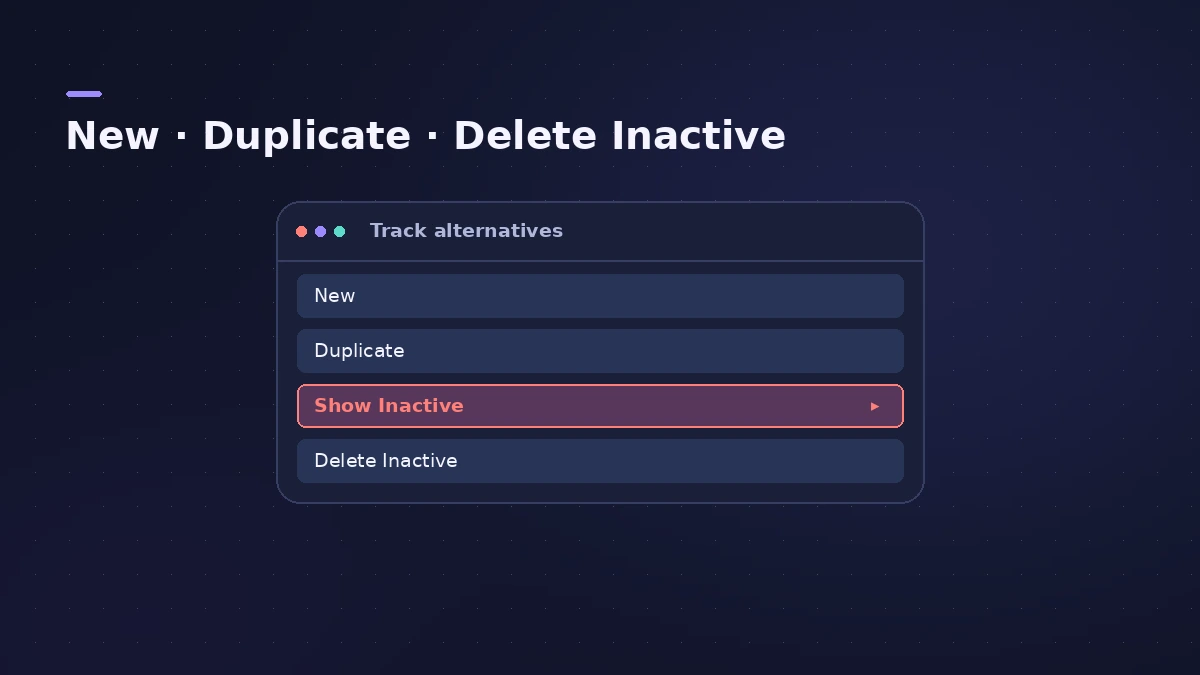
| Command | What it does |
|---|---|
| New | An empty alternative becomes active |
| Duplicate | A new alternative with copies of the active regions |
| Rename | Control-click the alternative and choose Rename |
| Prelisten | Hear an inactive alternative in context |
| Exchange | Make an inactive alternative the active one |
| Delete Inactive | Remove all but the active alternative |
Step by step
-
1
Turn on advanced tools
Apple notes you need complete features enabled in Logic Pro > Settings > Advanced.
-
2
Show the alternatives
Choose Track > Show Track Alternatives; a Track Alternatives button appears in each track header.
-
3
Create an alternative
Choose New for an empty alternative — handy for recording another performance — or Duplicate to copy the active one's regions.
-
4
Compare and swap
Prelisten an inactive alternative in context, then use Exchange Alternative to make it active.
-
5
Clean up
When you've decided, choose Delete Inactive to remove the others and their regions.
Common mistakes
- Looking for Track Alternatives with advanced tools off.
- Using Track automation mode with alternatives — Sound On Sound suggests Region mode.
- Leaving many inactive alternatives with long recordings, which keeps the project large.
Takes vs alternatives
Take folders hold several recordings of the same pass for comping; alternatives hold whole versions of a track. To save the whole project as variations, use project alternatives — see save and back up projects.
Sources
- Apple Support — Work with track alternatives in Logic Pro for Mac
- Apple Support — Work with track alternatives (prelisten, exchange)
- Sound On Sound — Track Alternatives in Logic 10.3 (Apr 2017)
- Sound On Sound — Logic Pro: Track Alternatives (Aug 2022)
- Apple Support — Remove unused audio files in your Logic Pro for Mac project
Checked November 2026. Logic ProFiles is independent of Apple; menu names can differ slightly between Logic Pro versions.
Frequently asked questions
What are Track Alternatives in Logic Pro?
+
Multiple versions of one track that share a channel strip. Only the active alternative plays.
How are alternatives named?
+
Logic Pro names them alphabetically — A, B, C and so on — and you can rename them.
Related
- How to comp vocals in Logic ProComp the best parts of several takes in Logic Pro with Quick Swipe Comping: open the take folder, swipe the best phrases, compare comps and flatten.
- Cycle recording and take folders in Logic ProRecord several takes of one section in Logic Pro: set a cycle area, choose Create Take Folder, record multiple passes, then preview takes and comp.
- Save and back up Logic Pro projectsSave Logic Pro projects as a package or folder, revert to earlier backups, consolidate assets before moving a project and back everything up with Time Machine.
- Delete unused audio files in Logic ProShrink a Logic Pro project: delete inactive track alternatives, Select Unused in the Project Audio Browser, delete files, optimize audio and run Clean Up.
- Editing in Logic ProEdit audio and MIDI in Logic Pro: comp takes, quantize, Flex Time, Smart Tempo, change tempo or key, Stem Splitter, audio to MIDI, fades and Remove Silence.