Learn Logic Pro
How to set tempo, key and time signature in Logic Pro
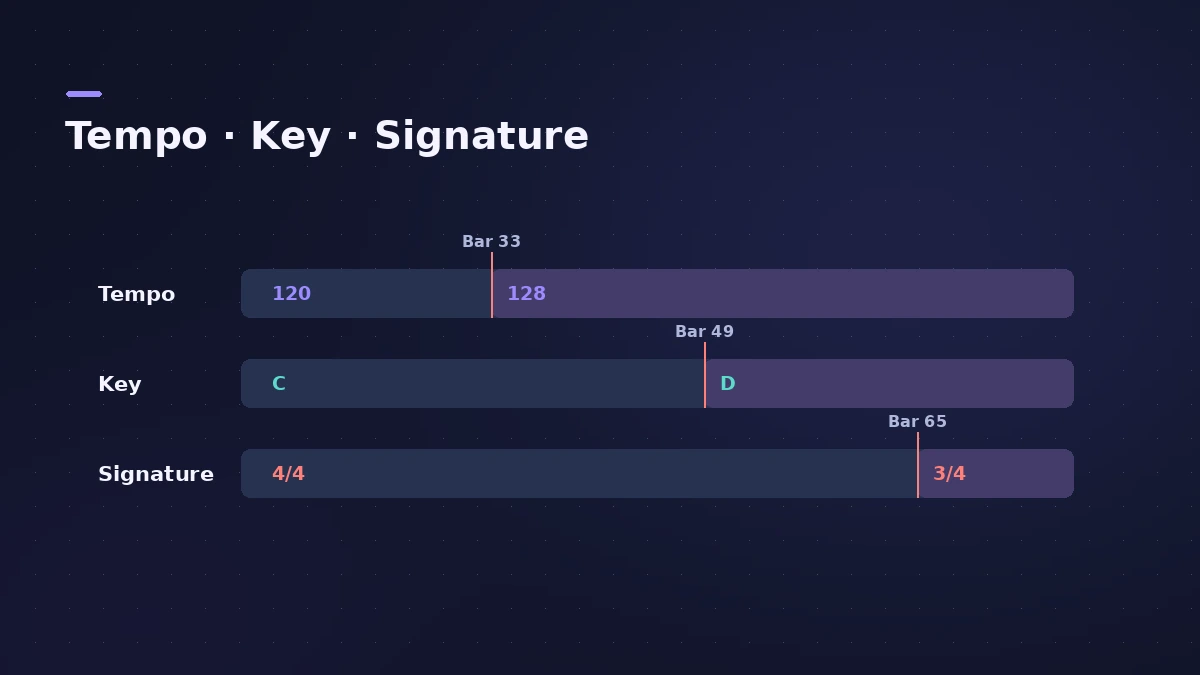
Every project has three basic properties: tempo, key and time signature. New projects start at 120 bpm, C major and 4/4. You can change all three in the LCD at the top of the window, and add changes partway through a song. Set them before recording — the metronome and Apple Loops follow them.
 Owen Hartley
Where to find it
LCD in the control bar
What each property changes
| Property | Default | Affects |
|---|---|---|
| Tempo | 120 bpm | Playback speed, metronome, loops and grid |
| Key | C major | Apple Loop playback, notes in the Score Editor |
| Time signature | 4/4 | Ruler and bars — not playback |
Start each new song from the right settings with our new project guide.
Step by step
-
1
Show the project values in the LCD
Click the icon on the left of the LCD and choose Beats & Project, which shows tempo, key and time signature.
-
2
Change the tempo
Drag the tempo value up or down, or double-click it and type a new value. Logic Pro accepts 5 to 990 bpm.
-
3
Change the key
Click the key and choose the note and major or minor. Apple says the key affects how Apple Loops play and how notes appear in the Score Editor.
-
4
Change the time signature
Click the time signature and set the beats per bar and note value. It changes the ruler and bars, not the sound.
-
5
Add changes later in the song
Open the global tracks and add tempo, key or time signature changes at the bar where they should happen. Option-Shift-T opens the Tempo List.
Common mistakes
- Forgetting that Apple Loops follow the project key — check them after a key change.
- Setting the tempo after programming drums and loops in the wrong feel.
Tap tempo and detecting tempo
You can assign a key command to Tap Tempo and tap the beat; the first time, Logic Pro asks whether to enable it. For audio recorded without a click, look at Logic Pro's Smart Tempo features, which Apple's user guide covers in its own chapter.
Sources
- Apple — Logic Pro User Guide: Get started with project properties
- Apple — Logic Pro X 10.1 Help: Set the project tempo (old)
- Apple — Logic Pro X 10.2.1 Help: Set the project tempo (old)
- Apple — Logic Pro X 10.4.5 Help: Control bar and LCD (old)
- Apple — Logic Pro X 10.1 Help: Global Commands key commands (old)
- Apple — Logic Pro User Guide: What's new in Logic Pro for Mac 12
Checked November 2026. Logic ProFiles is independent of Apple; menu names can differ slightly between Logic Pro versions.
Frequently asked questions
What is the default tempo in Logic Pro?
+
120 beats per minute, with the key of C and a 4/4 time signature.
Does changing the time signature change playback?
+
No. Apple says it changes the units shown in the ruler and the bars in the Score Editor, not playback.
Do I need advanced settings to add tempo changes?
+
Not in Logic Pro 12 or 13 — all features are always available. In Logic Pro 11 and earlier, adding changes needed Enable Complete Features.
Related
- Tap tempo BPM counterTap along to any song to find its BPM, with half and double time, then set Logic Pro's tempo or use its own Tap Tempo key command and Tempo Interpreter.
- Logic Pro tempo keeps changingProject tempo jumps when you import audio or MIDI in Logic Pro? Set Smart Tempo to Keep Project Tempo, change the import setting, delete tempo points.
- Bars to time calculatorWork out how long a number of bars lasts at any tempo and time signature, how long one bar is, and how many bars fit a target length such as a 30-second ad.
- Tempo change calculatorGoing from one BPM to another? See the speed change in percent, the new song length and how many semitones the pitch moves if speed and pitch change together.
- How to create a new project in Logic ProCreate a new Logic Pro project with the right settings: template or empty project, tempo and key, sample rate, Flex Time and where the project is saved.
- The Logic Pro interface explainedA tour of the Logic Pro window: control bar and LCD, Tracks area, inspector, Library, Browser, Mixer, editors and Smart Controls, with keys to toggle them.
- Logic Pro tutorial for beginners — your first song in 9 stepsA Logic Pro tutorial for beginners: set up audio, create a project, set tempo and key, record, add a Session Player, edit, mix, master and bounce a song.
- How to transpose or change the key in Logic ProTranspose MIDI and audio regions in Logic Pro, change a song's key with key signatures and Pitch Source, and fine-tune audio regions in cents.
- Smart Tempo in Logic ProUse Smart Tempo in Logic Pro to record without a click and build a tempo map: choose Adapt, Keep or Automatic, fix the analysis with hints, multitrack.
- Learn Logic Pro — tutorials for beginnersLearn Logic Pro on Mac: a beginner tutorial, the interface, the Logic Pro 13 Browser, audio interface setup, key commands, loops, patches and saving projects.