Bars to time calculator
How long is 16 bars at 92 BPM? How many bars fit a 30-second spot? Enter bars, tempo and beats per bar to see the duration, the length of one bar and how many bars fill a target time.
 Owen Hartley
The formula
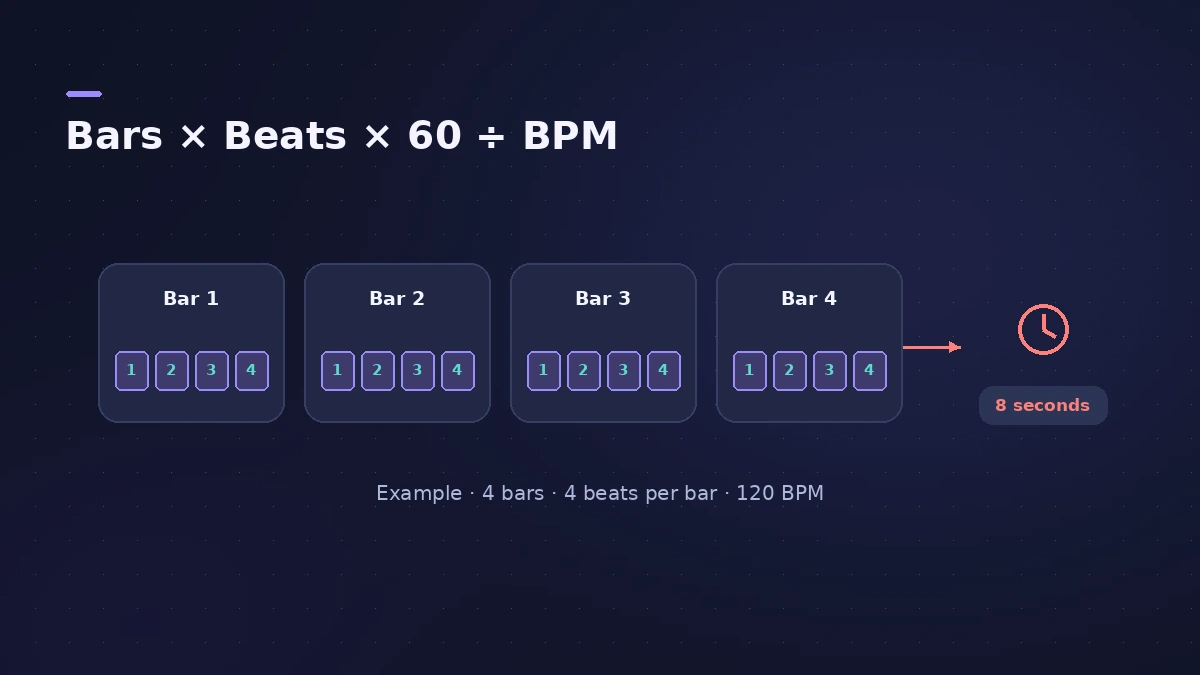
Seconds = bars × beats per bar × 60 ÷ BPM, and the reverse: bars = seconds × BPM ÷ 60 ÷ beats per bar.
| 4/4 at | 1 bar | 8 bars | 16 bars |
|---|---|---|---|
| 90 BPM | 2.67 s | 21.3 s | 42.7 s |
| 120 BPM | 2.00 s | 16.0 s | 32.0 s |
| 140 BPM | 1.71 s | 13.7 s | 27.4 s |
Set the project's tempo and time signature in Logic Pro — see tempo, key and time signature.
Sources
Checked November 2026. Logic ProFiles is independent of Apple; menu names can differ slightly between Logic Pro versions.
Frequently asked questions
How long is 8 bars at 120 BPM in 4/4?
+
16 seconds — 32 beats at half a second each.
What's the formula?
+
Seconds = bars × beats per bar × 60 ÷ BPM.
Related
- Tap tempo BPM counterTap along to any song to find its BPM, with half and double time, then set Logic Pro's tempo or use its own Tap Tempo key command and Tempo Interpreter.
- SMPTE timecode calculatorConvert SMPTE timecode to frames and seconds at 24, 25 or 30 fps, seconds back to timecode, and see frames per beat at any tempo for scoring to picture.
- How to set tempo, key and time signature in Logic ProSet tempo, key and time signature in Logic Pro from the LCD, add tempo and key changes later in the song, and see what each setting changes in playback.
- BPM to delay time calculatorTurn a tempo into delay times in milliseconds for whole to 1/64 notes, dotted and triplet, plus the rate in Hz — for Stereo Delay, Delay Designer and pre-delay.
- Tempo change calculatorGoing from one BPM to another? See the speed change in percent, the new song length and how many semitones the pitch moves if speed and pitch change together.
- Audio calculatorsFree audio calculators for Logic Pro: buffer latency, file size, BPM to delay time, bars to time, tempo change, samples to ms and note frequency.