Tempo change calculator
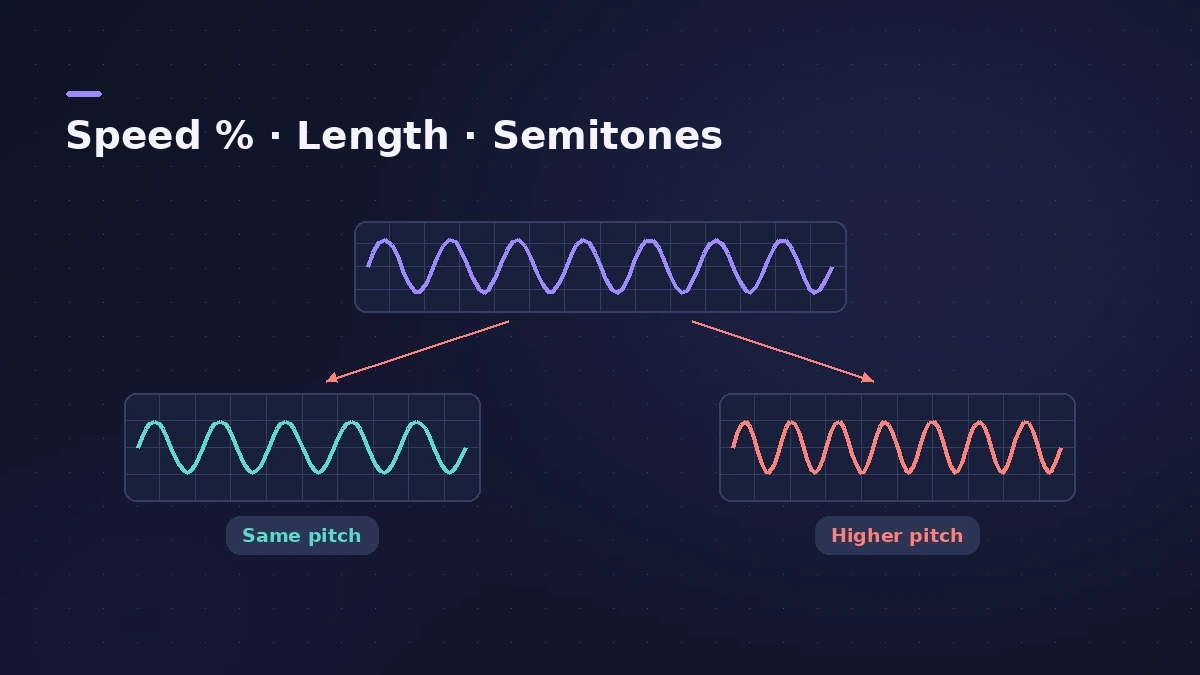
Enter an original and a new tempo to see the change as a percentage, the new length of a song or clip, and the pitch shift you'd hear with a tape-style speed change. Time-stretching keeps the pitch instead.
 Owen Hartley
The formulas
Speed change % = (new BPM ÷ old BPM − 1) × 100. New length = old length × old BPM ÷ new BPM. Pitch shift (semitones) = 12 × log2(new BPM ÷ old BPM) — only when speed and pitch change together.
In Logic Pro
Varispeed plays the whole project faster or slower; its Speed Only mode keeps the pitch, while the tape-style modes change it — see Varispeed. To change tempo without changing pitch, see change tempo without pitch.
Sources
Checked November 2026. Logic ProFiles is independent of Apple; menu names can differ slightly between Logic Pro versions.
Frequently asked questions
What percentage is 120 to 128 BPM?
+
About +6.67% faster.
How much does pitch change at +6% speed?
+
About one semitone, if speed and pitch change together (12 × log2 of the speed ratio).
Related
- Tap tempo BPM counterTap along to any song to find its BPM, with half and double time, then set Logic Pro's tempo or use its own Tap Tempo key command and Tempo Interpreter.
- Sample rate mismatch calculatorFind out how much faster or slower and how far out of tune a file plays at the wrong sample rate, such as 96 kHz audio in a 48 kHz project, plus its new length.
- Varispeed in Logic ProUse Varispeed in Logic Pro to play a whole project at 50% to 200% speed: Speed Only, tape-style Speed and Pitch, Varispeed and MIDI, and how to add it.
- How to change tempo without changing pitch in Logic ProChange the tempo of audio in Logic Pro without changing pitch: let regions follow tempo with Flex, use the Time and Pitch Machine or Varispeed Speed Only.
- Bars to time calculatorWork out how long a number of bars lasts at any tempo and time signature, how long one bar is, and how many bars fit a target length such as a 30-second ad.
- Audio calculatorsFree audio calculators for Logic Pro: buffer latency, file size, BPM to delay time, bars to time, tempo change, samples to ms and note frequency.