Sample rate mismatch calculator
Audio played at a different sample rate than it was recorded at changes speed and pitch together. Pick both rates to see the effect before you convert the file.
 Owen Hartley
The formulas
| Result | Formula |
|---|---|
| Speed | playback rate ÷ file rate |
| Pitch shift | 12 × log2(speed) semitones |
| New length | original length ÷ speed |
Apple notes that a mismatch between a file and the project sample rate changes how the file plays. The fix is to convert the file, not to change its tempo — see audio too fast or slow.
Sources
- Apple — Logic Pro 9 Help: Setting the project sample rate (old)
- Apple — Logic Pro for Mac: Set the sample rate of a project
Checked November 2026. Logic ProFiles is independent of Apple; menu names can differ slightly between Logic Pro versions.
Frequently asked questions
Why does my 96 kHz file play at half speed?
+
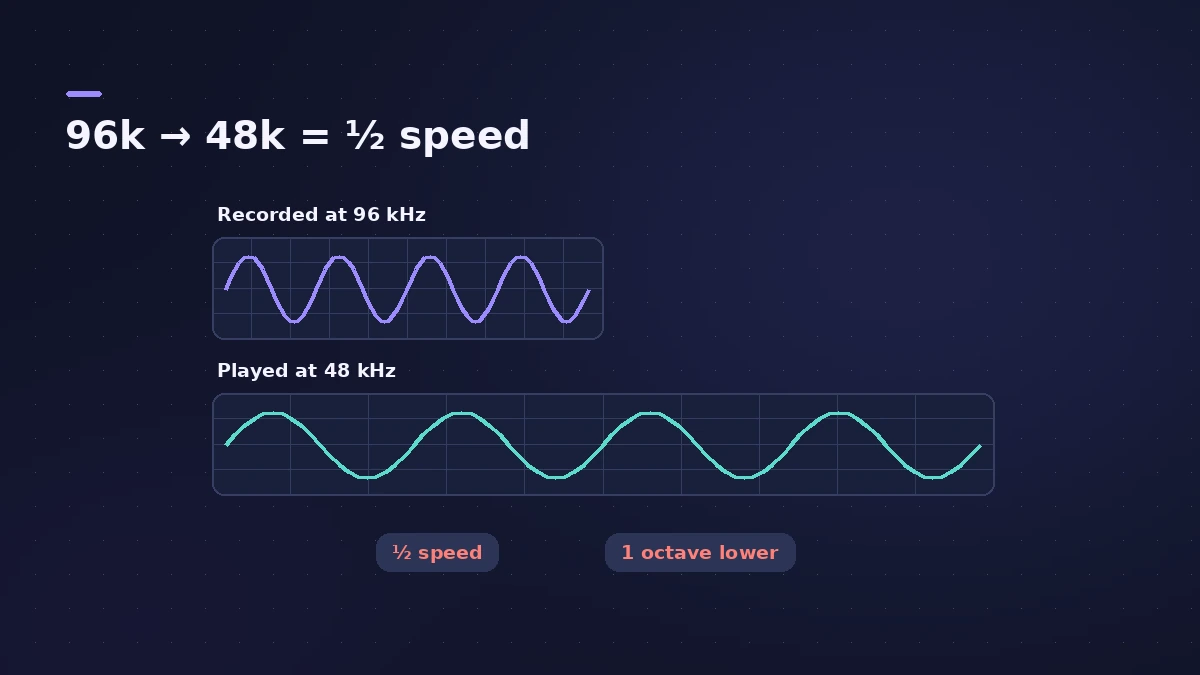
Played at 48 kHz without conversion, a 96 kHz file plays at half speed — Apple’s documentation gives this exact example.
How far does 44.1 vs 48 kHz detune audio?
+
About 1.47 semitones: 48,000 ÷ 44,100 ≈ 1.088.
Related
- Audio plays too fast or too slow in Logic ProAudio plays too fast, too slow or at the wrong pitch in Logic Pro? The file's sample rate doesn't match the project. Match the rate or convert the audio files.
- Sample rate and bit depth in Logic ProChoose the right sample rate and bit depth in Logic Pro: 44.1 kHz for music, 48 kHz for video, 24-bit recording, 32-bit float and mismatched rates.
- Tempo change calculatorGoing from one BPM to another? See the speed change in percent, the new song length and how many semitones the pitch moves if speed and pitch change together.
- Samples to milliseconds calculatorConvert samples to milliseconds and milliseconds to samples at any sample rate — useful for recording offsets, latency figures and sample delay settings.
- Audio calculatorsFree audio calculators for Logic Pro: buffer latency, file size, BPM to delay time, bars to time, tempo change, samples to ms and note frequency.