Samples to milliseconds calculator
Logic Pro shows some timings in samples — the Recording Delay slider, for example — and others in milliseconds. Pick a sample rate and convert in either direction.
 Owen Hartley
The formula
ms = samples ÷ sample rate × 1000, and samples = ms × sample rate ÷ 1000.
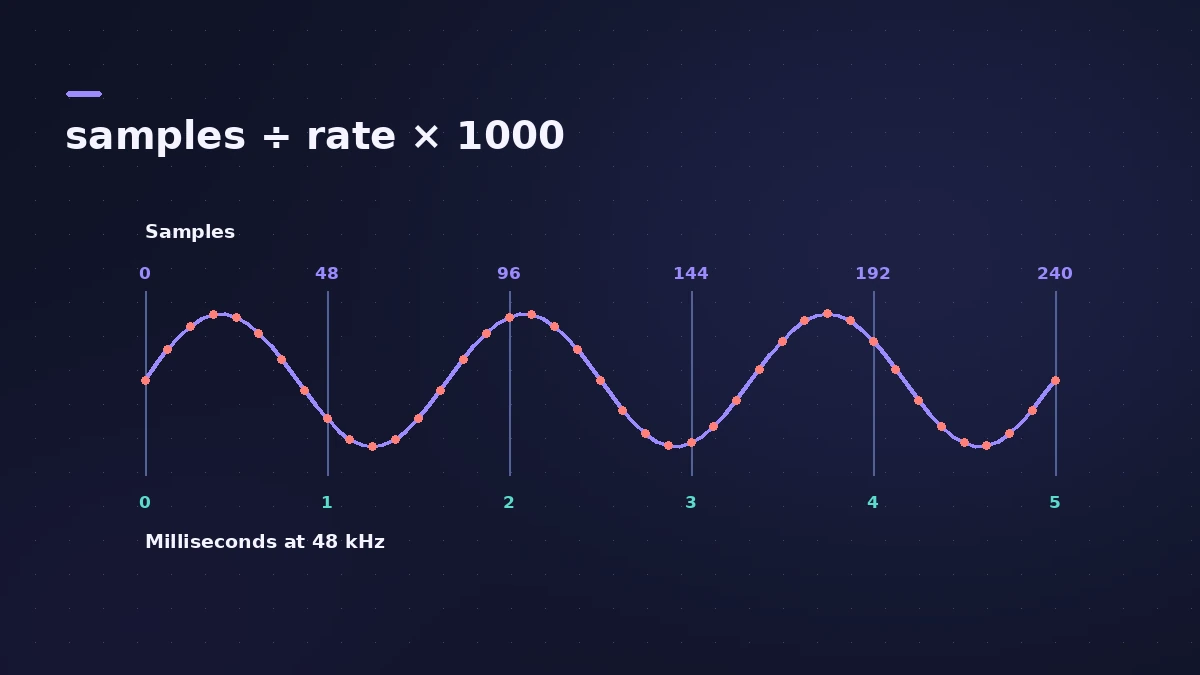
| 44.1 kHz | 48 kHz | 96 kHz | |
|---|---|---|---|
| 100 samples | 2.27 ms | 2.08 ms | 1.04 ms |
| 1,000 samples | 22.68 ms | 20.83 ms | 10.42 ms |
Measured an offset in a loopback test? Convert it here, then see recording out of sync.
Sources
- M-Audio — Recording too early or too late in Logic Pro (Recording Delay)
- Apple — Logic Pro User Guide for Mac: Glossary
Checked November 2026. Logic ProFiles is independent of Apple; menu names can differ slightly between Logic Pro versions.
Frequently asked questions
How many milliseconds is 1,000 samples at 48 kHz?
+
About 20.83 ms.
What's the formula?
+
ms = samples ÷ sample rate × 1000.
Related
- Mic distance to delay calculatorTurn the distance between two mics into delay in milliseconds and samples, with air temperature, to line up close and room mics or a DI and amp in Logic Pro.
- SMPTE timecode calculatorConvert SMPTE timecode to frames and seconds at 24, 25 or 30 fps, seconds back to timecode, and see frames per beat at any tempo for scoring to picture.
- Time display in Logic Pro: bars, beats and SMPTERead Logic Pro's LCD: bars, beats, divisions and ticks, SMPTE timecode with frames, display modes, giant time display, frame rate and SMPTE offset settings.
- Sample Delay in Logic ProUse Sample Delay in Logic Pro to delay left or right by samples or milliseconds: align multi-mic recordings, fix stereo timing and create a Haas-style width.
- Recorded audio out of sync in Logic ProRecorded audio lands early or late in Logic Pro? Reset the Recording Delay slider to zero, try Low Latency Mode and measure the offset with a loopback test.
- Buffer latency calculatorConvert Logic Pro's I/O buffer size to milliseconds at any sample rate. See one-buffer and input-plus-output delay for 32 to 1024 samples, with the formula.
- Logic Pro latency — how to fix delay when recordingHearing a delay when you record in Logic Pro? Lower the I/O buffer, turn on Low Latency Monitoring Mode, use direct monitoring and avoid Bluetooth headphones.
- Audio calculatorsFree audio calculators for Logic Pro: buffer latency, file size, BPM to delay time, bars to time, tempo change, samples to ms and note frequency.