Learn Logic Pro
The Logic Pro interface explained
Logic Pro's main window looks busy because it holds many panes, but you only need a few at once. The Tracks area in the middle is where you arrange; everything else opens around it and closes again with a single key. Logic Pro 13 tidied the layout further with one consolidated inspector and a unified Browser.
 Owen Hartley
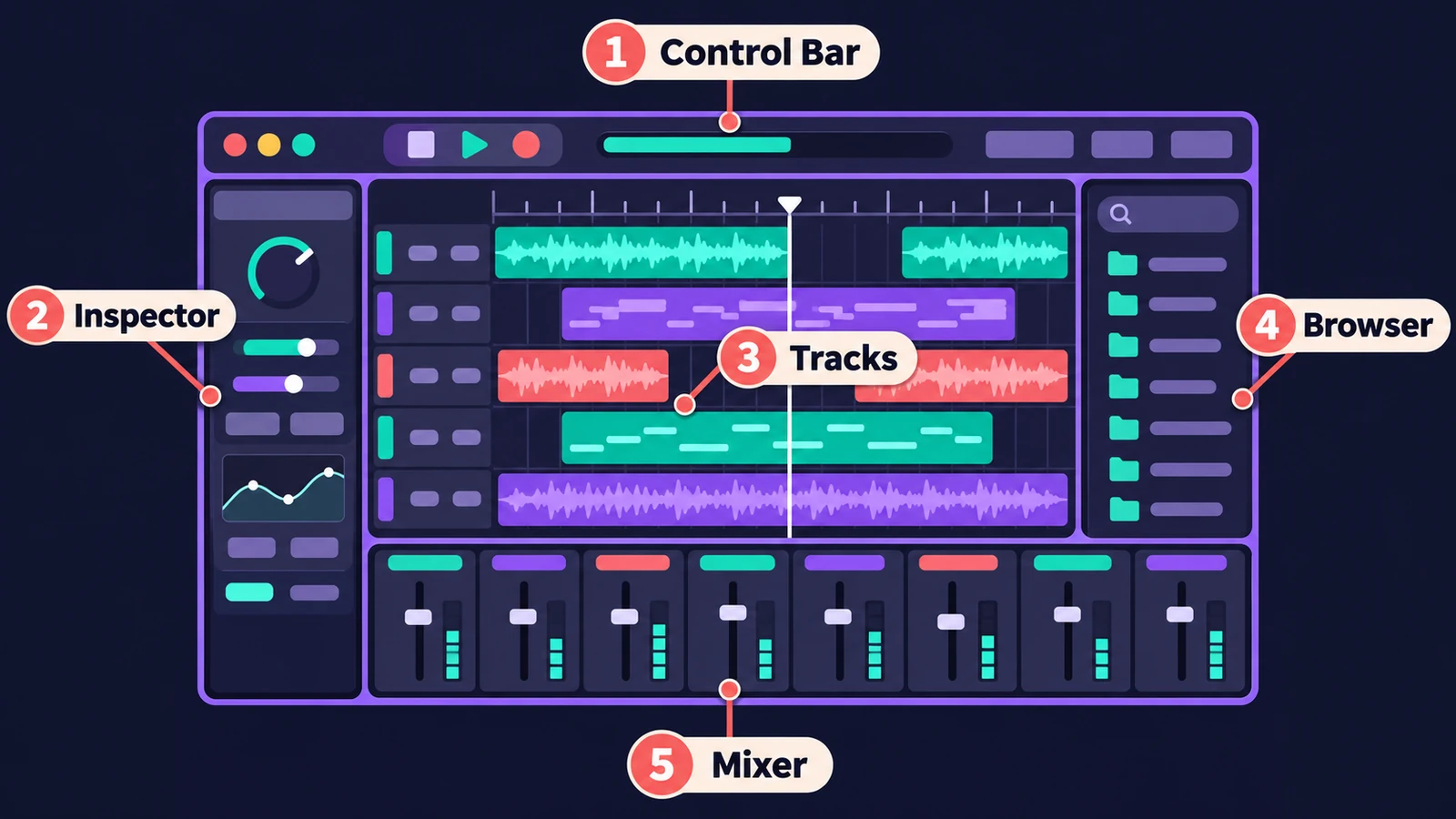
The main areas
| Area | What it's for | Show or hide |
|---|---|---|
| Control bar and LCD | Transport buttons; the LCD shows position, tempo, key and time signature | Always visible |
| Tracks area | Arrange regions on tracks — the heart of the window | — |
| Inspector | Region, track and channel strip settings (one consolidated inspector in Logic Pro 13) | Inspector button |
| Browser | Loops, samples, patches and presets in one place in Logic Pro 13 (guide) | B (13) |
| Library | Patches for the selected track (Logic Pro 12 and earlier) | Y (12 and earlier) |
| Loop Browser | Apple Loops (Logic Pro 12 and earlier) | O (12 and earlier) |
| Mixer | Every channel strip side by side | X |
| Smart Controls | A few key knobs for the selected track's sound (guide) | Y (13); B (12 and earlier) |
| Piano Roll | Edit MIDI notes | P |
| Score Editor | Notation | N |
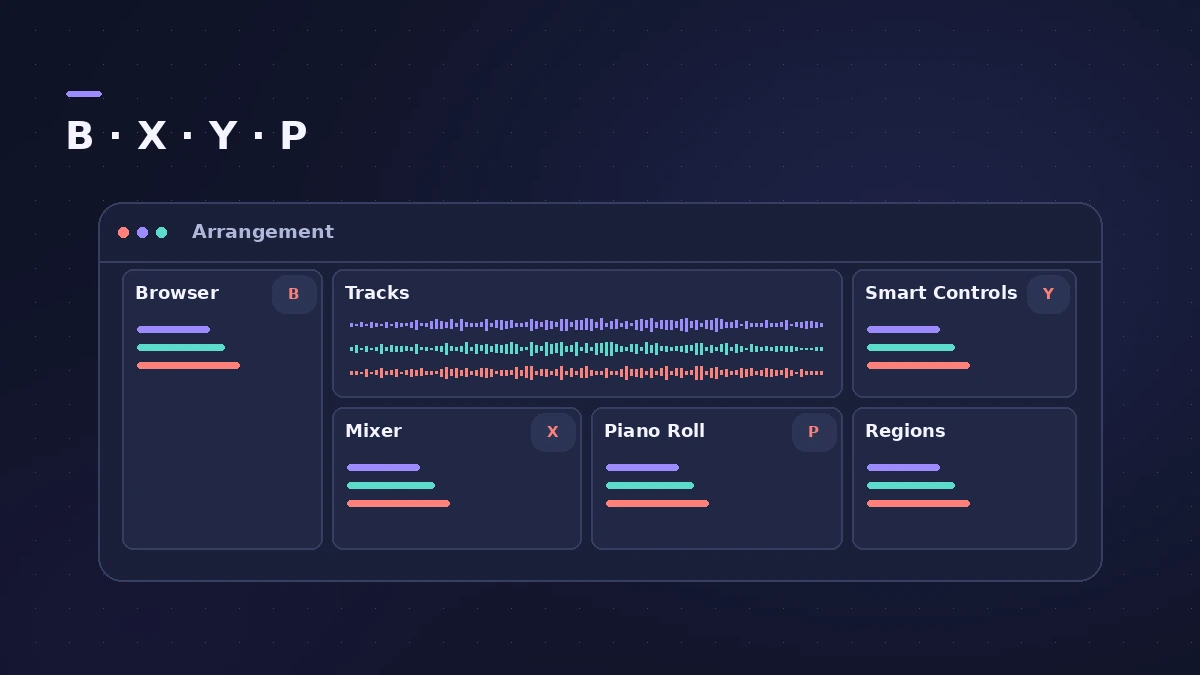
The LCD
The display in the middle of the control bar shows the playhead position and the project's tempo, key and time signature — new projects start at 120 bpm in C major, 4/4. Apple's older help describes display modes such as Beats & Project and Custom, which adds locators, MIDI activity and CPU and disk meters. See tempo, key and time signature.
Floating windows
Each area can also open as its own window: Command-1 for the main window and Command-2 for the Mixer. That's handy with two displays. The full list of keys is in Logic Pro shortcuts.
Sources
- Apple — Logic Pro User Guide: What's new in Logic Pro for Mac 13
- Apple Support — Logic Pro for Mac release notes
- Apple — Logic Pro X 10.4.5 Help: Control bar and LCD (old)
- Apple — Logic Pro X 10.1 Help: Global Commands key commands (old)
- Apple — Logic Pro User Guide: Key commands for Main Window Tracks
- Apple — Logic Pro User Guide: Get started with project properties
Checked November 2026. Logic ProFiles is independent of Apple; menu names can differ slightly between Logic Pro versions.
Frequently asked questions
How do I show the Mixer in the main window?
+
Press X to show or hide it under the tracks, or Command-2 to open it as a separate window.
What changed in the Logic Pro 13 interface?
+
Apple lists a Liquid Glass design, one streamlined inspector that shows region and track parameters together, and a unified Browser that searches the Sound Library, your own samples and Splice in one place.
Related
- Logic Pro glossaryLogic Pro glossary: region, take, comping, bounce, freeze, bus, channel strip, patch, quantize, latency, Smart Tempo and more — short definitions with links.
- Logic Pro shortcuts — the default key commands worth learningThe Logic Pro key commands worth learning first: transport, recording, windows, editing, tracks and export from Apple's U.S. preset, and how to change them.
- Logic Pro tutorial for beginners — your first song in 9 stepsA Logic Pro tutorial for beginners: set up audio, create a project, set tempo and key, record, add a Session Player, edit, mix, master and bounce a song.
- How to set tempo, key and time signature in Logic ProSet tempo, key and time signature in Logic Pro from the LCD, add tempo and key changes later in the song, and see what each setting changes in playback.
- Logic Pro screensets — save and recall window layoutsSave Logic Pro window layouts as screensets and recall them with the number keys: create, switch, lock, revert and import screensets from other projects.
- Logic Pro tools explainedThe Logic Pro tools explained: open the Tool menu with T, set Left-click and Command-click tools and the right mouse button, and what each common tool does.
- Learn Logic Pro — tutorials for beginnersLearn Logic Pro on Mac: a beginner tutorial, the interface, the Logic Pro 13 Browser, audio interface setup, key commands, loops, patches and saving projects.