Recording
How to record drums in Logic Pro
Start with a pair of overheads to capture the whole kit, then add close mics on kick and snare — with four mics you can already get a solid drum sound. In Logic Pro, each mic needs its own interface input and its own audio track; arm them all, record in one pass, then group the tracks in a Track Stack.
 Owen Hartley

Where to find it
One audio track per mic
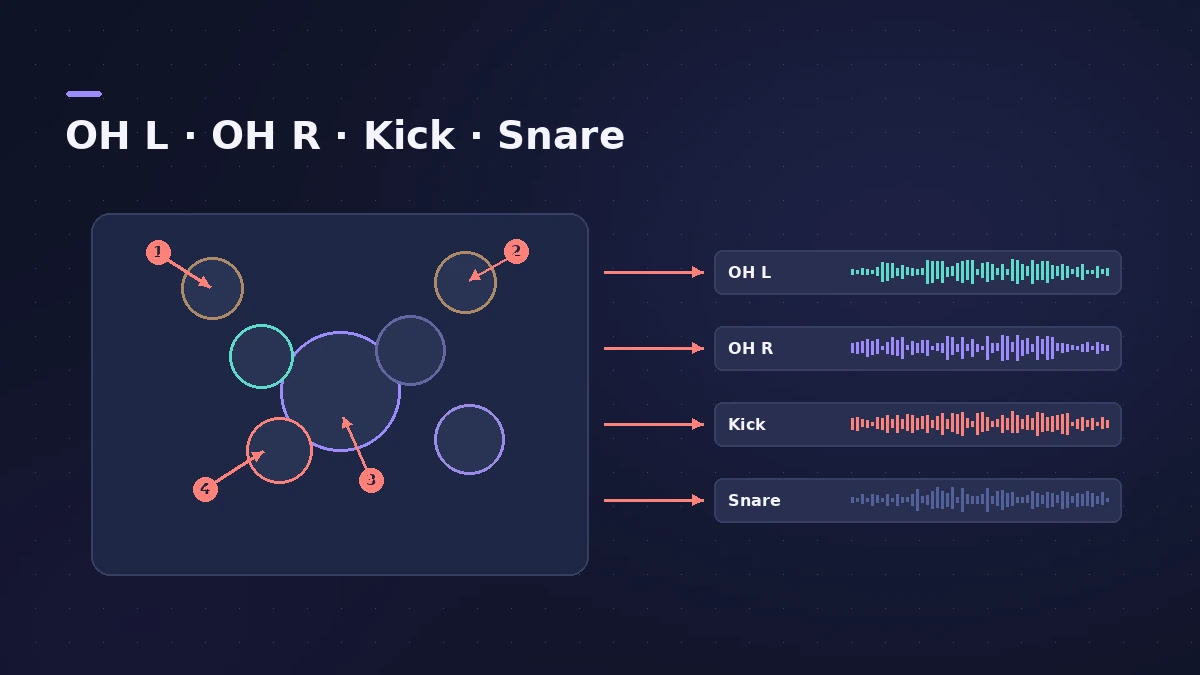
A simple input plan
| Input | Mic | Track |
|---|---|---|
| 1 | Kick | Kick (mono) |
| 2 | Snare | Snare (mono) |
| 3–4 | Overheads | OH (stereo or two mono) |
| 5+ | Toms, hi-hat, room | One mono track each |
More on arming many tracks at once in record multiple tracks.
Step by step
-
1
Set up overheads first
Shure suggests starting with the overheads and refining from there; a spaced pair or an X/Y pair above the kit captures cymbals and the overall balance.
-
2
Add kick and snare
Add a dedicated kick mic and a snare mic. UA notes that kick, snare and overheads make up most of the kit sound if you only have four inputs.
-
3
One input, one track
Create a mono audio track for each close mic and a pair (or stereo track) for the overheads, each on its own input — tracks recorded together need unique inputs.
-
4
Set levels on the loudest hits
Have the drummer play the loudest section and set each preamp so nothing clips.
-
5
Arm all and record
Arm every drum track and press R. Afterwards select the tracks and create a Track Stack to control them together.
Common mistakes
- Two tracks on the same input — Logic Pro won't arm them together.
- Overheads at unequal distances from the snare, which pulls the snare off-centre.
- Planning more mics than your interface has inputs.
Need more inputs?
Apple's aggregate device lets Logic Pro use inputs from more than one interface. Group and mix the drum tracks with Track Stacks.
Sources
- Shure — Recording drums part 1: setting up and microphone technique (Nov 2022)
- Universal Audio — How to professionally mic drums
- Reverb — A beginners' guide to drum mic'ing
- Apple — Logic Pro 9 manual: Recording multiple tracks simultaneously (old)
- Apple — Logic Pro X 10.4 Help: Record to multiple audio tracks (old)
- Apple Support — Create an Aggregate Device to combine multiple audio devices
Checked November 2026. Logic ProFiles is independent of Apple; menu names can differ slightly between Logic Pro versions.
Frequently asked questions
How many mics do I need to record drums?
+
You can start with four: two overheads, kick and snare. Add toms, hi-hat or room mics as inputs allow.
How do I place two overheads?
+
Reverb's beginner guide suggests an equilateral triangle between the snare and the two overhead mics so both are the same distance from the snare.
Related
- Mic distance to delay calculatorTurn the distance between two mics into delay in milliseconds and samples, with air temperature, to line up close and room mics or a DI and amp in Logic Pro.
- Gain plug-in in Logic ProUse Logic Pro's Gain plug-in to change level by dB, invert phase (polarity) on a snare-bottom mic, sum stereo to mono, swap left and right and adjust balance.
- Noise Gate in Logic ProUse Noise Gate in Logic Pro to cut bleed and noise: set Threshold and Reduction, shape Attack, Hold and Release, filter the side chain, or use Ducker mode.
- Enveloper in Logic ProEnveloper in Logic Pro shapes transients: boost the attack for more snap, cut it to soften hits, and raise or lower the release to bring out or dry up reverb.
- Drummer in Logic ProAdd a Drummer to Logic Pro and shape the part: XY pad for complexity and loudness, fills, swing, kit pieces and Follow so the kick and snare match your bass.
- How to record multiple tracks at once in Logic ProRecord a band, drum kit or podcast in Logic Pro: one input and track per mic, arm them all, record in one pass, and add inputs with an aggregate device.
- Track Stacks in Logic Pro — folder vs summing stacksGroup tracks in Logic Pro with Track Stacks: when to use a Folder Stack or a Summing Stack, how to create, nest and open them, and why summing stacks are buses.
- How to record bass guitar in Logic ProRecord bass guitar in Logic Pro through the instrument input, then shape it with Bass Amp Designer's amp and Direct Box, alone or blended together.
- Recording in Logic ProHow to record in Logic Pro: vocals, electric and acoustic guitar, bass, drums and MIDI, plus cycle takes, punch-in, Flashback Capture and step input.