Plug-ins
Noise Gate in Logic Pro
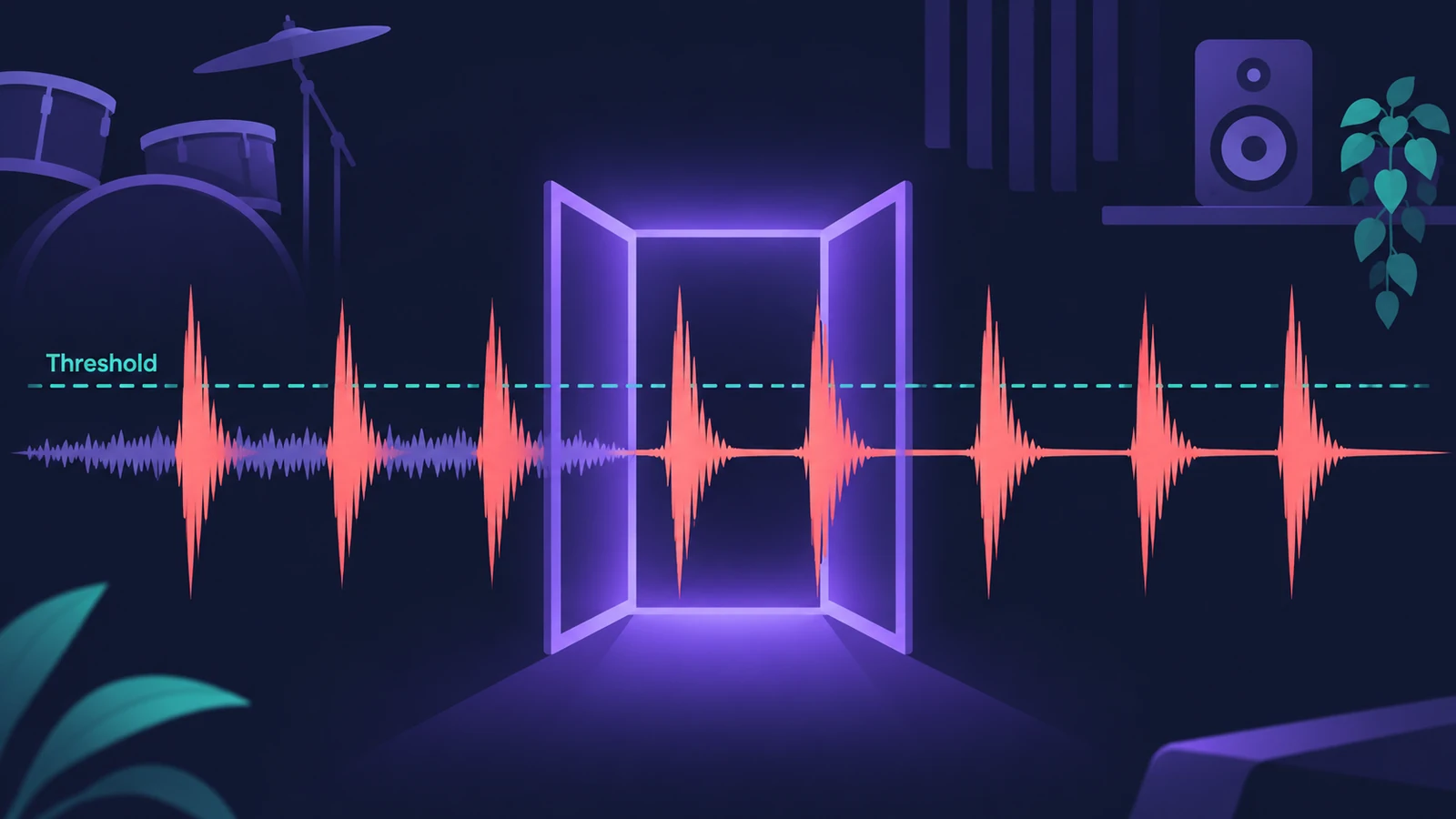
Noise Gate lets signals above the threshold through and turns down everything below it. It's used to remove background noise, crosstalk from other sources and low-level hum — and in Ducker mode it can turn one signal down when another one plays.
 Owen Hartley
Where to find it
Audio Effect slot > Dynamics > Noise Gate
Noise Gate controls
| Control | What it does |
|---|---|
| Gate / Ducker | Operating mode |
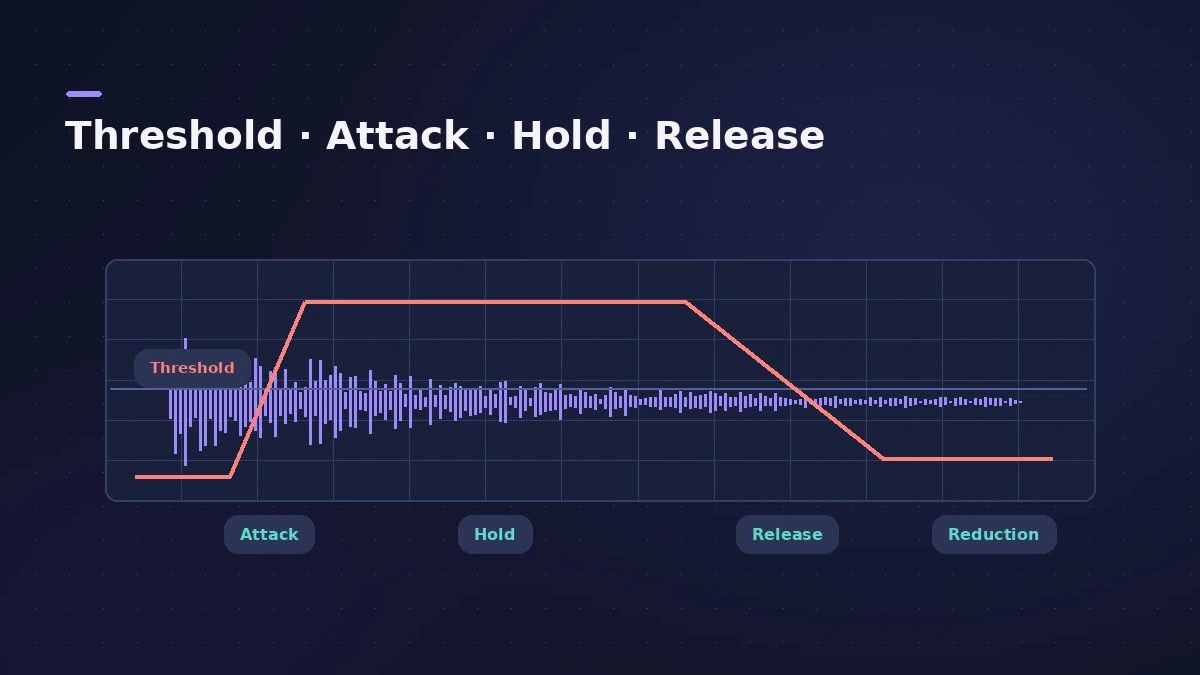
| Threshold | Level below which the signal is reduced |
| Reduction | How much it's reduced (or boosted for ducking) |
| Attack | Time to fully open after the threshold is exceeded |
| Hold | Minimum time the gate stays open |
| Release | Time to close |
| Hysteresis | A lower closing level to prevent chattering |
| Lookahead | Analyses ahead to respond to peaks faster |
| High Cut / Low Cut, Monitor | Filter and audition the side-chain trigger |
Step by step
-
1
Insert Noise Gate
Add Noise Gate to the track with bleed or noise, such as a snare or tom mic.
-
2
Set the Threshold
Raise Threshold until the noise between hits is cut but the hits still open the gate.
-
3
Set Reduction
Lowest Reduction mutes everything below the threshold; a higher value just turns it down.
-
4
Shape Attack, Hold and Release
Use a low Attack for drums, and Hold or Hysteresis to stop the gate chattering when the level hovers around the threshold.
-
5
Filter the side chain
Turn on the side-chain filters to make the gate react to the right sound — for example, cut the hi-hat so only the snare opens it.
Common mistakes
- Fully closing the gate on drums so the kit sounds choppy — leave a little bleed.
- Ignoring Hold, so the gate chatters on decaying notes.
- Expecting side-chain filters to change the sound — they only change what triggers the gate.
Ducker mode
Put Noise Gate on an aux, switch to Ducker and choose the voice-over bus as the side chain to turn music down while someone speaks. For compressor-based ducking, see sidechain compression.
Sources
- Apple — Logic Pro X 10.2 Effects Help: Noise Gate (old)
- Apple — Logic Pro X 10.4.5 Help: Use Noise Gate (old)
- Apple — Logic Pro for iPad User Guide: Noise Gate
- Apple — Logic Pro for iPad User Guide: Use Noise Gate
- Apple — Logic effects in Final Cut Pro: Noise Gate controls
- Apple — Logic Pro 9 Effects: Noise Gate (old)
Checked November 2026. Logic ProFiles is independent of Apple; menu names can differ slightly between Logic Pro versions.
Frequently asked questions
What does Reduction do on Noise Gate?
+
It sets how much the signal below the threshold is reduced. It can also boost by up to 20 dB, which is useful for ducking effects.
How do I stop a gate from chattering?
+
Increase Hold, or use Hysteresis so the gate closes at a lower level than it opens.
Do the side-chain filters change the gated sound?
+
No. They only change the trigger signal, not the audio passing through the gate.
Related
- How to make synthwave in Logic ProMake synthwave in Logic Pro: 80–118 BPM, Retro Synth pads, an Arpeggiator line and a gated reverb snare built from a reverb aux followed by Noise Gate.
- Logic Pro sidechain not workingSidechain set but nothing ducks in Logic Pro? Pick the source in the plug-in's Side Chain menu, lower Threshold, check the source and plug-in support.
- Spectral Gate in Logic ProUse Spectral Gate in Logic Pro for creative sound design: set Center Freq and Bandwidth, Threshold, Super and Sub Energy, blend the original and add modulation.
- How to record drums in Logic ProRecord a drum kit in Logic Pro: start with overheads, add kick and snare mics, give each mic its own input and track, then group them in a Track Stack.
- How to sidechain in Logic ProSet up sidechain compression in Logic Pro: put Compressor on the bass or pad, pick the kick in the Side Chain menu, then set threshold, ratio, attack, release.
- Enveloper in Logic ProEnveloper in Logic Pro shapes transients: boost the attack for more snap, cut it to soften hits, and raise or lower the release to bring out or dry up reverb.
- Logic Pro Compressor and its circuit typesLogic Pro's Compressor has seven circuit types — Platinum Digital, Studio and Classic VCA, Studio FET and Vintage VCA, FET and Opto. Pick one and set it up.