Mix & Master
How to sidechain in Logic Pro
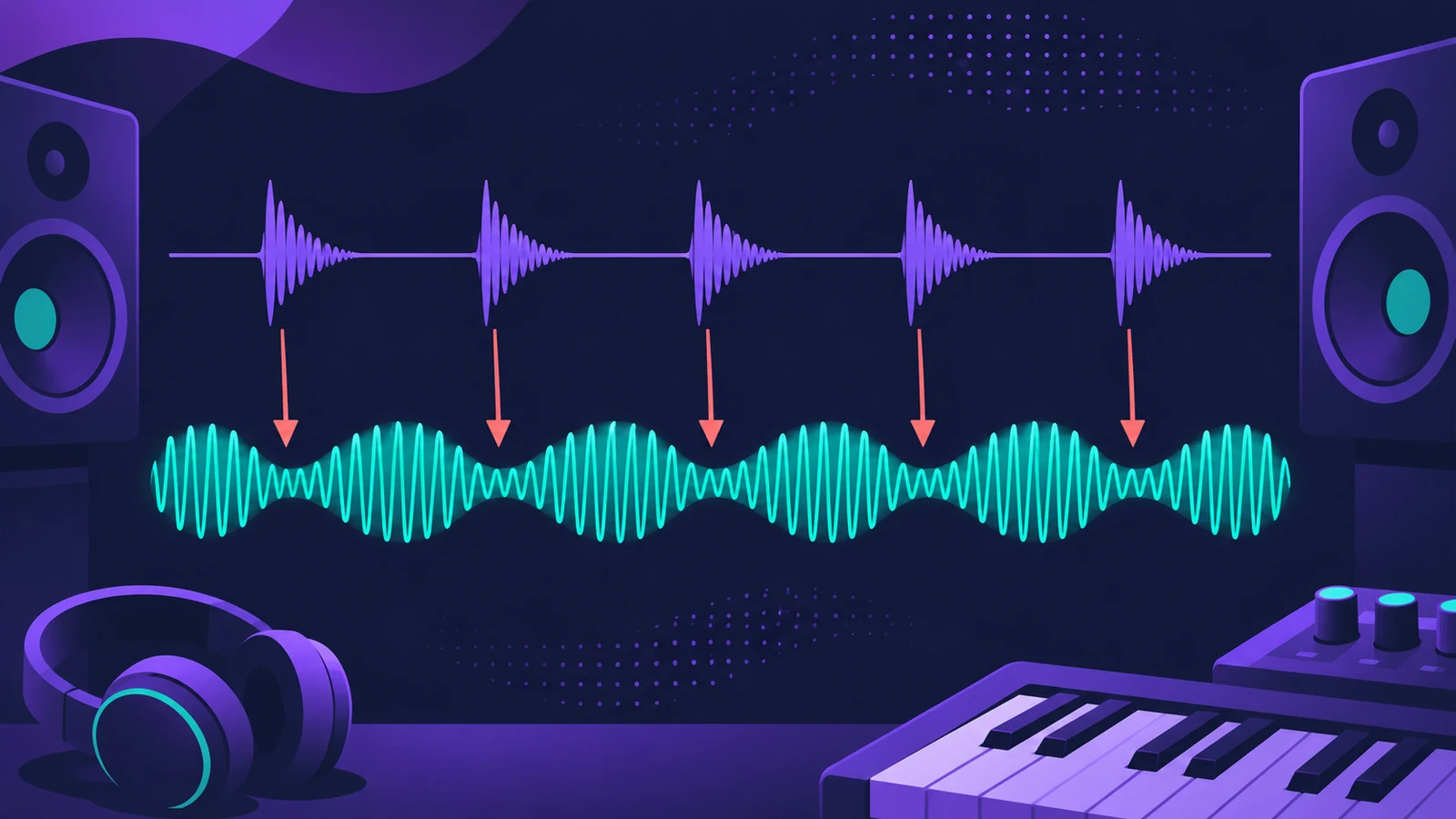
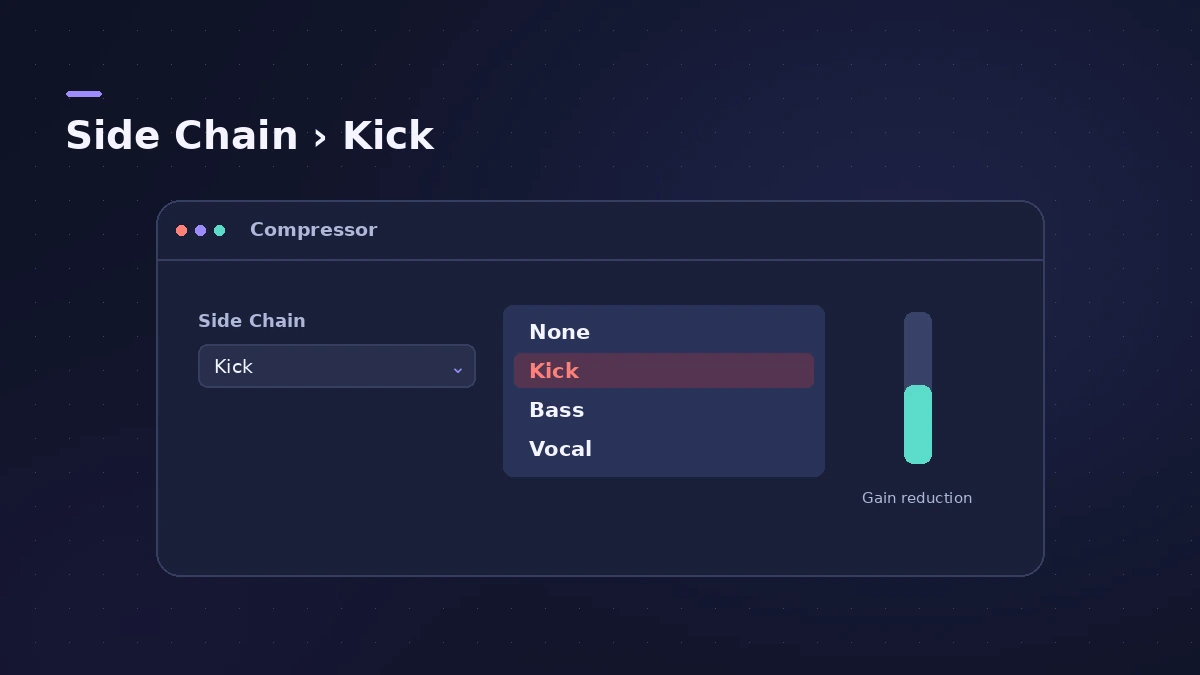
Sidechain compression turns one track down whenever another plays — the bass ducking under the kick, or a pad pumping in time. In Logic Pro there's no extra routing to build: open the Compressor on the track you want to duck and choose the trigger track from the Side Chain menu in the plug-in header.
 Owen Hartley
Where to find it
Compressor plug-in header > Side Chain menu
Typical sidechain uses
| Duck this | With this trigger | Why |
|---|---|---|
| Bass | Kick | Low end doesn't pile up |
| Pads or synths | Kick | Rhythmic pumping |
| Music bed | Voice-over | Speech stays clear |
Apple's Logic Pro 9 manual gives the voice-over example: route the music through a compressor that is side chained from the voice. For more compression tricks, see parallel compression.
Step by step
-
1
Insert Compressor on the track to duck
Add Compressor to the bass, pad or music bus — the track that should get quieter.
-
2
Choose the trigger
Click the Side Chain menu at the top right of the plug-in window and choose the kick track (or a bus). Apple says the side chain signal controls the plug-in but isn't processed by it.
-
3
Pick the detection mode
For stereo side chain signals, choose Max or Sum with the Side Chain Detection buttons.
-
4
Set threshold and ratio
Lower Threshold until the gain-reduction meter moves on every kick, then raise Ratio for deeper ducking.
-
5
Shape the pump
A fast Attack ducks immediately; Release sets how quickly the track comes back. Match it to the tempo by ear.
-
6
Filter the side chain if needed
In the side chain parameters, use the filter (LP, BP, HP, ParEQ or HS) so only part of the trigger — say the kick's low end — drives the compressor.
Common mistakes
- Putting the compressor on the kick instead of on the track you want to duck.
- Leaving Auto Gain on so make-up gain hides the ducking; Apple's Logic 9 manual notes it must be off for some side chain uses.
- Choosing None in the Side Chain menu by mistake — that disables the side chain.
Trigger without hearing it
For a steady pump when the kick drops out, Apple's older help describes sending the trigger to a bus and setting that aux's output to No Output, then choosing the bus in the Side Chain menu. The aux drives the compressor but you don't hear it.
Sources
- Apple — Logic Pro X 10.4 Help: Plug-in window header and side chain (old)
- Apple — Logic Pro for iPad User Guide: Use Compressor
- Apple — Logic Pro X 10.4.5 Help: Compressor side chain parameters (old)
- Apple — Logic Pro 9 Help: Plug-in window header and side chaining (old)
Checked November 2026. Logic ProFiles is independent of Apple; menu names can differ slightly between Logic Pro versions.
Frequently asked questions
Do I need to route audio to sidechain in Logic Pro?
+
No. Choosing the trigger track in the Compressor's Side Chain menu is enough. Use a bus only when you want a hidden or combined trigger.
Which Logic Pro plug-ins support side chain?
+
Plug-ins with a Side Chain menu in their header, such as Compressor. The menu accepts audio or instrument tracks, inputs and buses.
Related
- How to make house music in Logic ProBuild a house track in Logic Pro: tempo around 124–128 BPM, a four-on-the-floor kick in Drum Machine Designer, Synth Player bass and chords, sidechain pump.
- Logic Pro sidechain not workingSidechain set but nothing ducks in Logic Pro? Pick the source in the plug-in's Side Chain menu, lower Threshold, check the source and plug-in support.
- Noise Gate in Logic ProUse Noise Gate in Logic Pro to cut bleed and noise: set Threshold and Reduction, shape Attack, Hold and Release, filter the side chain, or use Ducker mode.
- Parallel compression in Logic Pro — two easy methodsDo parallel compression in Logic Pro two ways: with the Compressor's Mix knob on the track, or by sending drums to an aux with a heavily compressed Compressor.
- Aux sends and buses in Logic ProSet up aux sends in Logic Pro: send several tracks to one reverb on a bus, choose pre fader, post fader or post pan, and use Sends on Faders for headphones.
- How to mix a song in Logic Pro, step by stepA step-by-step mixing workflow for Logic Pro with stock plug-ins: organise tracks, balance levels, EQ, compress, add space with sends, automate, check loudness.
- Mix and master in Logic ProMix and master songs in Logic Pro with stock tools: vocal tuning, EQ, compression, sends, automation, Mastering Assistant, LUFS targets and Dolby Atmos.