Instruments
ES2 in Logic Pro
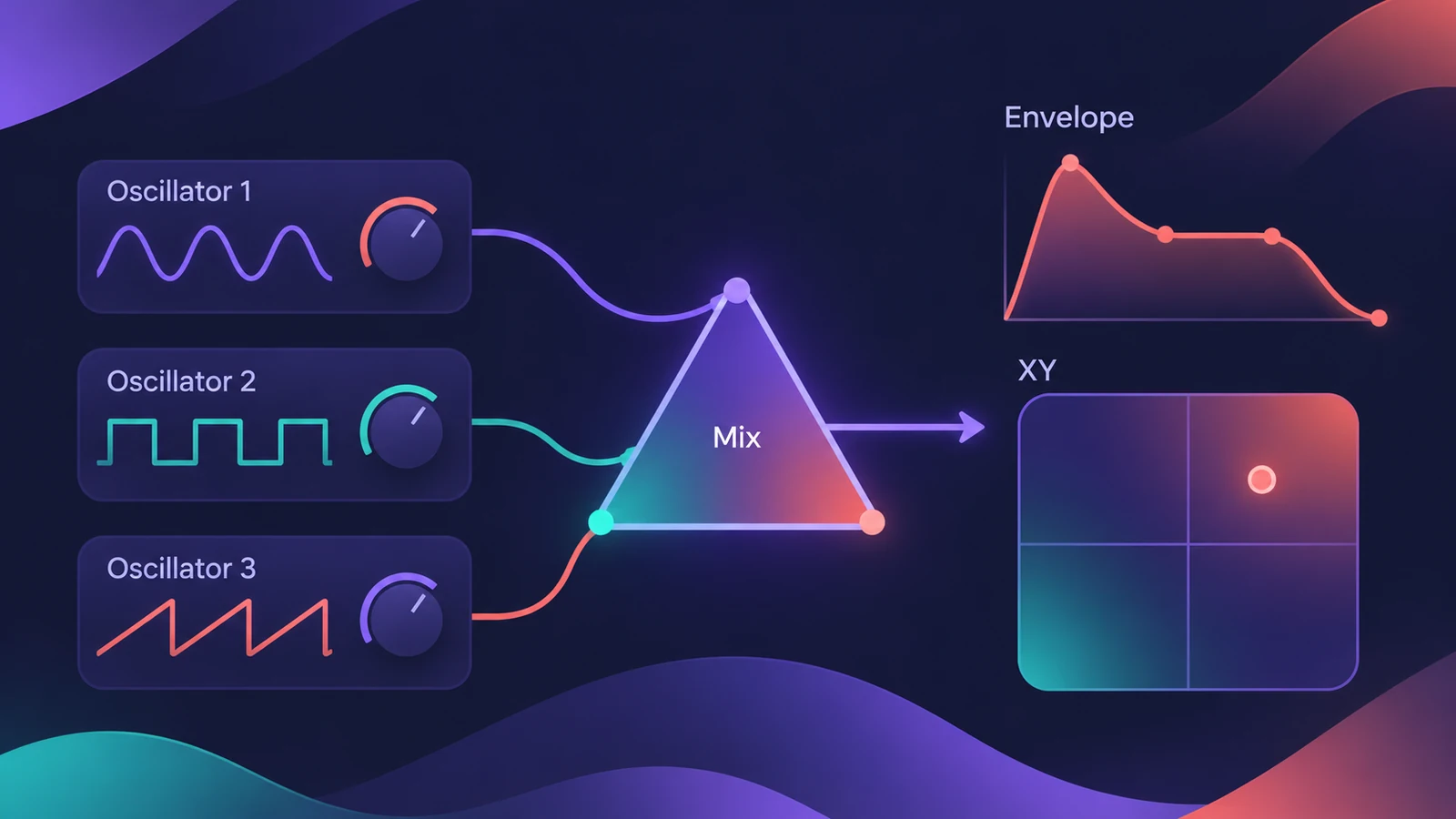
ES2 is Logic Pro's classic virtual analog synth with a digital twist. Three oscillators offer standard waveforms plus 100 Digiwaves, and a deep modulation section — LFOs, envelopes, a 10-slot matrix and the Vector Envelope — lets sounds move and evolve.
 Owen Hartley
ES2 at a glance
| Part | What it does |
|---|---|
| Oscillators | Three, with basic waves or 100 Digiwaves |
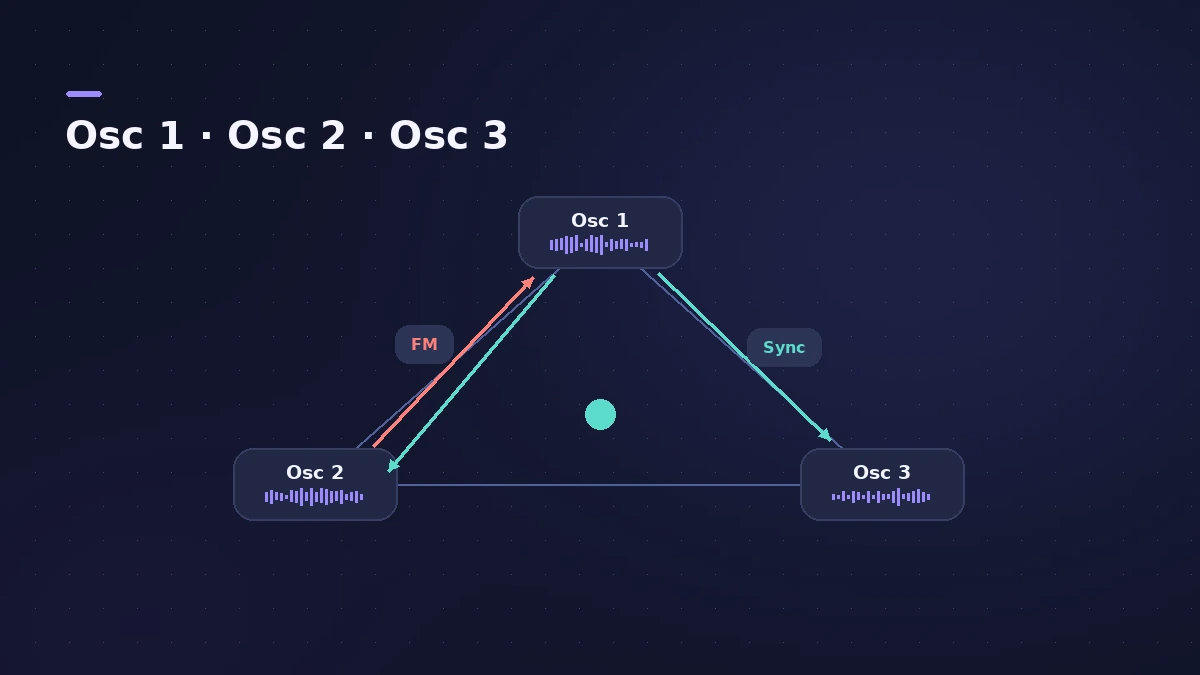
| FM, sync, ring mod | Osc 2 can FM osc 1; osc 2 and 3 can sync or ring-mod to osc 1 |
| Oscillator Mix pad | Crossfades the three oscillators |
| Mod Matrix | 10 slots linking sources to targets |
| Vector Envelope | Multipoint, loopable envelope for evolving sounds |
| Mod Pad | Controls two assignable parameters at once |
| Effects | Distortion, Chorus, Phaser, Flanger |
What Digiwaves are
Digiwaves are very short samples of the attack transients of various sounds and instruments. Mixing one with a saw or square wave is a quick way to give an ES2 patch a more complex tone.
ES2 in newer versions
Since Logic Pro 12, filter cutoff on the ES synths is mapped to MIDI CC74 (brightness) by default, so many controllers can sweep it without setup. To put key ES2 controls on knobs, use Smart Controls. For a simpler synth, see Retro Synth.
Sources
- Apple — Logic Pro for iPad User Guide: ES2
- Apple — Logic Pro for iPad User Guide: ES2 interface overview
- Apple — Logic Pro for iPad User Guide: ES2 oscillators
- Sound On Sound — ES2: Logic's most sophisticated virtual analogue synth
- Apple Support — Logic Pro 12 release notes
Checked November 2026. Logic ProFiles is independent of Apple; menu names can differ slightly between Logic Pro versions.
Frequently asked questions
How many oscillators does ES2 have?
+
Three. Each offers basic waveforms or any of 100 Digiwaves.
What is the Vector Envelope in ES2?
+
A multipoint, loopable envelope that can control the Mod Pad and the oscillator mix to create evolving sounds.
Does ES2 have built-in effects?
+
Yes — Distortion, Chorus, Phaser and Flanger.
Related
- Logic Pro synths comparedWhich Logic Pro synth to use: ES1 for learning, Retro Synth for classic sounds, ES2 for deep virtual analog, Alchemy for layers, Sculpture for modeling.
- MPE controllers in Logic ProRecord an MPE controller in Logic Pro: match the controller's MPE settings, use MIDI Mono Mode in Sculpture or ES2, set pitch bend range and edit per-note data.
- ES1 in Logic ProLearn Logic Pro's ES1 synth: oscillator and sub-oscillator, filter, envelopes, glide and LFO — a simple subtractive synth for analog basses, leads and plucks.
- EFM1 FM synth in Logic ProProgram Logic Pro's EFM1 FM synth: set the carrier and modulator ratio, shape FM depth with its envelope, and get bells, electric pianos and punchy basses.
- Modulator MIDI plug-in in Logic ProAdd movement with Logic Pro's Modulator MIDI plug-in: a synced LFO and an envelope sent to MIDI CC, pitch bend or any plug-in parameter in the strip.
- Retro Synth in Logic ProRetro Synth in Logic Pro explained: a 16-voice synth with Analog, Sync, wavetable and FM engines, which engine to pick for leads, pads, basses and bells.
- Alchemy in Logic ProWhat Alchemy does in Logic Pro: four sources, additive, spectral, granular, sampler and VA engines, morphing, the arpeggiator, and what Logic Pro 12.3 added.
- Sculpture in Logic ProSculpture in Logic Pro models a vibrating string: how the string, the three objects and the Material Pad work, and why it's great for evolving pads and basses.
- Smart Controls in Logic Pro — use and map themUse Logic Pro Smart Controls to shape a track's sound with a few knobs, change the layout, map screen controls and assign knobs on your MIDI controller.