Instruments
Modulator MIDI plug-in in Logic Pro
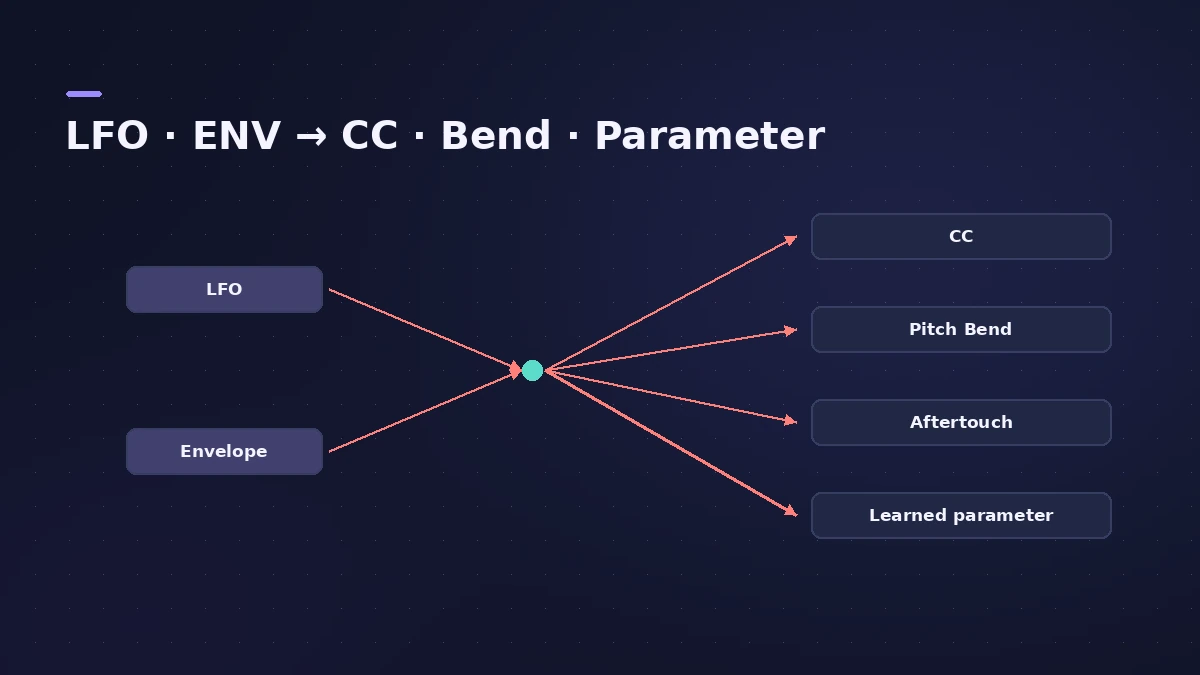
Modulator generates control data from an LFO and an envelope. Send it to a MIDI CC, aftertouch or pitch bend — or use Learn Plug-in Parameter to move any knob of a plug-in on the same channel strip, such as a synth's filter cutoff or an effect's mix.
 Owen Hartley

Where to find it
MIDI FX slot > Modulator
Modulator sections
| Section | Controls |
|---|---|
| LFO | Rate, Sync, waveform, Trigger (Free/Single/Multi), phase, output target |
| Envelope | Delay, Attack, Hold, Release, Trigger (Single/Multi/LFO), output target |
| ENV to LFO | Fade the LFO in or out with the envelope |
| Outputs | Level, offset, step width |
Step by step
-
1
Insert Modulator
Choose Modulator in the MIDI FX slot of a software instrument track.
-
2
Turn on the LFO
Set the Rate — turn on Sync for tempo-based values — and choose a trigger: Free, Single or Multi.
-
3
Choose the target
In LFO To, pick a CC, aftertouch or pitch bend, or choose Learn Plug-in Parameter and click the control you want to move.
-
4
Add the envelope
Turn on the envelope (Delay, Attack, Hold, Release) and send it to another target, or use it to fade the LFO in.
-
5
Try steps
Set a step width on the outputs for stepped, sample-and-hold style modulation.
Common mistakes
- Expecting it to move channel strip faders — it controls plug-ins below it in the strip, not the channel volume.
- Leaving the LFO trigger on Free when you want each note to start the movement the same way.
Other ways to add movement
Draw changes over time with automation, or use the step-based Step FX for rhythmic effects.
Sources
- Apple — Logic Pro X 10.4.5 Help: Modulator MIDI plug-in overview (old)
- Apple — Logic Pro for iPad User Guide 2.0: Modulator MIDI plug-in
- Apple — Logic Pro for iPad User Guide: Modulator LFO
- Apple — Logic Pro for iPad User Guide: Modulator envelope
- Sound On Sound — How to use Logic's Modulator MIDI plug-in (Dec 2019)
Checked November 2026. Logic ProFiles is independent of Apple; menu names can differ slightly between Logic Pro versions.
Frequently asked questions
Can Modulator control any plug-in parameter?
+
It can control plug-in parameters in the same channel strip via Learn Plug-in Parameter, as well as MIDI CC, aftertouch and pitch bend.
How is the envelope triggered?
+
By incoming MIDI notes (re-triggered by each note in Multi mode) or by the LFO reaching its peak.
Related
- MIDI FX in Logic ProWhat each MIDI plug-in in Logic Pro does — Arpeggiator, Chord Trigger, Modifier, Modulator, Note Repeater, Randomizer, Scripter, Transposer, Velocity Processor.
- Automation in Logic Pro — Read, Touch, Latch and WriteAutomate volume, pan, sends and plug-ins in Logic Pro: what Read, Touch, Latch, Write and Trim do, how to record automation with the fader and how to draw it.
- Step FX in Logic ProUse Step FX in Logic Pro: assign three 128-step modulators to filter, distortion, delay, reverb, gate or pan, and set pattern lengths for polyrhythms.
- ES2 in Logic ProHow ES2 works in Logic Pro: three oscillators with 100 Digiwaves, FM, sync and ring mod, the Oscillator Mix pad, 10 Mod Matrix slots and the Vector Envelope.
- Instruments in Logic ProGuides to Logic Pro's instruments: Session Players, Drummer, Synth Players, Chord ID, Drum Machine Designer, Sampler, Step Sequencer and Play Surface.