Recording
MPE controllers in Logic Pro
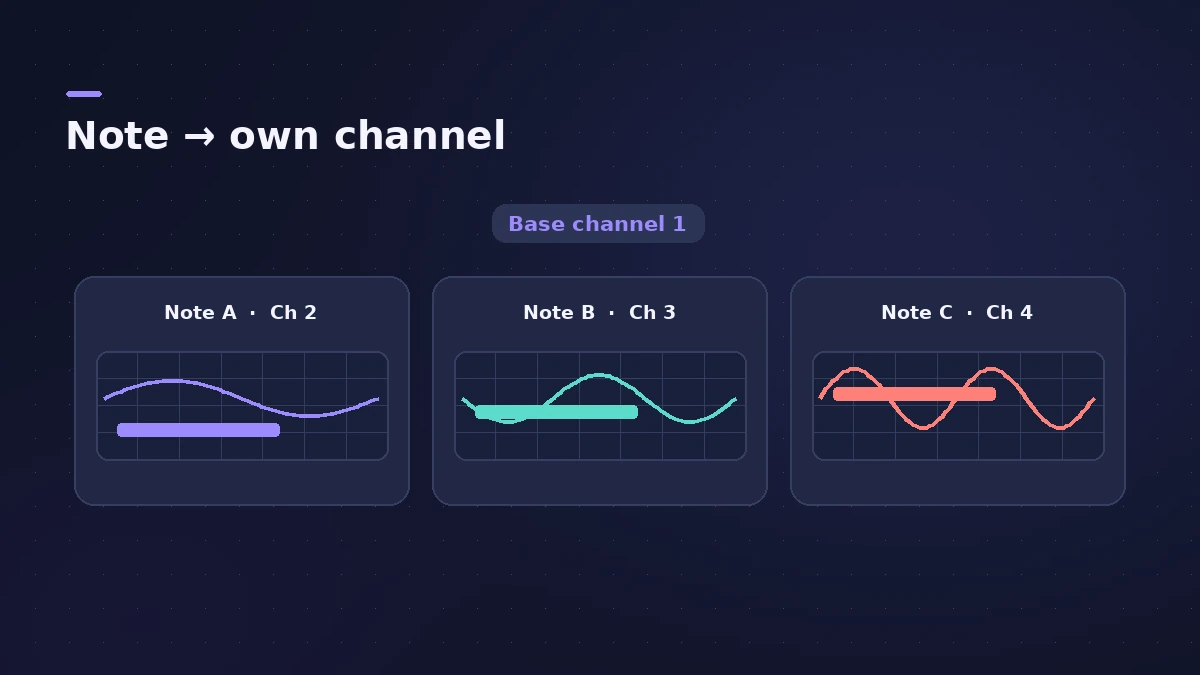
MPE (MIDI Polyphonic Expression) controllers send each note on its own MIDI channel, so pitch bend, pressure and slide can change per note. Logic Pro records all channels on one track; the instrument must be set to receive MPE.
 Owen Hartley

Where to find it
Instrument settings > MIDI Mono Mode
Settings to match
| Setting | Controller | Instrument |
|---|---|---|
| Mode | MPE | MIDI Mono Mode on |
| Base channel | Zone (lower or upper) | Common base channel 1 or 16 |
| Pitch bend range | e.g. 48 semitones | Same value |
Step by step
-
1
Set the controller to MPE
In the controller's software, choose MPE mode, the zone and the pitch bend range — ROLI suggests 48 semitones for its Seaboard.
-
2
Use an MPE-ready instrument
In Sculpture or ES2, turn on MIDI Mono Mode with a common base channel (1 or 16), so each voice receives on its own channel.
-
3
Match the pitch bend range
Set the instrument's mono-mode pitch bend range to match the controller; a mismatch gives notes that bend by the wrong amount.
-
4
Record as usual
Arm the software instrument track and record; per-note pitch bend, pressure and slide are recorded with the notes.
-
5
Edit per-note data
Open the Piano Roll's MIDI Draw to edit pitch bend, aftertouch or CC74 for the recorded notes.
Common mistakes
- Mismatched MPE settings between controller and instrument, which ROLI says can cause silent notes or wrong pitch.
- Different pitch bend ranges on the controller and the instrument.
Controller basics
For any keyboard controller, start with record MIDI with a keyboard. Sculpture is covered in Sculpture.
Sources
- ROLI Support — Using the Seaboard with Logic Pro
- Apple — Logic Pro for iPad Guide: Sculpture MIDI Mono Mode (MPE)
- Apple — Logic Pro for iPad Guide: ES2 MIDI Mono Mode (MPE)
- Future Music — MPE in Logic Pro X (2021)
Checked November 2026. Logic ProFiles is independent of Apple; menu names can differ slightly between Logic Pro versions.
Frequently asked questions
Which Logic Pro instruments support MPE?
+
Apple documents MIDI Mono Mode (MPE) for Sculpture and ES2; Future Music also describes setting up Alchemy this way.
What pitch bend range should I use?
+
Match your controller. Apple's Sculpture default is 48 semitones; for MIDI guitars, 24 is often better.
Related
- Choosing a MIDI keyboard controller for Logic ProWhat to look for in a MIDI keyboard for Logic Pro: class-compliant USB, automatic Smart Controls mapping, control surface support, MPE and Bluetooth MIDI.
- How to record MIDI with a keyboard in Logic ProRecord MIDI from a keyboard in Logic Pro: arm an instrument track, record with a count-in, overdub, replace or take passes in Cycle mode, then quantize.
- Sculpture in Logic ProSculpture in Logic Pro models a vibrating string: how the string, the three objects and the Material Pad work, and why it's great for evolving pads and basses.
- ES2 in Logic ProHow ES2 works in Logic Pro: three oscillators with 100 Digiwaves, FM, sync and ring mod, the Oscillator Mix pad, 10 Mod Matrix slots and the Vector Envelope.
- The Logic Pro Piano Roll EditorEdit MIDI in the Logic Pro Piano Roll: open it with P, add and move notes, change length and velocity, quantize selected notes and colour notes by velocity.
- Recording in Logic ProHow to record in Logic Pro: vocals, electric and acoustic guitar, bass, drums and MIDI, plus cycle takes, punch-in, Flashback Capture and step input.