Instruments
EFM1 FM synth in Logic Pro
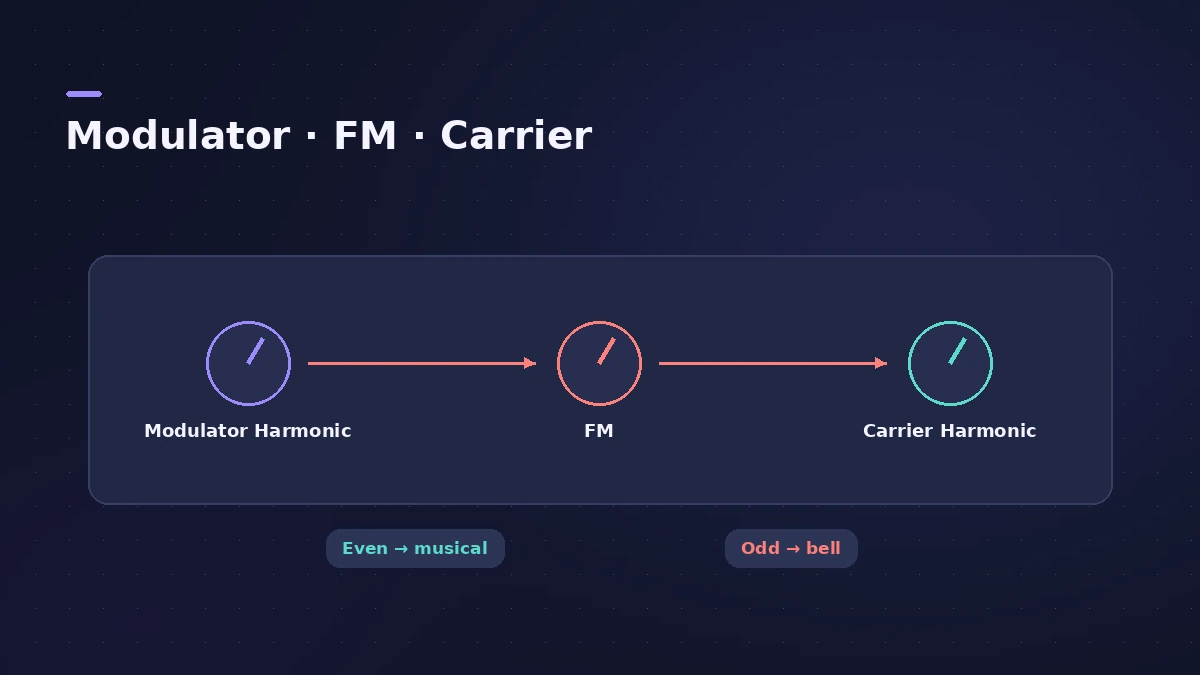
EFM1 is a 16-voice frequency modulation synth. One oscillator (the modulator) changes the frequency of another (the carrier), creating new harmonics — the bell, digital piano and punchy bass sounds FM is known for. Two Harmonic knobs and the FM knob set the basic tone.
 Owen Hartley

Where to find it
Instrument slot > Synthesizer > EFM1
EFM1 controls
| Control | What it does |
|---|---|
| Modulator / Carrier Harmonic | Tuning ratio, up to the 32nd harmonic on iPad |
| Fine | Detunes between harmonics |
| Modulator Wave | Waveforms beyond the classic sine |
| FM | Amount of modulation — brightness |
| Modulation envelope, FM Depth | How the FM changes over each note |
| LFO, Vib/FM | Vibrato or FM wobble |
Ratio cheat sheet
| Ratio | Sound |
|---|---|
| 1:1 | Sawtooth-like |
| 2:1 | Square-like |
| Odd or non-integer | Inharmonic — bells, metallic tones |
Step by step
-
1
Load EFM1
Insert EFM1 in the Instrument slot of a software instrument track.
-
2
Set the tuning ratio
Turn the modulator and carrier Harmonic knobs. Even ratios sound more musical; odd ones give inharmonic, bell-like and metallic tones.
-
3
Turn up FM
The FM (intensity) knob adds more and stronger overtones, making the sound brighter — Apple compares it to a filter cutoff.
-
4
Animate with the modulation envelope
Use FM Depth on the modulation envelope so the brightness changes over each note, like the attack of an electric piano.
-
5
Detune with Fine
Small Fine amounts add a subtle beating; large amounts create new inharmonic overtones.
Common mistakes
- Starting with FM at full and getting a harsh sound — bring it up gradually.
- Confusing the Harmonic knobs with the global Transpose and Tune, which set overall pitch.
More FM options
Retro Synth has an FM engine with a filter for a wider range. For subtractive basses, see ES1.
Sources
- Apple — Logic Pro User Guide: EFM1 overview
- Apple — Logic Pro User Guide: EFM1 modulator and carrier
- Apple — Logic Pro for iPad User Guide 3.0: Set the EFM1 tuning ratio
- Apple — Logic Pro 9 Instruments: EFM1 modulator and carrier (old)
- Apple — Logic Pro for iPad User Guide: FM synthesis
- Berklee Library — EFM1: Exploring Logic's E-Synths
Checked November 2026. Logic ProFiles is independent of Apple; menu names can differ slightly between Logic Pro versions.
Frequently asked questions
How do I make a bell sound in EFM1?
+
Choose an odd or non-integer ratio between modulator and carrier with the Harmonic and Fine knobs, then add FM intensity.
What ratio sounds like a sawtooth or square?
+
Apple's older guide says a 1:1 ratio sounds sawtooth-like and a 2:1 ratio (modulator to carrier) square-like.
Related
- Retro Synth in Logic ProRetro Synth in Logic Pro explained: a 16-voice synth with Analog, Sync, wavetable and FM engines, which engine to pick for leads, pads, basses and bells.
- ES1 in Logic ProLearn Logic Pro's ES1 synth: oscillator and sub-oscillator, filter, envelopes, glide and LFO — a simple subtractive synth for analog basses, leads and plucks.
- ES2 in Logic ProHow ES2 works in Logic Pro: three oscillators with 100 Digiwaves, FM, sync and ring mod, the Oscillator Mix pad, 10 Mod Matrix slots and the Vector Envelope.
- Vintage Electric Piano in Logic ProVintage Electric Piano in Logic Pro: choose a Rhodes, Wurlitzer or Hohner model, shape decay and bell, and add tremolo, chorus, phaser and drive to the sound.
- Instruments in Logic ProGuides to Logic Pro's instruments: Session Players, Drummer, Synth Players, Chord ID, Drum Machine Designer, Sampler, Step Sequencer and Play Surface.