Editing
Stem Splitter in Logic Pro
Stem Splitter separates a mixed recording into parts. It arrived in Logic Pro 11 with vocals, drums, bass and other; 11.2 added guitar and piano; Logic Pro 13 can split the drum stem into kick, snare, hi-hat, toms, cymbals and other percussion. It runs on the Mac and needs Apple silicon.
 Owen Hartley
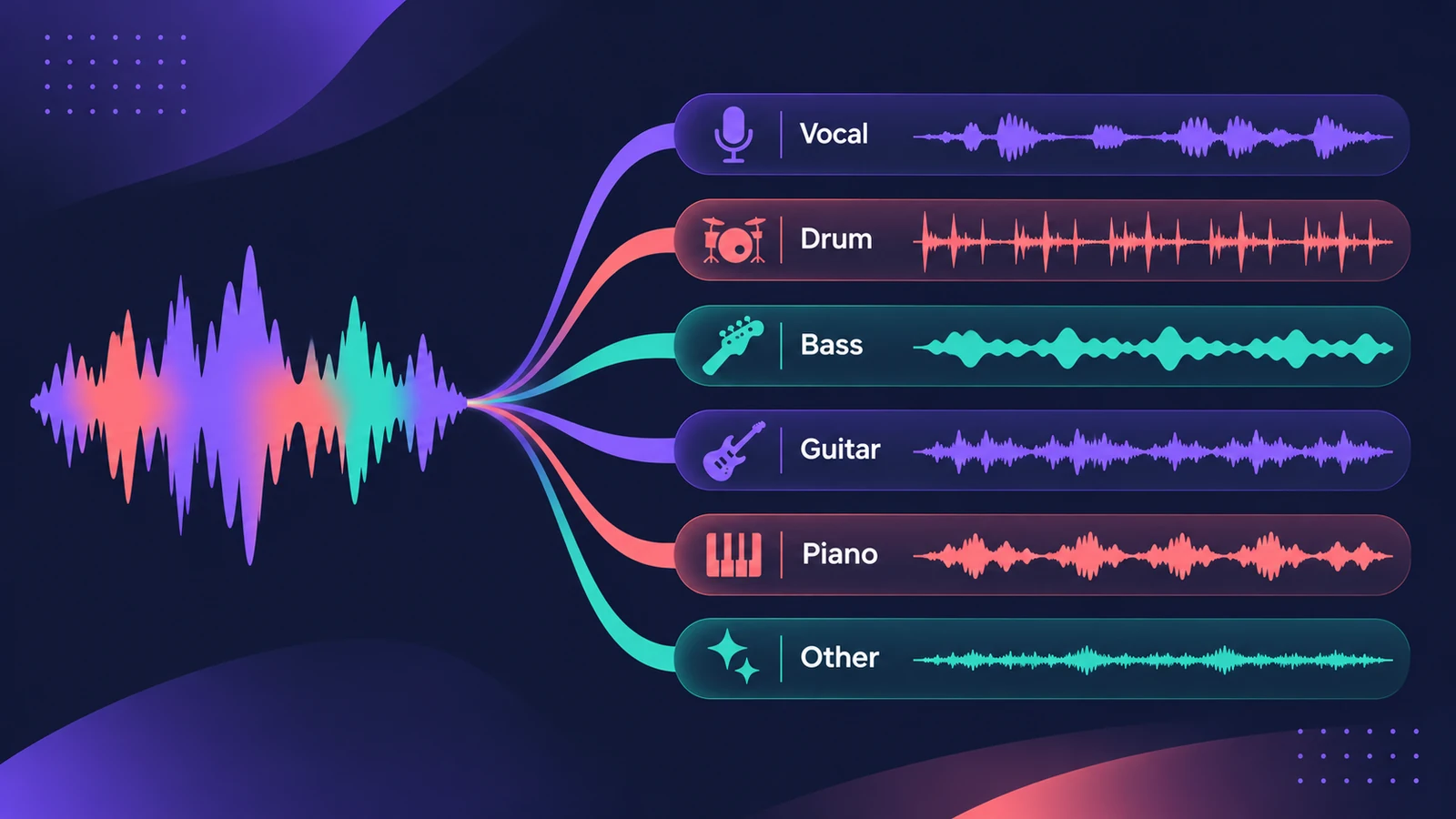
Where to find it
Audio region > Stem Splitter
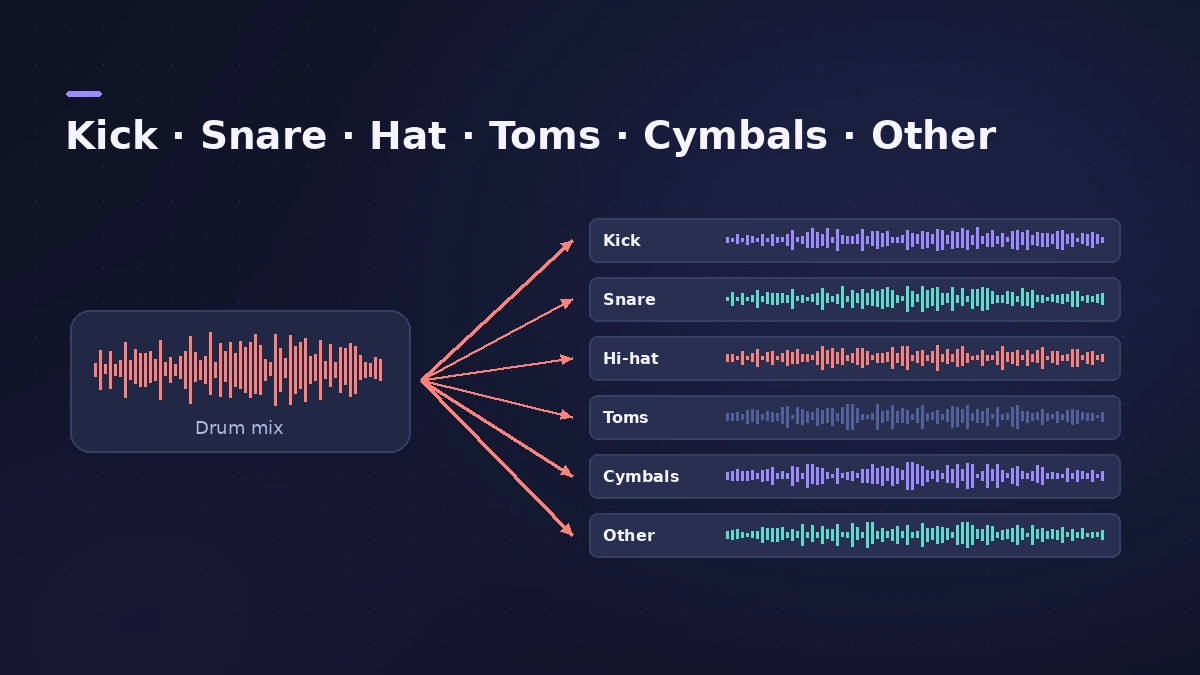
Stem Splitter by version
| Version | Stems |
|---|---|
| Logic Pro 11 (May 2024) | Vocals, drums, bass, other |
| Logic Pro 11.2 (May 2025) | Adds guitar and piano |
| Logic Pro 13 (Nov 2026) | Drums split into kick, snare, hi-hat, toms, cymbals, other |
Step by step
-
1
Select the audio region
Select the mixed audio region in the Tracks area — a demo, a voice memo or a finished song.
-
2
Open Stem Splitter
Choose Stem Splitter from the region's menu.
-
3
Choose the stems
Tick the parts you want or pick a preset combination, such as vocals plus instrumental.
-
4
Split drums into kit pieces (Logic Pro 13)
Turn on Individual Kit Pieces to get kick, snare, hi-hat, toms, cymbals and other on separate tracks.
-
5
Use the stems
Each stem lands on its own track, ready to rebalance, replace, remix or sample.
Common mistakes
- Trying it on an Intel Mac — Apple requires Apple silicon.
- Expecting perfect separation; listen for bleed between stems.
- Using stems from songs you don't have the rights to in a release.
What to do with stems
Turn a stem into MIDI with audio to MIDI, tidy its timing with Flex Time, or export stems of your own songs with export stems.
Sources
- Apple — Logic Pro for iPad User Guide: Extract vocal and instrumental stems with Stem Splitter
- Sound On Sound — Logic Pro: How to use the Stem Splitter (Dec 2024)
- Apple press release (via Podnews) — Logic Pro takes music-making to the next level with new AI features (May 2024)
- Apple Newsroom — Logic Pro amplifies beat making on Mac and iPad (May 2025)
- Production Expert — Logic Pro 13 splits drum stems into kit pieces (Nov 2026)
- Apple Support — Logic Pro for Mac release notes
Checked November 2026. Logic ProFiles is independent of Apple; menu names can differ slightly between Logic Pro versions.
Frequently asked questions
Does Stem Splitter work on Intel Macs?
+
No. Apple's announcement says M-series Apple silicon is required for Stem Splitter on Mac and iPad.
Which stems can Logic Pro extract?
+
Vocals, drums, bass, guitar, piano and other. In Logic Pro 13 the drums can be split again into kit pieces.
Is Stem Splitter on iPad too?
+
Yes, in Logic Pro for iPad on iPads with Apple silicon.
Related
- How to remix a song in Logic Pro with Stem SplitterRemix a song in Logic Pro: match the tempo with Smart Tempo, split the mix with Stem Splitter, keep the vocal, change tempo with Flex and build new parts.
- Stem Splitter in Logic Pro for iPadUse Stem Splitter in Logic Pro for iPad to pull vocals, drums, bass, guitar, piano and other parts from a mix. Needs an M1 or later iPad. Steps and presets.
- Stem Splitter or ChromaGlow missing in Logic ProCan't find Stem Splitter or ChromaGlow, or Mastering Assistant styles are greyed out? They need Apple silicon and don't work in Rosetta. Check your Mac.
- Turn off Rosetta for Logic ProRunning Logic Pro in Rosetta hides Stem Splitter, ChromaGlow and most Mastering Assistant styles. How to turn Rosetta off, and the one case where you'd keep it.
- How to convert audio to MIDI in Logic ProConvert a melody or bass line from audio to MIDI in Logic Pro with Flex Pitch and Create MIDI Track from Flex Pitch Data, for a synth layer or a score.
- What's new in Logic Pro 13Logic Pro 13 (5 Nov 2026): the AI Assistant, a unified Browser with Splice, drum-kit Stem Splitter, Play Surface, Liquid Glass, touch control and more.
- Can you run Logic Pro on an Intel Mac?Can Logic Pro run on an Intel Mac? What Apple's requirements say for Logic Pro 12 and 13, which features Intel Macs miss, and your options for an older Mac.
- Editing in Logic ProEdit audio and MIDI in Logic Pro: comp takes, quantize, Flex Time, Smart Tempo, change tempo or key, Stem Splitter, audio to MIDI, fades and Remove Silence.