Fix Problems
Stem Splitter or ChromaGlow missing in Logic Pro
Some Logic Pro features need Apple silicon. Apple says they aren't available on an Intel-based Mac — or when Logic Pro runs in Rosetta on a Mac with Apple silicon. If Stem Splitter is greyed out, check those two things first.
 Owen Hartley
Applies to: Logic Pro 11 and later for Mac.
Most likely causes
- Logic Pro running in Rosetta on Apple silicon (common)
- Intel-based Mac (common)
- Nothing suitable selected (for Stem Splitter, an audio region) (occasional)
Feature availability
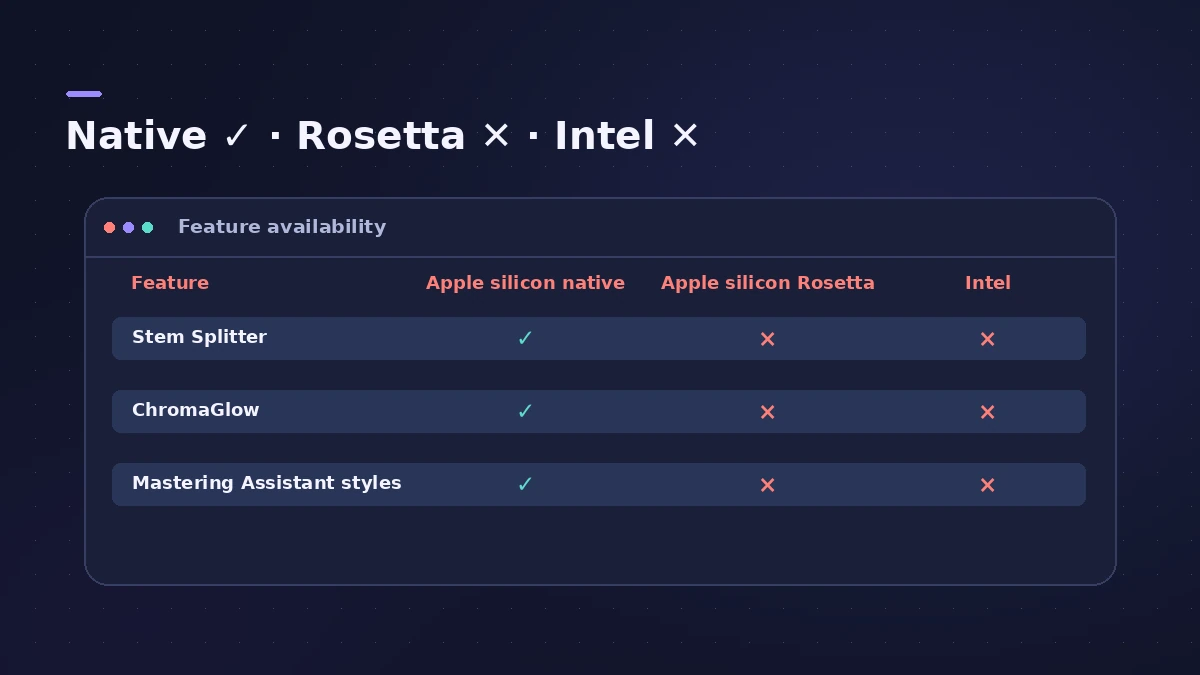
| Feature | Apple silicon (native) | Apple silicon in Rosetta | Intel Mac |
|---|---|---|---|
| Stem Splitter | Yes | No | No |
| ChromaGlow | Yes | No | No |
| Most Mastering Assistant presets | Yes | No | No |
For more on Rosetta, see turn off Rosetta. On an Intel Mac, see Logic Pro on Intel Macs.
Fixes, in order
1. Check your chip
Choose Apple menu > About This Mac. If it lists an Intel processor, these features aren't available.
2. Turn off Rosetta
Quit Logic Pro, Control-click it in Applications, choose Get Info and deselect Open using Rosetta, then reopen.
3. Keep Rosetta only for ARA plug-ins
Apple says the only reason to use Rosetta is a third-party plug-in in ARA mode, such as Melodyne.
4. Select an audio region
Stem Splitter works on audio regions; select one before looking for the command.
Sources
- Apple Support — If you can't find ChromaGlow, Stem Splitter or other Logic Pro features on Mac
- Apple Support — Turn off Rosetta for Logic Pro for Mac
- Mix — Apple Logic Pro update adds new AI features (May 2024)
Checked November 2026. Logic ProFiles is independent of Apple; menu names can differ slightly between Logic Pro versions.
Frequently asked questions
Does Stem Splitter work on Intel Macs?
+
No. Apple lists it among features not available on an Intel-based Mac.
Which features need Apple silicon?
+
Stem Splitter, ChromaGlow and most Mastering Assistant character presets.
My Mac has Apple silicon — why is it still greyed out?
+
Logic Pro is probably running in Rosetta. Turn it off in Get Info.
Related
- Stem Splitter in Logic Pro for iPadUse Stem Splitter in Logic Pro for iPad to pull vocals, drums, bass, guitar, piano and other parts from a mix. Needs an M1 or later iPad. Steps and presets.
- Stem Splitter in Logic ProSeparate a song into vocals, drums, bass, guitar, piano and other with Logic Pro's Stem Splitter — and in Logic Pro 13 split drums into kick, snare and more.
- ChromaGlow in Logic ProChromaGlow in Logic Pro adds analog-style warmth: what Retro Tube, Modern Tube, Magnetic, Squeeze and Analog Preamp do, their styles, Drive, Mix and filters.
- Turn off Rosetta for Logic ProRunning Logic Pro in Rosetta hides Stem Splitter, ChromaGlow and most Mastering Assistant styles. How to turn Rosetta off, and the one case where you'd keep it.
- Can you run Logic Pro on an Intel Mac?Can Logic Pro run on an Intel Mac? What Apple's requirements say for Logic Pro 12 and 13, which features Intel Macs miss, and your options for an older Mac.