Plug-ins
Bass Amp Designer in Logic Pro
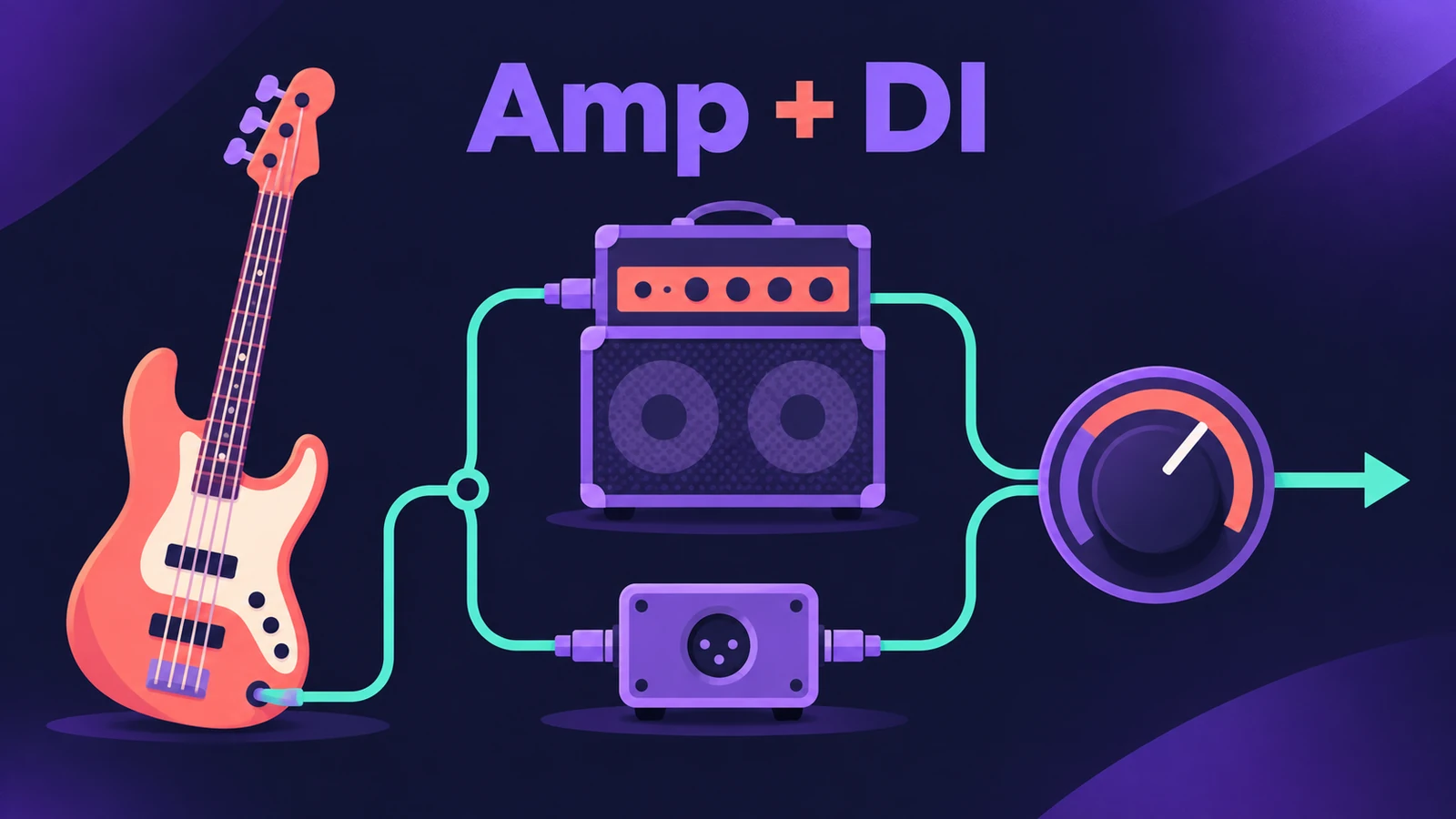
Bass Amp Designer emulates three well-known bass amplifiers with their cabinets. Its two-channel design runs the amp and an emulated D.I. box side by side, so you can use either alone or blend them — the way many bass parts are recorded in studios.
 Owen Hartley
Where to find it
Audio Effect slot > Amps and Pedals > Bass Amp Designer
How the Blend changes the signal

| Cabinet choice | Blend in the middle | Channel 1 (amp) |
|---|---|---|
| Any speaker cabinet | Amp and D.I. in parallel | Pre-amp, power amp, cabinet, mic |
| Direct (PowerAmp Out) | Amp and D.I. in parallel | Pre-amp, power amp |
| Direct (PreAmp Out) | Amp and D.I. in parallel | Pre-amp only |
With the Blend fully to one side, you hear just that channel.
Bass Amp Designer sections
| Section | What you set |
|---|---|
| Model / Amp / Cabinet / Mic | A ready combo or separate parts |
| Amp | Gain, presence and Master |
| Effects | Compressor and graphic or parametric EQ |
| Microphone | Type and position |
| Output | Final level |
Step by step
-
1
Insert Bass Amp Designer
On a bass track choose Amps and Pedals > Bass Amp Designer. See record bass for getting a clean DI recording first.
-
2
Pick a model
Choose a model — an amp, cabinet and microphone — or set Amp, Cabinet and Mic separately.
-
3
Blend amp and D.I.
Move the Blend control (Amp/DI Mix on iPad). In the middle both channels play in parallel; fully to one side you hear only the amp or only the D.I. box.
-
4
Add compression and EQ
Use the built-in compressor for even level and choose the graphic or parametric EQ to shape the tone.
-
5
Set the Output
Use the Output control for the final level; the amp's Master knob also shapes the sound.
Common mistakes
- Ignoring the D.I. channel — Apple notes many bass players record through a D.I. box, and you can blend it with the amp.
- Setting level with Master instead of Output.
- Forgetting the Direct cabinet options, which remove the cabinet and mic from the amp channel.
Fit the bass in the mix
Make room for the kick with sidechain compression and shape lows with Channel EQ. For guitar, use Amp Designer.
Sources
- Apple — Logic Pro Effects 10.2: Bass Amp Designer overview (old)
- Apple — Logic Pro for iPad User Guide: Bass Amp Designer
- Apple — Logic Pro for iPad User Guide: Bass Amp Designer (D.I. box)
- Apple — Logic Pro X 10.4.5 Help: Bass Amp Designer amplifier signal flow (old)
Checked November 2026. Logic ProFiles is independent of Apple; menu names can differ slightly between Logic Pro versions.
Frequently asked questions
What is the D.I. box in Bass Amp Designer?
+
A second channel that emulates a professional American D.I. box. It can be used alone or blended with the amp channel.
How many amps does Bass Amp Designer have?
+
Apple says it emulates three famous bass amplifiers and the cabinets used with them, with three microphone types.
Related
- SubBass in Logic ProAdd sub-octave low end with SubBass in Logic Pro: set High and Low bands a fifth apart, use Ratio 2 for an octave down, blend Wet and Dry, watch the level.
- Studio Bass in Logic ProUse Studio Bass in Logic Pro: choose one of six sampled basses, shape tone and pickups, use articulations and keyswitches, and pair it with the Bass Player.
- How to record bass guitar in Logic ProRecord bass guitar in Logic Pro through the instrument input, then shape it with Bass Amp Designer's amp and Direct Box, alone or blended together.
- Amp Designer in Logic ProBuild guitar tones with Amp Designer in Logic Pro: pick a model, mix amps, cabinets and seven mics, set EQ and the built-in reverb, tremolo and vibrato.
- Bass Player in Logic ProUse Bass Player in Logic Pro to get a bass line that follows your chords: choose one of eight bassists, shape the part, use Studio Bass and Bass Player loops.
- How to sidechain in Logic ProSet up sidechain compression in Logic Pro: put Compressor on the bass or pad, pick the kick in the Side Chain menu, then set threshold, ratio, attack, release.
- Plug-ins in Logic ProGuides to Logic Pro's stock plug-ins: Compressor, EQs, limiters, Pitch Correction, Amp Designer, Pedalboard, ChromaGlow, ChromaVerb, Space Designer and delays.