Learn Logic Pro
Logic Pro Sound Library — download, install and move it
The Sound Library holds the sounds for Logic Pro's instruments, loops and patches, shared with MainStage on the same Mac. Apple puts the full library at about 72 GB, so most people install only what they need or move it to an external SSD. Logic Pro 12 gave the Sound Library a new visual interface and made moving it a single menu command.
 Owen Hartley
Where to find it
Logic Pro > Sound Library
Before Logic Pro 12
Apple's article has separate steps for Logic Pro 11.2.2 (and MainStage 3.7.1) or earlier: log in as an administrator, connect the drive and use the relocate option, then allow access if asked. In Logic Pro 12, the library became a single "Logic Pro Library.bundle" file in your Music folder, which you can also drag to another location by hand. Missing patches after updating to Logic Pro 12? See legacy content.
Step by step
-
1
Open the Sound Library
Choose Logic Pro > Open the Sound Library. Select the packs you want and click Install, or click Select All Uninstalled, then Install, for everything.
-
2
Prepare an external drive
Format it as APFS or Mac OS Extended (Journaled) in Disk Utility. Apple says it can't be a volume used for Time Machine.
-
3
Relocate the library
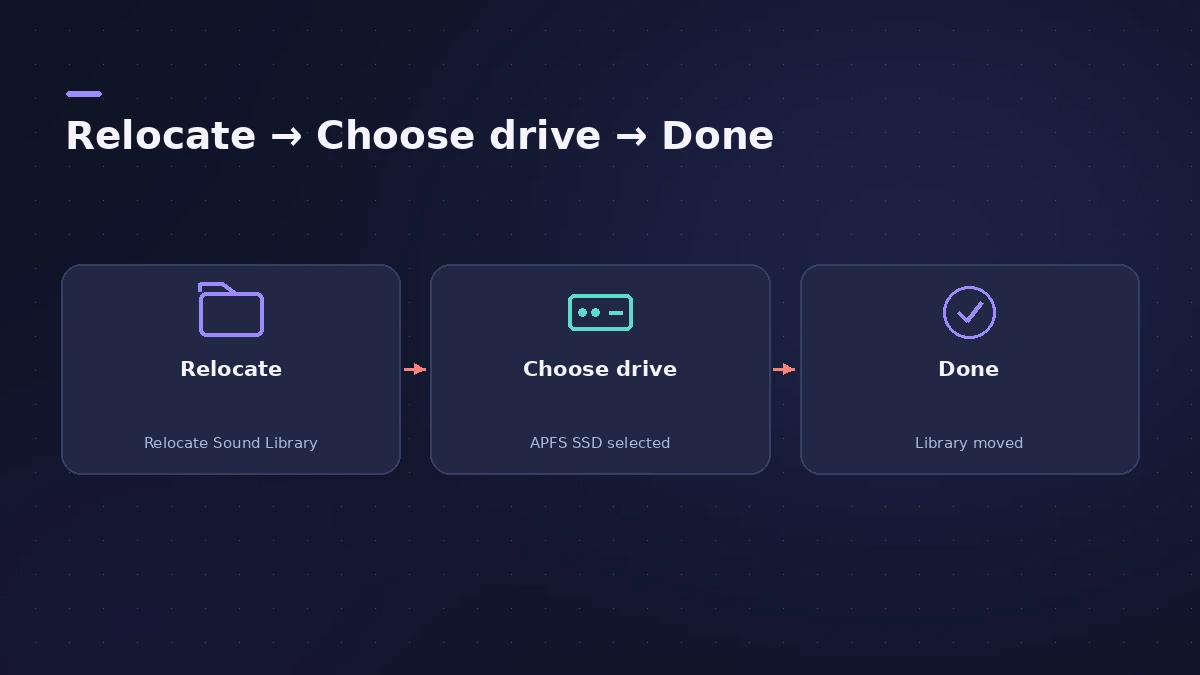
Choose Logic Pro > Sound Library > Relocate Sound Library, select the external drive and click Relocate. A notification appears when it's done.
-
4
Allow access if asked
If Logic Pro asks for access to a removable volume, click Allow. If you see an error, turn on Removable Volumes for Logic Pro in System Settings > Privacy & Security > Files and Folders.
-
5
Keep the drive name
Don't rename the drive afterwards — Apple warns Logic Pro won't find the Sound Library if you do.
Common mistakes
- Choosing a Time Machine volume as the destination.
- Renaming the external drive after moving the library.
- Expecting two Macs to share one library — Apple says each Mac needs its own.
If the drive isn't connected
When you open Logic Pro without the drive, you can connect it and click Retry, click Ignore to carry on (tracks using missing sounds play basic tones), or click Reset twice to use a library on the Mac again. To move it back for good, use Relocate Sound Library and choose Macintosh HD.
Sources
- Apple Support — Move Logic Pro for Mac and MainStage content
- Apple Support — If you can't install additional content for Logic Pro for Mac and MainStage (Jun 2026)
- Apple — Logic Pro User Guide: What's new in Logic Pro for Mac 12
- Apple — Logic Pro User Guide: What's new in Logic Pro for Mac 13
Checked November 2026. Logic ProFiles is independent of Apple; menu names can differ slightly between Logic Pro versions.
Frequently asked questions
How big is the Logic Pro Sound Library?
+
Apple Support says the complete library needs about 72 GB of free space. You can install only the packs you need.
Can I keep the Sound Library on an external drive?
+
Yes — an SSD or even a USB thumb drive, formatted APFS or Mac OS Extended (Journaled), and not a Time Machine volume.
Where is the Sound Library stored by default?
+
In Logic Pro 12 and later, in a file called "Logic Pro Library.bundle" in your Music folder.
Related
- Sound Library in Logic Pro for iPadManage sounds in Logic Pro for iPad: open the Sound Library, download or update sound packs, delete packs to free storage, and get packs old songs need.
- Logic Pro Sampler missing samplesSampler or old EXS instruments say samples are missing in Logic Pro? Reconnect drives, keep samples in Audio Music Apps and reinstall sound packs.
- Move the Logic Pro Sound Library to an external SSDMove the Logic Pro Sound Library to an external SSD or USB drive: in Logic Pro 12+ drag Logic Pro Library.bundle; older versions use Relocate Sound Library.
- Sound Library won't download in Logic ProLogic Pro says it was not able to complete the download of sounds? Check free space, install packages one by one in the Sound Library Manager, update Logic Pro.
- Apple Loops missing from the Loop BrowserApple Loops not showing in the Logic Pro Loop Browser? Reindex All Loops, check the loops are installed, and give your own loops a descriptor so they appear.
- Can't download or install Logic Pro? How to fix itLogic Pro won't download, install or update from the Mac App Store? Check macOS, free space, your Apple Account and payment, then fix Sound Library downloads.
- Logic Pro legacy content — how to get missing patches backPatches, instruments or loops missing after updating to Logic Pro 12 or 13? Install the free Legacy Patches, Instruments and Loops packs from the Sound Library.
- Logic Pro system requirements (Mac and iPad, 2026)Logic Pro 13 system requirements: macOS 26.1 or later, Apple silicon on Apple's Creator Studio pages, 6 GB to about 72 GB of space. iPad: iPadOS 26 and A12.
- Learn Logic Pro — tutorials for beginnersLearn Logic Pro on Mac: a beginner tutorial, the interface, the Logic Pro 13 Browser, audio interface setup, key commands, loops, patches and saving projects.