Note to frequency calculator
Pick a note and octave to see its frequency, or type a frequency to find the nearest note and how many cents off it is. Useful for tuning kicks and 808s, and for finding a resonance to cut with EQ.
 Owen Hartley
The formula
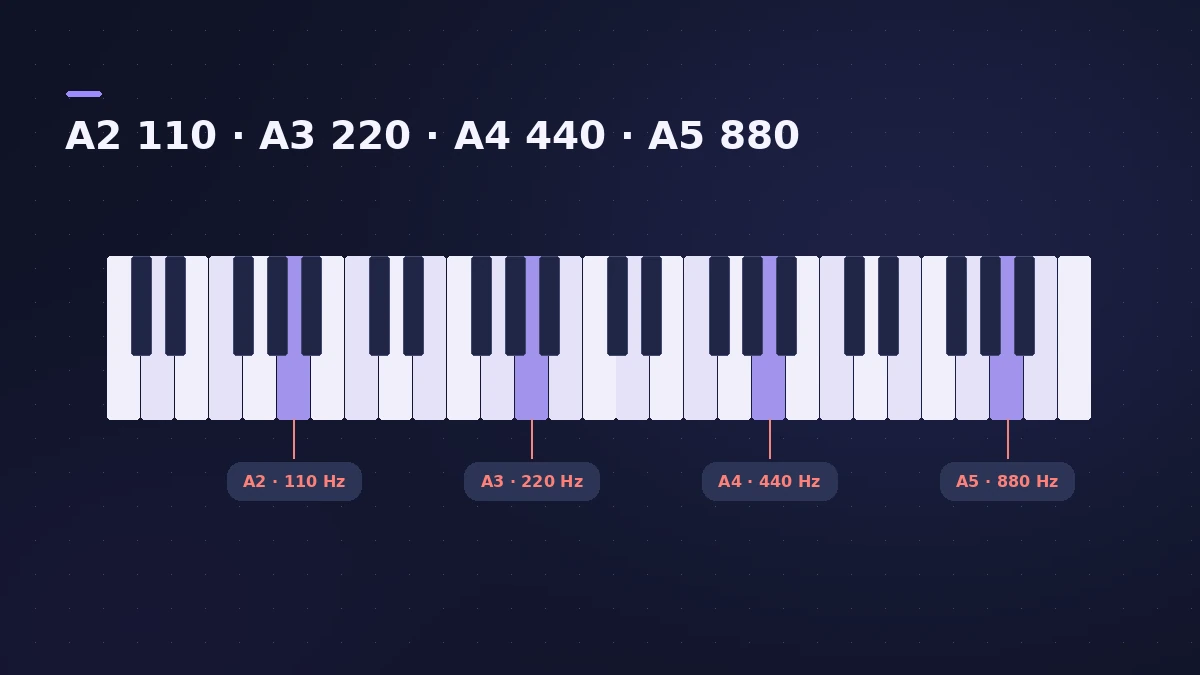
f = A4 reference × 2^((n − 69) ÷ 12), where n is the MIDI note number (A4 = 69). Each semitone multiplies the frequency by about 1.0595; each octave doubles it.
| Note | Frequency (A4 = 440) |
|---|---|
| A1 | 55 Hz |
| E2 | 82.41 Hz |
| A2 | 110 Hz |
| C4 | 261.63 Hz |
| A4 | 440 Hz |
Sources
Checked November 2026. Logic ProFiles is independent of Apple; menu names can differ slightly between Logic Pro versions.
Frequently asked questions
What frequency is A4?
+
440 Hz in standard tuning; you can change the reference here.
How is the frequency calculated?
+
f = 440 × 2^((n − 69) ÷ 12), where n is the MIDI note number.
Related
- Transpose calculatorTranspose a key and chord list by any number of semitones, see the new key and pitch ratio, and use the value in Logic Pro's Transpose field.
- Room mode calculatorEnter your room's length, width and height to find axial room modes — the bass frequencies that boom or vanish at your mix position — in metres or feet.
- Tuner in Logic ProTune a guitar, bass or any instrument in Logic Pro with the control-bar Tuner or the Tuner plug-in: read cents, change the A=440 reference, mute while tuning.
- 808 bass in Logic ProWrite an 808 bass line in Logic Pro 12 or later with the Synth Bass Player's 808 Bass style: chords, octave, range, slides, repeats and triplets, then tune it.
- How to use Channel EQ in Logic ProLearn Logic Pro's Channel EQ: the eight bands, the high-pass and shelving filters, the Analyzer, Q-Couple and HQ mode, plus a simple workflow for cleaner mixes.
- BPM to delay time calculatorTurn a tempo into delay times in milliseconds for whole to 1/64 notes, dotted and triplet, plus the rate in Hz — for Stereo Delay, Delay Designer and pre-delay.
- Logic Pro glossaryLogic Pro glossary: region, take, comping, bounce, freeze, bus, channel strip, patch, quantize, latency, Smart Tempo and more — short definitions with links.
- Audio calculatorsFree audio calculators for Logic Pro: buffer latency, file size, BPM to delay time, bars to time, tempo change, samples to ms and note frequency.