Plug-ins
Match EQ in Logic Pro
Match EQ learns the average frequency spectrum of a reference and of your current material, then builds a filter curve that makes one sound more like the other. You can edit the curve and scale it back before it's applied.
 Owen Hartley
Where to find it
Audio Effect slot > EQ > Match EQ (usually on the Stereo Out)
What the colours mean
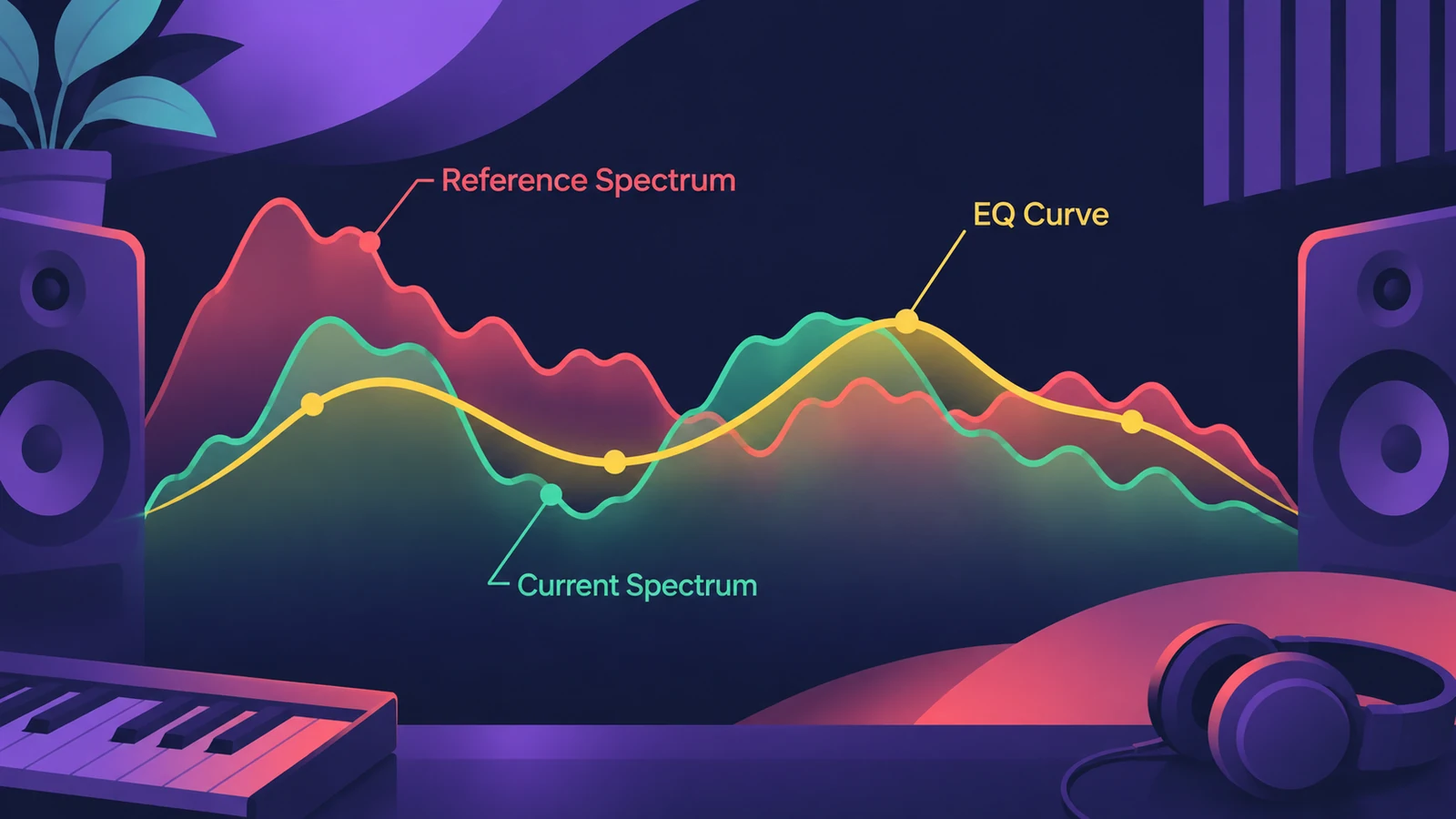
| Curve | Shows |
|---|---|
| Red | The learned reference (template) |
| Green | The learned current material |
| Yellow | The filter curve created by matching |
Phase and stereo options
| Setting | What it does |
|---|---|
| Linear | No phase change, higher latency |
| Minimal | Slight phase change, lower latency |
| Minimal, Zero Latency | No latency, more CPU |
| Channel Link 100% | One curve for both channels |
| Channel Link 0% | Separate curves for left and right |
Step by step
-
1
Insert Match EQ
Put Match EQ on the channel you want to match — typically the main output for a whole mix.
-
2
Learn the reference
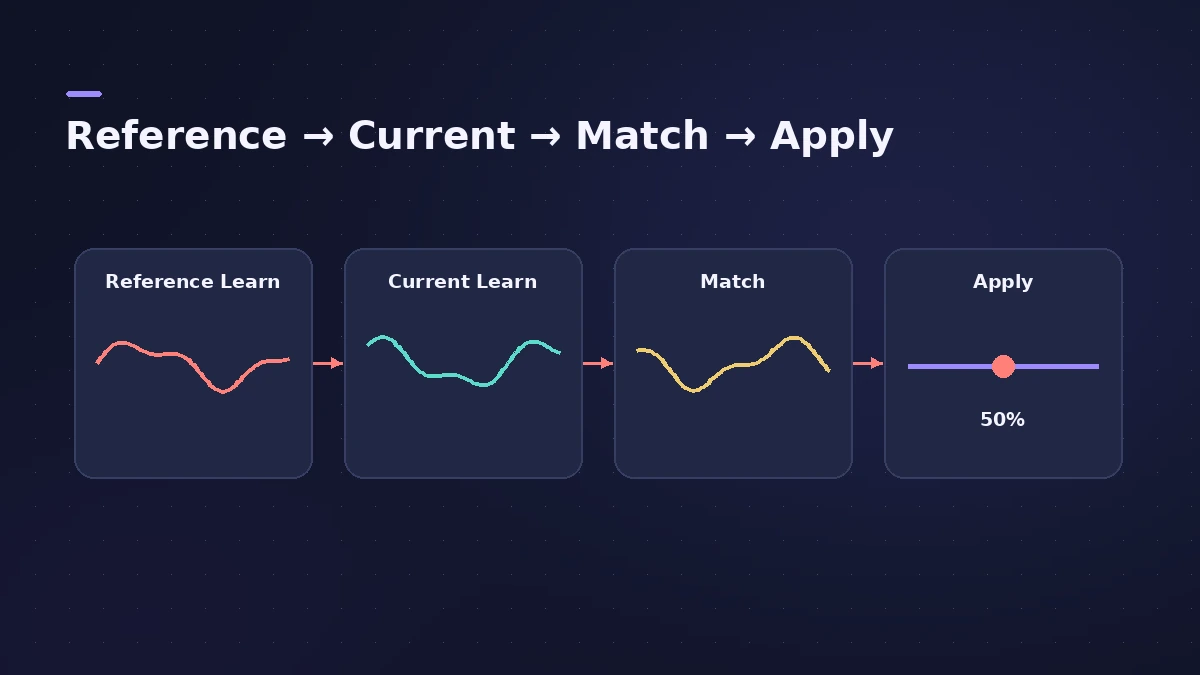
Drag the reference audio file onto the Reference Learn button, or click it and play the reference source from start to finish.
-
3
Learn your material
Go back to the start, click Current Learn and play your mix from start to finish.
-
4
Click Match
Match EQ builds a curve from the difference between the two spectra, with gain differences compensated.
-
5
Scale it back
Lower the Apply amount from 100% to avoid extreme changes, and edit the curve if one area needs less correction.
Common mistakes
- Leaving Apply at 100% and accepting a drastic curve.
- Learning only a quiet intro of the reference instead of the whole track.
- Matching to a reference in a very different style or key.
Phase options
The Phase menu chooses Linear (no phase change, more latency), Minimal, or Minimal Zero Latency (no latency, more CPU). For hands-on EQ, see Channel EQ.
Sources
- Apple — Logic Pro User Guide: Match EQ parameters
- Apple — Logic Pro User Guide: Use Match EQ
- Apple — Logic Pro X 10.2 Effects Help: Match EQ overview (old)
- Apple — Logic Pro for iPad User Guide: Match EQ parameters
Checked November 2026. Logic ProFiles is independent of Apple; menu names can differ slightly between Logic Pro versions.
Frequently asked questions
What does Match EQ do in Logic Pro?
+
It analyses a reference and your material, then creates a filter curve that adapts your material's frequency response to the reference.
Can I copy a learned spectrum to another Match EQ?
+
Yes. Use the Action menu to copy and paste a spectrum, or save it in a setting and load it elsewhere.
Why does the matched curve sound too extreme?
+
Lower the Apply amount — Apple suggests reducing it from 100% to avoid extreme spectral changes.
Related
- Logic Pro EQs comparedWhich Logic Pro EQ to use: Channel EQ for everyday mixing, Linear Phase EQ for mastering, Vintage EQs for colour and Match EQ to copy a reference curve.
- How to use a reference track in Logic ProMix against a reference track in Logic Pro: import it, route it past your master processing, match its loudness to your mix, A/B by section, and try Match EQ.
- Linear Phase EQ in Logic ProLinear Phase EQ in Logic Pro has the same eight bands as Channel EQ but no phase shift. When to use it, why it adds latency, and how to switch between the two.
- How to use Channel EQ in Logic ProLearn Logic Pro's Channel EQ: the eight bands, the high-pass and shelving filters, the Analyzer, Q-Couple and HQ mode, plus a simple workflow for cleaner mixes.
- Mastering in Logic Pro with Mastering AssistantMaster your song in Logic Pro with Mastering Assistant: insert it on the stereo output, pick a Character, adjust EQ, loudness and width, then bounce the master.
- LUFS in Logic Pro — how loud for Spotify and Apple MusicMeasure LUFS in Logic Pro with the Loudness Meter and hit streaming targets: Spotify's -14 LUFS and -1 dB true peak, Apple's headroom advice and normalization.