Plug-ins
Linear Phase EQ in Logic Pro
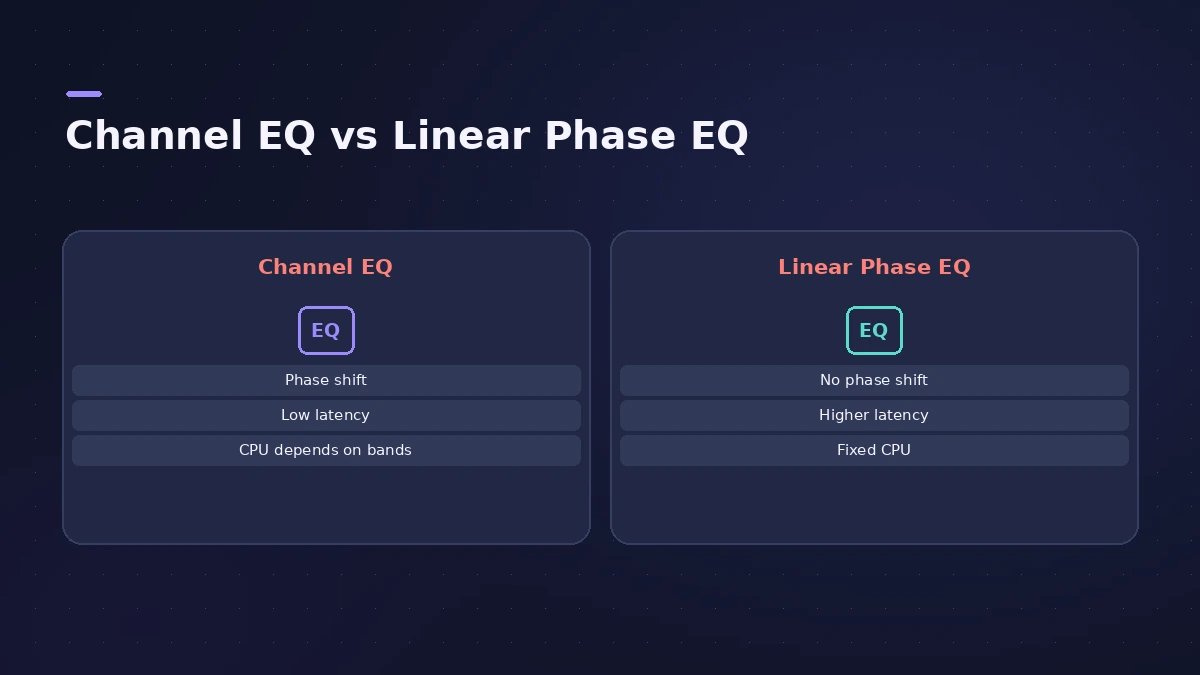
Linear Phase EQ shares Channel EQ's eight-band layout and parameters, but it preserves the phase of the signal. The trade-off is more latency and a fixed CPU load, so it's best for mastering and multi-mic sources rather than live playing.
 Owen Hartley
Channel EQ vs Linear Phase EQ
| Channel EQ | Linear Phase EQ | |
|---|---|---|
| Bands and parameters | Eight bands | The same eight bands |
| Phase shift | Can shift phase (often pleasantly) | Preserves phase |
| Latency | Low | Higher |
| CPU | Depends on active bands | Fixed, whatever the bands |
| Best for | Everyday mixing | Mastering, multi-mic recordings |
When it makes sense
Apple suggests Linear Phase EQ where phase coherence between tracks is needed, such as multi-mic drum recordings, and for mastering. It isn't free of side effects: linear phase processing affects the onset of transients, most noticeably with steep cut filters or narrow, high boosts. For a mastering workflow, see mastering in Logic Pro.
Sources
- Apple — Logic Pro for iPad User Guide: Linear Phase EQ
- Apple — Logic Pro X 10.4.5 Help: Linear Phase EQ overview (old)
- Apple — Logic Pro X 10.2 Effects Help: Linear Phase EQ overview (old)
- Apple — MainStage 2 Help: Linear Phase EQ (old)
Checked November 2026. Logic ProFiles is independent of Apple; menu names can differ slightly between Logic Pro versions.
Frequently asked questions
Is Linear Phase EQ better than Channel EQ?
+
Not better — different. It avoids phase shift but adds latency, and Channel EQ's phase shifts can sound good.
Can I copy settings between Channel EQ and Linear Phase EQ?
+
Yes. They share parameters, and replacing one with the other in the same slot transfers the settings.
Should I use Linear Phase EQ while recording?
+
No. Apple recommends it for mastering recorded audio, not for playing software instruments live.
Related
- Logic Pro EQs comparedWhich Logic Pro EQ to use: Channel EQ for everyday mixing, Linear Phase EQ for mastering, Vintage EQs for colour and Match EQ to copy a reference curve.
- How to use Channel EQ in Logic ProLearn Logic Pro's Channel EQ: the eight bands, the high-pass and shelving filters, the Analyzer, Q-Couple and HQ mode, plus a simple workflow for cleaner mixes.
- Match EQ in Logic ProUse Match EQ in Logic Pro to match a mix to a reference: learn the reference and current spectrum, click Match, then lower Apply to avoid extreme EQ changes.
- Mastering in Logic Pro with Mastering AssistantMaster your song in Logic Pro with Mastering Assistant: insert it on the stereo output, pick a Character, adjust EQ, loudness and width, then bounce the master.
- How to record drums in Logic ProRecord a drum kit in Logic Pro: start with overheads, add kick and snare mics, give each mic its own input and track, then group them in a Track Stack.