Mastering in Logic Pro with Mastering Assistant
Quick answer
On Stereo Out, click Mastering in the last Audio Effect slot or choose Mix > Mastering Assistant. Logic analyzes the whole project (or the cycle range if locators are set), then you choose a Character, adjust Loudness (center is about -14 LUFS-I according to Apple), check the True Peak and LUFS meters, turn off Loudness Compensation and Bypass, and bounce a 24-bit WAV. Mastering Assistant limits output to -1 dBFS true peak, which matches Spotify's published ceiling.
Platform and version
Master a song with Mastering Assistant
Mastering Assistant is an analysis-driven plug-in that lives only on the stereo output channel strip. Apple's support article and the Logic Pro User Guide parameters page (both under Sources) document the controls named below.
- Finish the mix first. Leave headroom: peaks around -6 dBFS on
Stereo Outand no limiter there. Bypass any bus compressor you are not sure about. Mastering Assistant analyzes what it hears, so a mix that is already slammed gives it nothing to work with. - Add Mastering Assistant. Click
Mastering, the last Audio Effect slot on theStereo Outchannel strip, or chooseMix > Mastering Assistant. Apple's article states it should sit after any other plug-ins on the output. To analyze only part of the song, set the locators first; the button label changes toReanalyze Section. - Let it analyze. Logic plays through the project, software instruments and effects included, and sets EQ, loudness and width from what it measured. This takes roughly as long as the song.
- Choose a Character. Apple lists four:
Transparent(the default),Clean(described for EDM and acoustic music),Valve(deep low end and refined highs, suggested for acoustic music and hip-hop) andPunch(aggressive mid-range emphasis, suggested for rock). OnlyCleanis available on a Mac without Apple silicon; all four work on Logic Pro for iPad. - Tame the Auto EQ. The
Auto EQslider scales the corrective EQ from the analysis; the default is 100 percent. If the result sounds overcooked, pull it toward 50 percent. For broad taste changes, turn onCustom EQand drag its three control points; each band is limited to plus or minus 6 dB, withLow Freq20 to 200 Hz,Mid Freq200 Hz to 8 kHz andHigh Freq8 to 20 kHz. - Set Loudness. Apple states that with the
Loudnessknob centered the output typically reads around -14 LUFS-I, and that pushing higher reduces dynamics. Nudge it up for dense genres, down for acoustic material, and watch theLUFSmeter's integrated (I) reading over a full pass; pressResetandStarton the meter to measure cleanly. - Check true peak and mono. The
True Peakmeter shows dBTP and the maximum peak; Apple's parameters page states the plug-in limits output to -1 dBFS true peak. TurnWidthfully left to hear the mix in mono, and keep theCorrelationmeter above zero. - Add Excite if the top is dull.
Exciteadds saturation in the upper mids. Use it sparingly; it is easy to make a master fatiguing. - A/B honestly. With
Loudness Compensationon, Logic matches the processed level to the original so you compare tone rather than volume. UseBypassto flip between them. - Before you bounce. Apple's article lists two steps: click
Reanalyzeif you changed anything in the mix after the first analysis, and turnLoudness Compensationoff. Also make sureBypassis off. - Bounce. Choose
File > Bounce > Project or Section, PCM, Wave, 24 Bit, project sample rate,NormalizeOff. The full dialog is explained on How to bounce in Logic Pro.
Mastering without Mastering Assistant
If you prefer manual control, the stock chain is Linear Phase EQ for broad tonal fixes, Compressor at a 1 to 2 dB ratio-light setting for glue, optional Multipressor for a wayward low end, and Adaptive Limiter or Limiter last with its output ceiling at -1 dBTP. Insert the Loudness Meter plug-in after the limiter so you read the final numbers. The same bounce settings apply.
True peak, in plain terms
Sample peaks are what the channel meter shows; true peak is the level the waveform reaches between samples once it is converted to analog or to a lossy codec. Lossy encoders (AAC, Ogg Vorbis, MP3) can push a master that sits at 0 dBFS sample peak over full scale and distort. That is why Spotify asks for -1 dBTP, and -2 dBTP if the master is louder than -14 LUFS, and why Mastering Assistant ceilings at -1 dBFS true peak. The Loudness Meter and Mastering Assistant both read true peak; the channel strip meter does not.
Dither
Dither is low-level noise added when you reduce bit depth, and it only matters when the file's Resolution is lower than the project's. A 24-bit project bounced to a 24-bit WAV needs Dithering set to None. A 24-bit project bounced to a 16-bit file (CD, or a service that asks for 16-bit) should use one of the POW-r options in the Bounce dialog, chosen once, at the very last step. Never dither twice, and never dither stems that will be processed again.
When to hire a mastering engineer
Mastering Assistant gets a well-mixed song to a competitive, consistent level, and for demos, singles for streaming and most independent releases that is enough. Hire an engineer when the release is an album that must sound consistent across songs, when the mix will also go to vinyl or broadcast, when you cannot hear low end reliably in your room, or when you have been staring at the same mix for weeks. A good engineer brings a calibrated room and a second opinion on the mix itself; they will often send back a note before they master. Send them a 24-bit WAV with peaks around -6 dBFS and nothing on Stereo Out, not a Mastering Assistant bounce.
Loudness and true-peak targets you can source
Figures in this table come from the linked pages and were checked on 3 November 2026. Platforms that do not publish a target are left out rather than guessed; check your distributor's own spec page for anything not listed.
| Destination | Integrated loudness | True peak ceiling | What the source says |
|---|---|---|---|
| Spotify (default, Normal) | -14 LUFS (ITU-R BS.1770) | -1 dBTP; -2 dBTP if the master is louder than -14 LUFS | Spotify for Artists states tracks are normalized to -14 dB LUFS at playback and that louder masters are turned down with no distortion; quieter masters are turned up only as far as 1 dB of headroom allows. Source |
| Spotify (Loud listener setting) | -11 LUFS | Limiter engages at -1 dB sample value | Same page: the Loud setting applies a limiter with a 5 ms attack and 100 ms release so quiet, dynamic tracks are not clipped. |
| Spotify (Quiet listener setting) | -19 LUFS | n/a | Same page. |
| Logic Pro Mastering Assistant (Loudness knob centered) | About -14 LUFS-I | Output limited to -1 dBFS true peak | Apple's Mastering Assistant parameters page states both figures and calls -14 LUFS-I a common streaming target that may not suit every genre. Source |
| Apple Music (Apple Digital Masters) | Not published on Apple's program page | Not published as a number; Apple recommends checking for peaks and clipping with its AU Lab and afclip tools | Apple's Apple Digital Masters page describes 24-bit source masters and the Apple Digital Masters droplets for test encoding, but gives no LUFS or dBTP figure. Source |
| Mastering engineer or vinyl | Ask | Ask | Deliver a 24-bit WAV with headroom and no output processing; the engineer sets the final numbers. |
Mastering Assistant controls at a glance
| Control | Range or choices (per Apple) | Use |
|---|---|---|
Character | Transparent, Clean, Valve, Punch | Overall processing style; try all four with Loudness Compensation on |
Auto EQ | 0 to 100 percent (default 100) | Scales the corrective EQ from the analysis |
Custom EQ | Three points, plus or minus 6 dB each | Broad tonal taste after Auto EQ |
Loudness | Knob; center about -14 LUFS-I | Final level; higher costs dynamics |
Loudness Compensation | On/Off | On while comparing, off before bouncing |
Excite | On/Off | Upper-mid saturation for crispness |
Width | Knob; fully left is mono | Stereo width and mono check |
Correlation meter | -1 to +1 | Keep above 0 for mono compatibility |
True Peak meter | dBTP; yellow above -3, red above 0 | Confirm the -1 dBTP ceiling |
LUFS meter and LU Range | M, S, I readings and loudness range | Read I after a full pass |
Reanalyze / Analyze / Reanalyze Section | Button | Run again after any mix change |
Bypass | On/Off | A/B; must be off when bouncing |
Check the master and deliver it
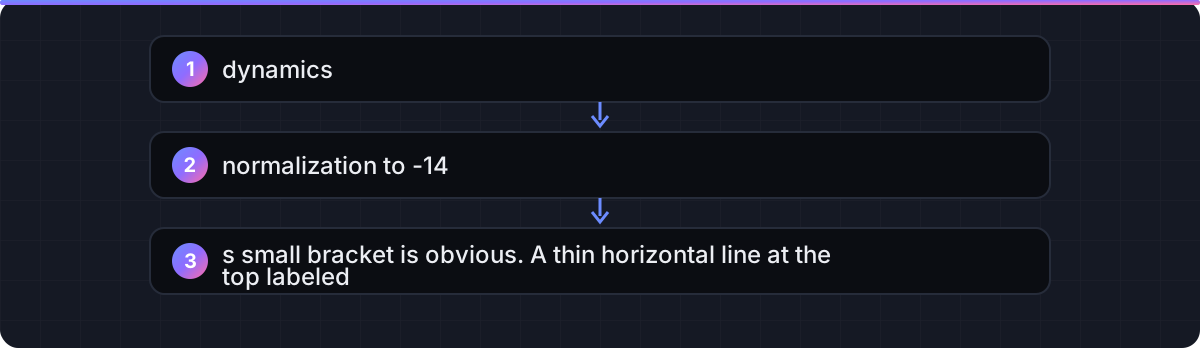
Bounce, then drag the bounced file onto a new track in an empty project, insert the Loudness Meter plug-in, and play the whole song once. You want the integrated reading you aimed for and a true peak that never passes -1 dBTP. Listen on earbuds and a phone speaker as well as your monitors; a master that only works on studio monitors is not finished.
Deliver a 24-bit WAV at the project sample rate; the per-destination rows on How to bounce in Logic Pro cover MP3 and AAC copies. If a label or engineer asks for stems instead, How to export stems from Logic Pro explains the export. If Mastering Assistant's analysis stalls with a system overload alert on a dense project, freeze tracks first using the steps on Logic Pro system overload.
FAQ
Where is Mastering Assistant in Logic Pro?
On the Stereo Out channel strip: click Mastering in the last Audio Effect slot, or choose Mix > Mastering Assistant. On iPad, open the Mixer, tap Setup, then tap Mastering at the bottom of the Stereo Out Audio Effect slot.
What LUFS should I master to in Logic Pro?
Spotify documents -14 LUFS as its default playback level, and Apple states Mastering Assistant's centered Loudness knob lands around -14 LUFS-I. Louder genres are commonly mastered hotter and simply get turned down on playback; keep true peak at -1 dBTP or lower either way.
Why does my master sound quieter on Spotify than other songs?
Spotify normalizes everything to -14 LUFS, so a louder master gains nothing. If yours sounds quieter at the same LUFS, the difference is tonal balance and density, not level; compare against references with Loudness Compensation on.
Is Mastering Assistant good enough for a release?
For singles and independent releases that are well mixed, yes. For albums that need consistency, vinyl, or when you cannot trust your room, a mastering engineer adds a calibrated listening environment and a second opinion.
Do I need dither when bouncing a master?
Only when the bounce's Resolution is lower than the project's bit depth, for example 24-bit project to 16-bit file. Set Dithering to None for a 24-bit WAV.
Why can't I pick Valve or Punch in Mastering Assistant?
Apple states that Character presets other than Clean require a Mac with Apple silicon. On Logic Pro for iPad all presets are available.
Should I leave Loudness Compensation on when I bounce?
No. Apple's article lists turning Loudness Compensation off and clicking Reanalyze after any mix change as the two steps to take before bouncing.
Does Mastering Assistant replace a limiter?
It includes its own output limiting; Apple's parameters page states the output is limited to -1 dBFS true peak. Do not add another limiter after it.
Related guides
Part of Mix & master — see every guide in this hub.
 Guide
Flex Pitch and pitch correction in Logic Pro (the built-in autotune)
Flex Pitch for surgical note edits, the Pitch Correction plug-in for the hard-tuned effect or a quick fix, and the settings that decide whether it sounds natural.
10 min read Guide
How to bounce a song in Logic Pro
The Bounce dialog option by option, with the right settings for a distributor master, a demo MP3, a video deliverable and a cycle-range section.
10 min read Fix
Logic Pro system overload: how to fix the error (-10011)
What the System Overload alert means and Apple's documented order of fixes, from buffer size to freezing tracks.
10 min read
Sources checked
- Use Mastering Assistant in Logic Pro (Apple Support, 6 March 2025)
- Mastering Assistant parameters in Logic Pro for Mac (Logic Pro User Guide)
- Loudness normalization on Spotify (Spotify for Artists)
- Apple Digital Masters (Apple)
- Uncompressed (PCM) bounce options, including Dithering (Logic Pro User Guide for Mac)
Last checked 3 November 2026 by the Logic Pro Files Team.