Fix Problems
Logic Pro keeps crashing or won't open — 14 fixes
Apple's article "If Logic Pro for Mac isn't working" lists 14 steps, from a simple restart to a full reinstall. The order matters: the early steps fix most problems, and the middle ones — startup keys and a test project — tell you whether the cause is a plug-in, a device or one project.
 Owen Hartley

Applies to: Logic Pro 13, 12 and 11 for Mac, one-time purchase and Apple Creator Studio.
Most likely causes
- Third-party Audio Units plug-in not compatible after an update (most common)
- External device or its driver (common)
- Damaged settings or preferences file (common)
- A problem inside one project (occasional)
- Plug-in scan after updating (looks like a freeze) (occasional)
Logic Pro startup keys
| Hold while opening | What happens |
|---|---|
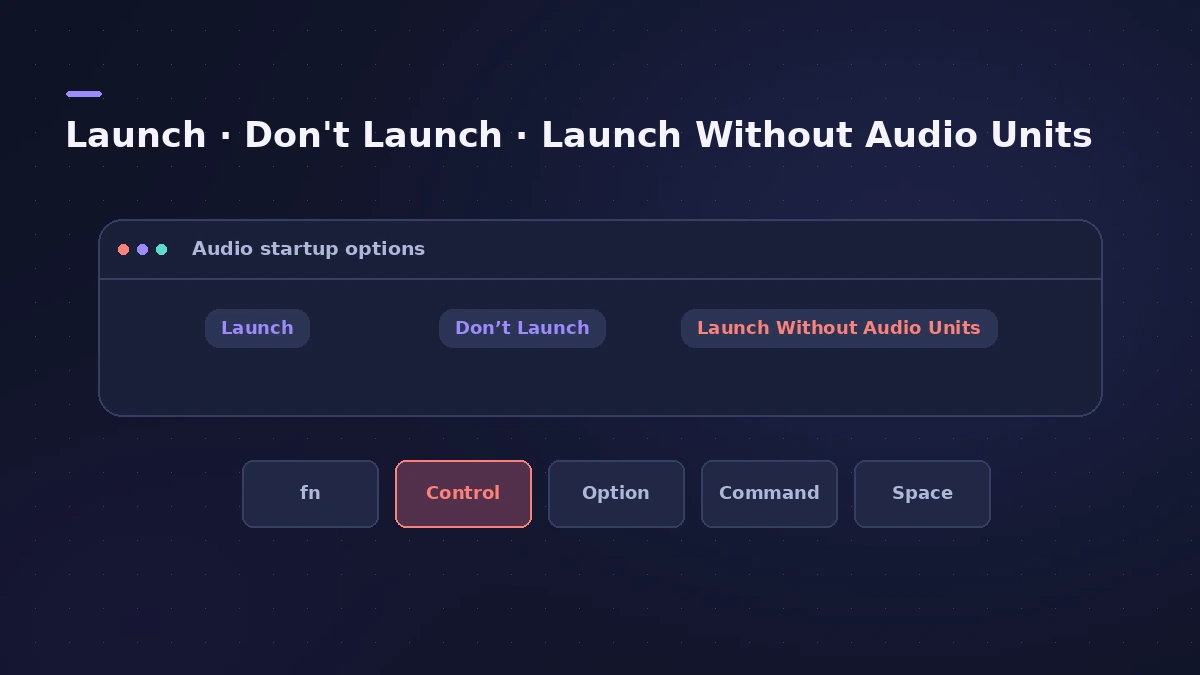
| Control | A dialog appears: Launch (normal), Don't Launch (Core Audio off), Launch Without Audio Units (all AU plug-ins off) |
| Shift-Control | Opens with only validated Audio Units plug-ins |
| Option | Skips the startup action, so your last project doesn't open |
Apple notes there's no startup key that resets settings — use the reset command inside Logic Pro instead.
Find the plug-in that crashes a project
- Open Logic Pro with Launch Without Audio Units, then open the project.
- Save a copy of the project and open the copy.
- Set one plug-in slot at a time to No Plug-in until the crash stops.
If Logic Pro won't open at all, go to /Library/Audio/Plug-Ins/Components (or the same path inside your user Library), Command-drag suspect .component files to another folder and restart. Put them back one at a time to find the bad one. Our AU validation guide covers what to do next.
Stuck after an update
Apple says Logic Pro scans all plug-ins the first time it opens after an update, and that can take 10 minutes or more. A plug-in may also be waiting behind another window with an alert — an expired demo or a missing USB licence key. Open Mission Control to find it. Apple also warns against 32-to-64-bit plug-in wrappers.
Read the crash report
The Console app keeps crash reports (.ips files) under Reports > Crash Reports. Select one and choose File > Reveal in Finder to find the file if a plug-in developer or Apple asks you to send it.
Fixes, in order
1. Restart your Mac
Apple's first step, before anything else.
2. Update Logic Pro
Apple menu > App Store > Updates. The Logic Pro 13.0 release notes list many unexpected-quit fixes.
3. Check device and plug-in compatibility
Check that your interface, MIDI devices, storage, control surfaces and plug-ins support your Logic Pro and macOS versions.
4. Disconnect devices one at a time
Unplug external devices one by one and test after each.
5. Use built-in audio
In Settings > Audio > Devices, choose the Mac's built-in output and input to rule out the interface.
6. Open without audio
Hold Control while opening Logic Pro and click Don't Launch to start with Core Audio disabled.
7. Open without Audio Units
Hold Control and click Launch Without Audio Units. If Logic Pro is stable now, a third-party plug-in is the cause.
8. Check Mic Mode
Set Mic Mode to Standard from the microphone icon in the menu bar.
9. Test a new project
Press Shift-Command-N, add a few Apple Loops and play. If it works, the problem is in your original project.
10. Try a new user account
Create a test macOS user and open Logic Pro there.
11. Reset control surface preferences
Rename
~/Library/Preferences/com.apple.logic.pro.csby putting it in a new folder with the same name, then restart.12. Reset Logic Pro settings
Logic Pro > Settings > Reset All Settings Except Key Commands. Projects, presets and patches are not affected.
13. Reset the preferences file
Quit Logic Pro, open
~/Library/Preferencesand movecom.apple.logic10.plist(one-time purchase) orcom.apple.mobilelogic(Apple Creator Studio) into a new folder, then restart.14. Reinstall Logic Pro
Apple's last step. Back up Logic Pro and your projects first, then redownload from the App Store.
Sources
- Apple — If Logic Pro for Mac isn't working (Feb 2026)
- Apple — Use startup modifier keys with Logic Pro for Mac (Aug 2023)
- Apple — If Logic Pro for Mac hangs after updating (Aug 2023)
- Apple — Remove or disable Audio Units plug-ins in Logic Pro for Mac or MainStage (May 2025)
- Apple — Console User Guide: View reports in Console on Mac
- Apple — Logic Pro for Mac release notes (Nov 2026)
Checked November 2026. Logic ProFiles is independent of Apple; menu names can differ slightly between Logic Pro versions.
Frequently asked questions
Why does Logic Pro keep crashing on my Mac?
+
After a Logic Pro or macOS update, an incompatible third-party Audio Units plug-in is the usual suspect. Open Logic Pro with Control held and choose Launch Without Audio Units to check.
Logic Pro is stuck after updating — is it frozen?
+
Maybe not. Apple says Logic Pro scans your plug-ins the first time it opens after an update, which can take more than 10 minutes. Check Mission Control for a hidden plug-in alert.
Does resetting Logic Pro settings delete my work?
+
No. Apple says projects, presets and patches are not affected. Global settings, control bar and track defaults go back to their defaults.
Related
- Logic Pro for iPad not workingLogic Pro for iPad won't open or play? Restart, update iPadOS and the app, test a new project, disconnect devices and switch to the iPad's own audio.
- How to reset Logic Pro settingsReset Logic Pro settings to fix odd behaviour: use Reset All Settings Except Key Commands, then reset the plist file or the control surfaces file if needed.
- Logic Pro project won't openA Logic Pro project won't open or says it's damaged? Open it without plug-ins, import its tracks into a new project, use Revert To or Project Backups.
- Audio Unit failed validation in Logic Pro — how to fix itA plug-in failed Audio Unit validation in Logic Pro? Rescan it in the Plug-in Manager, update or authorise it, clear the AU cache and check Rosetta.
- Plug-ins not showing in Logic Pro — how to make them appearInstalled a plug-in but Logic Pro doesn't list it? Check it's an Audio Unit in the Components folder, then rescan in the Plug-in Manager or reset the AU cache.
- No sound in Logic Pro — 10 fixes, quickest firstNo sound in Logic Pro? Check the output device, Core Audio, mute and solo, the metronome and plug-ins, then test built-in audio to rule out the interface.
- What's new in Logic Pro 13Logic Pro 13 (5 Nov 2026): the AI Assistant, a unified Browser with Splice, drum-kit Stem Splitter, Play Surface, Liquid Glass, touch control and more.