Recording
How to reamp guitar in Logic Pro
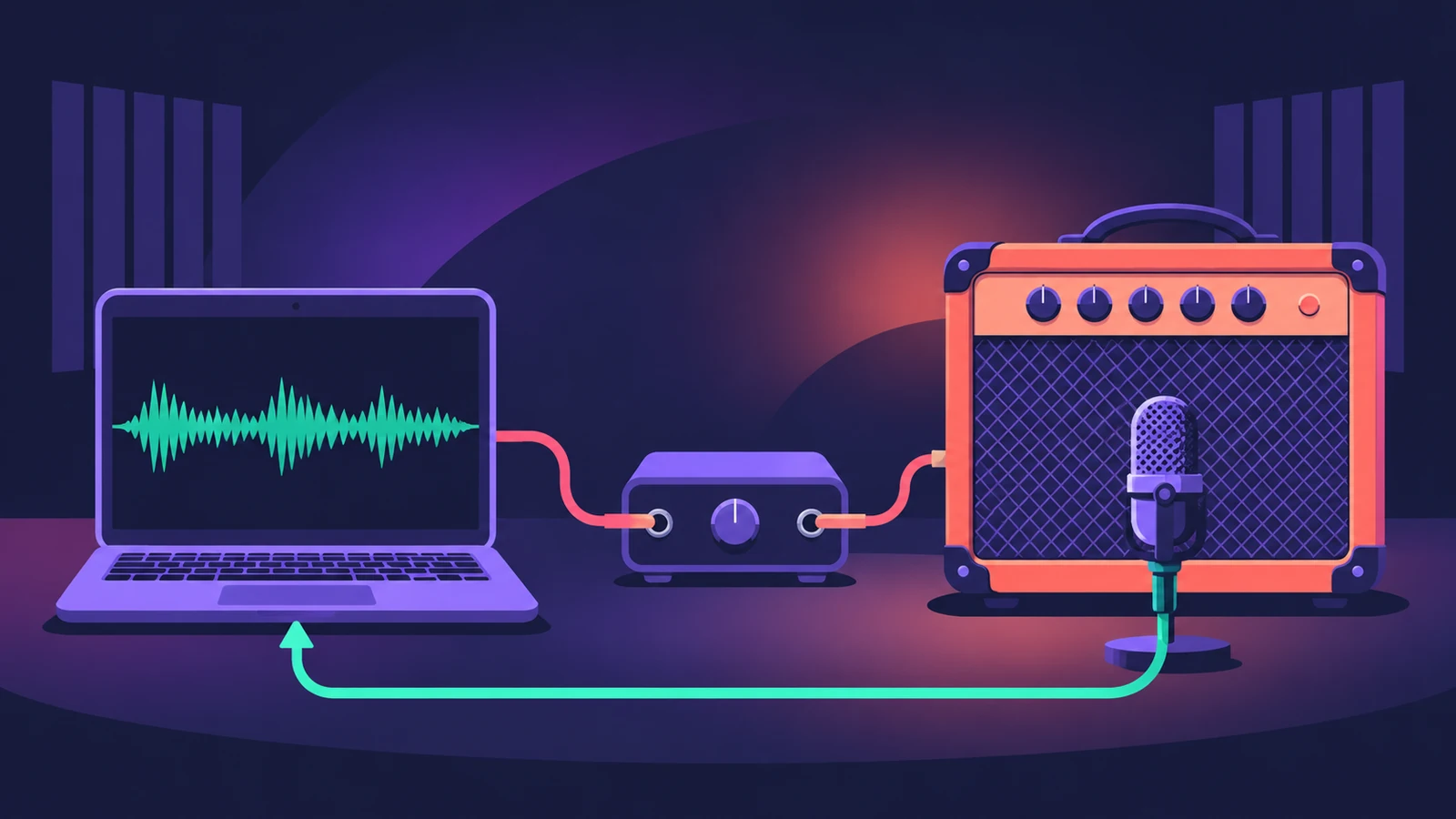
Reamping means recording a clean DI guitar first, then playing that track back out through a real amp later and recording the result. You can choose the amp tone at mix time — and keep the original performance.
 Owen Hartley
Where to find it
Track output or I/O plug-in > spare interface output
The reamp chain
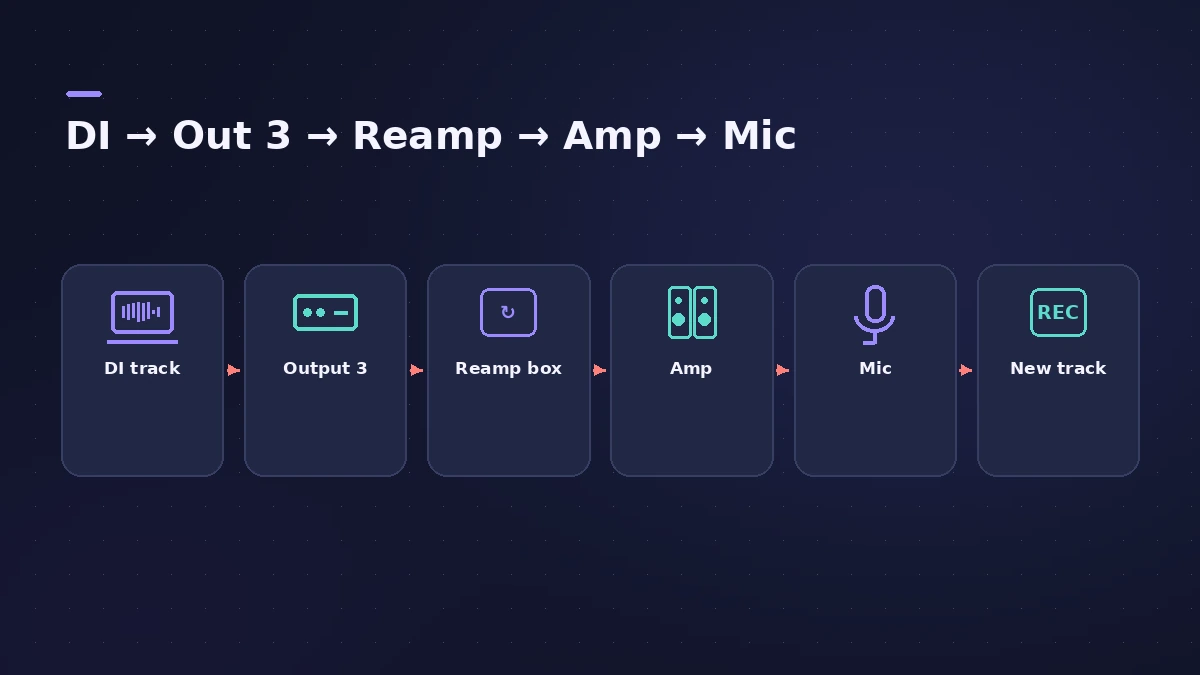
Recording a DI alongside the amp is the safest habit: if the amp tone doesn't work in the mix, you can reamp later without re-recording. For the first recording, see recording electric guitar.
Step by step
-
1
Record a DI track
Plug the guitar into a Hi-Z input or a DI box. A DI's thru output lets you play through an amp at the same time while the clean signal is recorded.
-
2
Send the DI to a spare output
Set the DI track's output to an interface output not used by your monitors — for example Output 3.
-
3
Use a reamp box
Connect that output to a reamp box, then to the amp. It converts the interface's line level to an instrument-level signal for pedals and amps.
-
4
Mic the amp and record back
Mic the amp into another input, create a new audio track on that input, arm it and record while the DI plays.
-
5
Or use the I/O plug-in
Logic Pro's I/O plug-in can send and return through hardware from one channel; Sound On Sound advises setting the channel output to No Output.
Common mistakes
- Sending the whole mix to the amp — route only the DI track to the spare output.
- Running the send too low; Radial suggests getting the level out of the interface as high as you can without clipping.
Amp sims instead
No amp to hand? Process the DI with Amp Designer and Pedalboard and change the tone any time.
Sources
- Radial Engineering — The Reamping workflow (2023)
- Radial Engineering — How to reamp for a perfect tone
- zZounds blog — Re-amping in Logic Pro X
- Sound On Sound — Logic guitar processing and the I/O plug-in
- Sound On Sound — Apple Logic: Pedal power (I/O plug-in, No Output)
Checked November 2026. Logic ProFiles is independent of Apple; menu names can differ slightly between Logic Pro versions.
Frequently asked questions
Do I need a reamp box?
+
Yes for a real amp — it converts the interface's balanced line output to the unbalanced instrument-level signal an amp expects.
Can I reamp other instruments?
+
Yes. A reamp box can send any line-level track — an electric piano, acoustic guitar or vocals — through amps and pedals.
Related
- How to record electric guitar in Logic ProRecord electric guitar into Logic Pro: use the Hi-Z input, tune with the Tuner, pick an Amp Designer and Pedalboard tone and keep latency low.
- I/O utility in Logic Pro — use hardware effectsUse outboard gear in Logic Pro with the I/O utility: wire the interface to the effect, insert I/O on an aux, choose outputs and inputs, then Ping latency.
- Amp Designer in Logic ProBuild guitar tones with Amp Designer in Logic Pro: pick a model, mix amps, cabinets and seven mics, set EQ and the built-in reverb, tremolo and vibrato.
- How to record bass guitar in Logic ProRecord bass guitar in Logic Pro through the instrument input, then shape it with Bass Amp Designer's amp and Direct Box, alone or blended together.
- Recording in Logic ProHow to record in Logic Pro: vocals, electric and acoustic guitar, bass, drums and MIDI, plus cycle takes, punch-in, Flashback Capture and step input.