MainStage & Live
Using MainStage as a guitar rig
MainStage can replace a pedalboard and amp on stage. Its guitar templates use Amp Designer and Pedalboard, and their screen controls can be assigned to foot switches to turn effects on and off while you play.
 Owen Hartley

Where to find it
New concert > guitar template
The live guitar chain
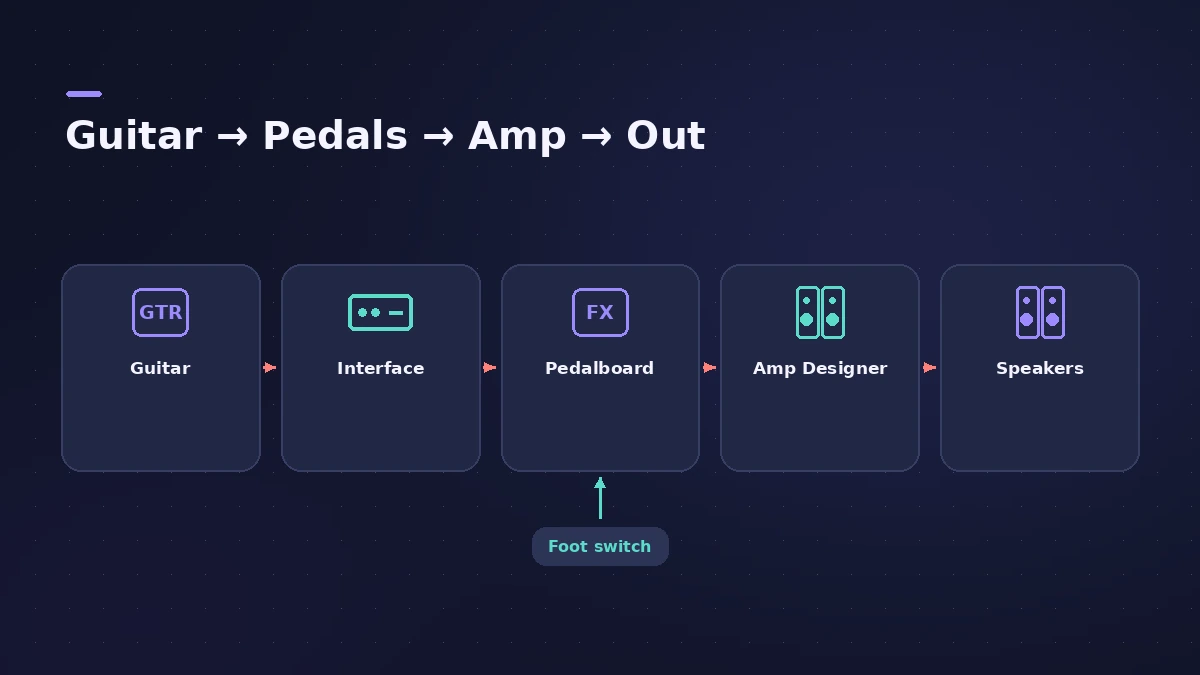
| Stage | MainStage tool |
|---|---|
| Input | Audio channel strip input |
| Stompboxes | Pedalboard |
| Amp and cabinet | Amp Designer |
| Foot control | Foot switch and expression screen controls |
Step by step
-
1
Connect the guitar
Plug into an audio interface instrument input and choose it as the input of the patch’s audio channel strip.
-
2
Start from a guitar template
The guitar templates use Amp Designer, Pedalboard and other guitar effects.
-
3
Build your tone
Pick an amp model, cabinet and microphone in Amp Designer, and chain stompboxes in Pedalboard from left to right.
-
4
Add foot control
Assign Pedalboard-style screen controls to foot switches to bypass effects; an expression pedal can control volume or switch channel strips.
-
5
Tune before you play
Use the Tuner (Command-T) with the patch’s audio channel strip.
Common mistakes
- Choosing the wrong input on the patch's audio channel strip.
- Leaving a twin-amp patch’s second amp audible while tuning.
More live tools
Use Loopback for live loops and the Tuner between songs. For the plug-ins themselves, see Amp Designer and Pedalboard.
Sources
- Apple — MainStage User Guide: Tips for performing with guitars
- Apple — MainStage User Guide: Amps and pedals overview
- Apple — MainStage User Guide: Amp Designer overview
- Apple — MainStage 3.5 Guide: Pedalboard overview
- Apple — MainStage 3.5 Guide: Connect an electric instrument
- Apple — MainStage User Guide: Tune instruments with the Tuner
Checked November 2026. Logic ProFiles is independent of Apple; menu names can differ slightly between Logic Pro versions.
Frequently asked questions
Can I use MainStage instead of a pedalboard?
+
Yes. Apple describes using the guitar templates as a multi-effects processor with Amp Designer and Pedalboard.
Can I control overall volume with a foot pedal?
+
Yes. For guitar patches with several channel strips, Apple describes controlling overall patch volume with a foot pedal.
Related
- Amp Designer in Logic ProBuild guitar tones with Amp Designer in Logic Pro: pick a model, mix amps, cabinets and seven mics, set EQ and the built-in reverb, tremolo and vibrato.
- Pedalboard in Logic ProUse Pedalboard in Logic Pro: drag stompboxes from the Pedal Browser, set their order, split the signal into Bus A and Bus B with the Router and mix them back.
- Using the MainStage TunerTune guitar, bass or any instrument in MainStage: open the Tuner with Command-T, use the first audio channel strip, mute other amps and add the Tuner plug-in.
- Expression and sustain pedals in MainStageSet up sustain and expression pedals in MainStage: what works by default, Learn an assignment, map a pedal to volume or effects, fix a reversed sustain.
- MainStage and live performancePlay Logic Pro's instruments on stage with MainStage 4: concerts and patches, backing tracks, MIDI controllers, Ableton Link and pre-gig checks.