Fix Problems
Stuck MIDI notes in Logic Pro
A note rings on after you release the key, or a synth drones until you quit. A hanging note means the instrument never got its Note Off. You can silence it in seconds — and then find out why it happened.
 Owen Hartley

Applies to: Logic Pro 13, 12 and 11 for Mac; older steps noted.
Most likely causes
- A Note Off message lost between controller, interface and Logic Pro (common)
- Sustain pedal sending reversed values (common)
- An external MIDI interface or device dropping messages (occasional)
- Damaged Logic Pro settings (occasional)
Silence it, then find the cause
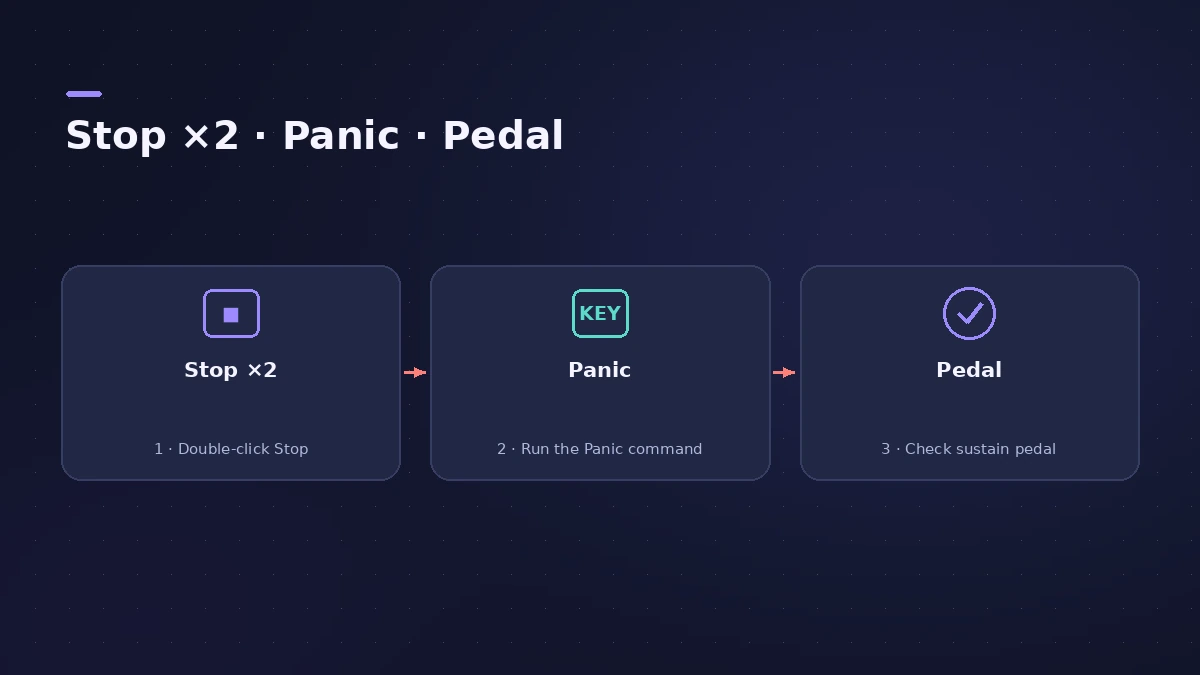
Older Logic Pro manuals describe double-clicking the MIDI Activity display to send Note Offs. In current versions, users report switching the LCD to the Custom display and double-clicking the MIDI activity section. The Panic key command does the same job and is easier to reach — assign it in key commands.
If the stuck note comes from a recorded region, open it in the Piano Roll and check for an overly long note.
Fixes, in order
1. Press Stop twice
Clicking Stop twice in quick succession sends reset messages — the basic panic reset.
2. Use Send Discrete Note Offs (Panic)
If notes still sound, assign and use the Send Discrete Note Offs (Panic) key command. It sends a separate Note Off for every note, on all channels of every MIDI port.
3. Check the sustain pedal
Some sustain pedals send reversed values. Unplug the pedal and play; if notes stop hanging, switch the pedal's polarity or use another pedal.
4. Test without the MIDI interface
Users with hanging notes often trace them to one MIDI interface. Connect the keyboard by USB, or try another port, to rule it out.
5. Reset Logic Pro settings
If the problem happens with every device, reset settings except key commands — this doesn't touch projects.
Sources
- Apple — Logic Pro 9 Help: Monitoring and resetting MIDI events (old)
- Apple — Logic Pro X 10.1 Help: Reset Messages preferences (old)
- Sweetwater — Switching off stuck notes in Logic Pro
- Apple Community — MIDI notes sticking with virtual instruments (2023)
- Gearspace — Hanging MIDI notes (Custom LCD, MIDI Out reset)
Checked November 2026. Logic ProFiles is independent of Apple; menu names can differ slightly between Logic Pro versions.
Frequently asked questions
How do I stop all notes in Logic Pro?
+
Click Stop twice quickly. If a note still hangs, use the Send Discrete Note Offs (Panic) key command.
Should I turn on the MIDI Reset Messages settings?
+
Usually not. Apple says Logic Pro handles reset messages automatically and these options, off by default, are for older MIDI hardware.
Why does one note keep sustaining forever?
+
Its Note Off didn't arrive. Check the pedal and MIDI interface; users also report that resetting Logic Pro settings helped.
Related
- MIDI keyboard not working in Logic Pro — 9 fixesLogic Pro not responding to your MIDI keyboard? Check USB and drivers, rescan in Audio MIDI Setup, reset all MIDI drivers and arm a software instrument track.
- MIDI region not playing in Logic ProRecorded MIDI plays nothing in Logic Pro? Check the region isn't muted, the track is on, nothing is soloed, and start playback before the note, not mid-note.
- How to reset Logic Pro settingsReset Logic Pro settings to fix odd behaviour: use Reset All Settings Except Key Commands, then reset the plist file or the control surfaces file if needed.
- How to record MIDI with a keyboard in Logic ProRecord MIDI from a keyboard in Logic Pro: arm an instrument track, record with a count-in, overdub, replace or take passes in Cycle mode, then quantize.
- Fix Logic Pro problems — errors, crashes and no soundStep-by-step fixes for Logic Pro on Mac: system overload, disk too slow, no sound, crashes, latency, missing plug-ins, MIDI keyboards and recording problems.