Fix Problems
MIDI region not playing in Logic Pro
You recorded the part, the notes are in the region, but nothing plays back. Most of the time the region or track is muted, another track is soloed, or playback starts after the note began — so the instrument never gets the note.
 Owen Hartley

Applies to: Logic Pro 13, 12 and 11 for Mac.
Most likely causes
- Region muted or track off (most common)
- Another track soloed (common)
- Playback starting in the middle of a long note (common)
- Output not reaching your speakers (occasional)
Where you start matters
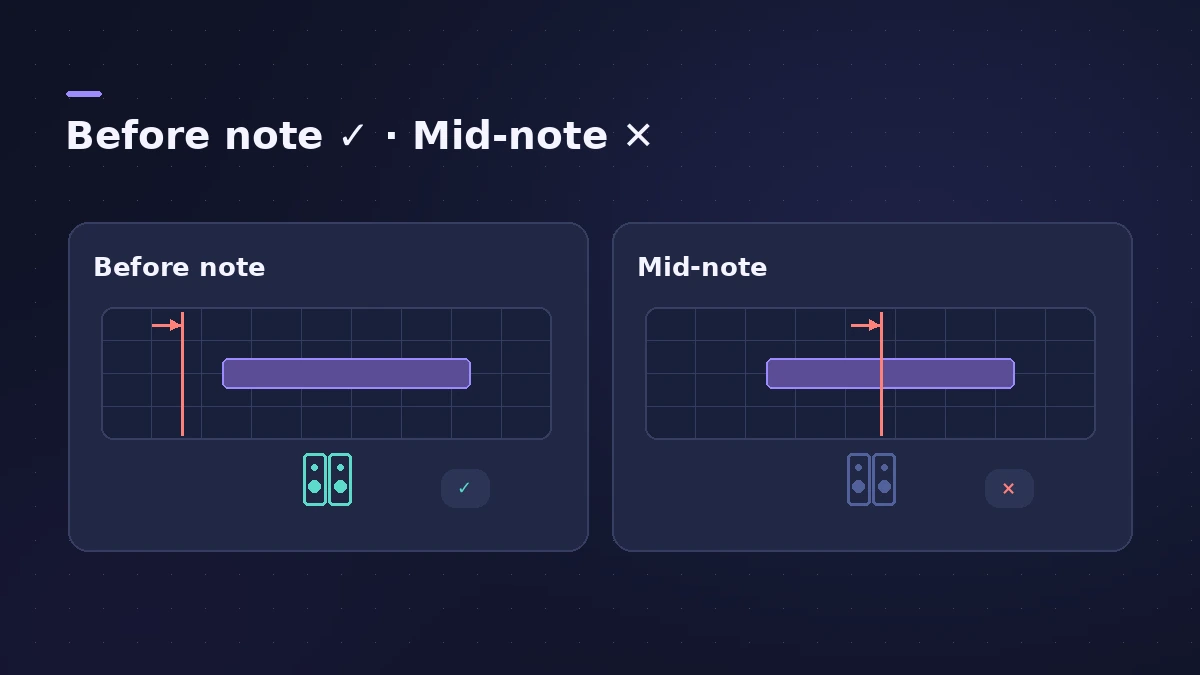
If no track makes sound at all, start with Logic Pro no sound.
Fixes, in order
1. Check for grey regions
A grey region with a dot is muted — select it and press Control-M.
2. Clear solo
Make sure no other track is soloed.
3. Start before the note
Move the playhead before the note starts; starting mid-note means the instrument never gets the note-on.
4. Chase notes or bounce
To start mid-note, enable Notes in MIDI Chase settings, or bounce in place or freeze the track.
5. Check the output device
Confirm Logic Pro's audio output goes to your speakers or headphones.
Sources
- Output — Logic Pro not playing back a recorded MIDI part
- Apple — Logic Pro X 10.1 Help: Mute and solo regions (old)
- Apple Community — No mute, no solo, no sound (track On/Off)
Checked November 2026. Logic ProFiles is independent of Apple; menu names can differ slightly between Logic Pro versions.
Frequently asked questions
Why is my MIDI region silent in Logic Pro?
+
Check for a muted region or track, a soloed track, and whether playback starts after the note began.
Why do long notes not sound when I start playback?
+
The note-on is before the playhead. Start earlier or turn on note chasing in MIDI Chase settings.
Related
- Event List in Logic ProUse the Event List in Logic Pro to see and edit every MIDI event as numbers: position, channel, value and length; filter by type; fix stray controllers.
- Regions greyed out and not playingRegions greyed out and silent in Logic Pro? Read the grey: a coloured name means track mute or solo, a dot means region mute, all grey means the track is off.
- No sound in Logic Pro — 10 fixes, quickest firstNo sound in Logic Pro? Check the output device, Core Audio, mute and solo, the metronome and plug-ins, then test built-in audio to rule out the interface.
- How to record MIDI with a keyboard in Logic ProRecord MIDI from a keyboard in Logic Pro: arm an instrument track, record with a count-in, overdub, replace or take passes in Cycle mode, then quantize.
- Fix Logic Pro problems — errors, crashes and no soundStep-by-step fixes for Logic Pro on Mac: system overload, disk too slow, no sound, crashes, latency, missing plug-ins, MIDI keyboards and recording problems.