Fix Problems
Audio interface not showing in Logic Pro
If your interface isn't in Logic Pro's input or output menus, find out where it disappears: is it seen by the Mac at all, by Audio MIDI Setup, or only missing in Logic Pro? Each answer points to a different fix.
 Owen Hartley
Applies to: Logic Pro 13, 12 and 11 for Mac with USB, Thunderbolt or class-compliant interfaces.
Most likely causes
- Driver missing or failed to install (most common)
- Interface not detected by the Mac (cable, port, power) (common)
- Interface hidden inside an aggregate device (occasional)
- Driver not yet updated for a new macOS (occasional)
Find where it disappears
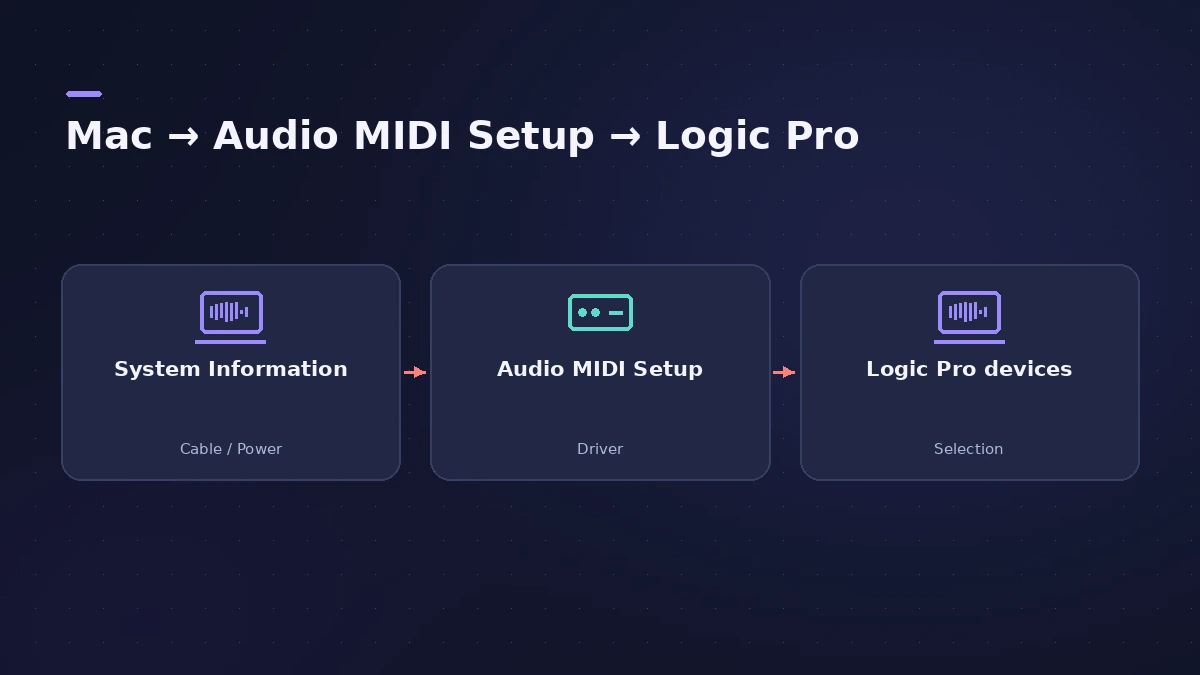
| Seen in System Information | In Audio MIDI Setup | Likely fix |
|---|---|---|
| No | No | Cable, port, power |
| Yes | No | Install or update the driver |
| Yes | Yes | Select it in Logic Pro, check aggregate devices |
For first-time setup, see audio interface setup.
Fixes, in order
1. Check System Information
Open System Information and look under USB or Thunderbolt. If the interface isn't listed, check the cable, port and power.
2. Check Audio MIDI Setup
If the Mac sees it but Audio MIDI Setup doesn't, you most likely need the manufacturer's latest driver.
3. Install the right driver and restart
Class-compliant interfaces don't need one; others do. Run the installer and restart.
4. Look inside aggregate devices
If the interface is part of an aggregate device, it may not appear on its own in Logic Pro's menus.
5. Select it in Logic Pro
In Logic Pro > Settings > Audio > Devices, choose the interface as Input and Output Device.
6. Test with built-in audio
Apple suggests testing with the Mac's built-in audio; if that works, the interface may need an update or service.
Sources
- Sweetwater — Resolving audio interface issues on Mac
- Apple Community — Interface not in Audio MIDI Setup (driver)
- Apple Community — Interface hidden inside an aggregate device
- Apple — If Logic Pro for Mac isn't working (reset steps)
Checked November 2026. Logic ProFiles is independent of Apple; menu names can differ slightly between Logic Pro versions.
Frequently asked questions
Why doesn't Logic Pro see my audio interface?
+
If it isn't in Audio MIDI Setup, the driver is usually the problem. If it is, select it in Logic Pro's Audio > Devices settings.
Do I need a driver for my interface?
+
Not if it's class compliant — basic features work without drivers. Others need the manufacturer's driver.
Related
- Choosing an audio interface for Logic ProWhat to look for in an audio interface for Logic Pro: class-compliant drivers, enough inputs, phantom power for condenser mics, direct ports and latency.
- Audio MIDI Setup on Mac for Logic Pro usersUse the Mac's Audio MIDI Setup app with Logic Pro: set an interface's sample rate and bit depth, configure speakers, add MIDI devices and test MIDI connections.
- How to set up an audio interface in Logic ProConnect a USB or Thunderbolt audio interface to Logic Pro: choose input and output devices, set the I/O buffer, allow mic access and pick track inputs.
- No sound in Logic Pro — 10 fixes, quickest firstNo sound in Logic Pro? Check the output device, Core Audio, mute and solo, the metronome and plug-ins, then test built-in audio to rule out the interface.
- Logic Pro not recording audio — 9 fixes to tryLogic Pro won't record audio from your mic or interface? Check microphone access, the input device, record-enable state, unique inputs and the recording format.
- Fix Logic Pro problems — errors, crashes and no soundStep-by-step fixes for Logic Pro on Mac: system overload, disk too slow, no sound, crashes, latency, missing plug-ins, MIDI keyboards and recording problems.