Bounce & Export
How to export audio to a video in Logic Pro
Logic Pro doesn't render video, but it can write your mix into a copy of the movie you scored. File > Movie > Export Audio to Movie bounces the part of the project that the movie covers and adds it as the movie's soundtrack. One checkbox in the second dialog decides whether the movie's original audio comes along too.
 Owen Hartley
Where to find it
File > Movie > Export Audio to Movie
Apple's help explains that the export covers the part of the project between the movie's start and end. If you need just the soundtrack as a separate file for an editor, bounce it as a WAV with the same start and end as the movie.
Step by step
-
1
Open the movie in your project
The project needs a movie loaded with File > Movie > Open Movie. Only the part of the project that the movie covers is exported.
-
2
Mute the movie's own audio if you replaced it
If you imported the movie's soundtrack to edit it, make sure only the version you want plays in the Tracks area.
-
3
Choose Export Audio to Movie
Choose File > Movie > Export Audio to Movie.
-
4
Set the sound settings and save
Name the new movie, choose a folder and audio settings, then click Save.
-
5
Leave original tracks off
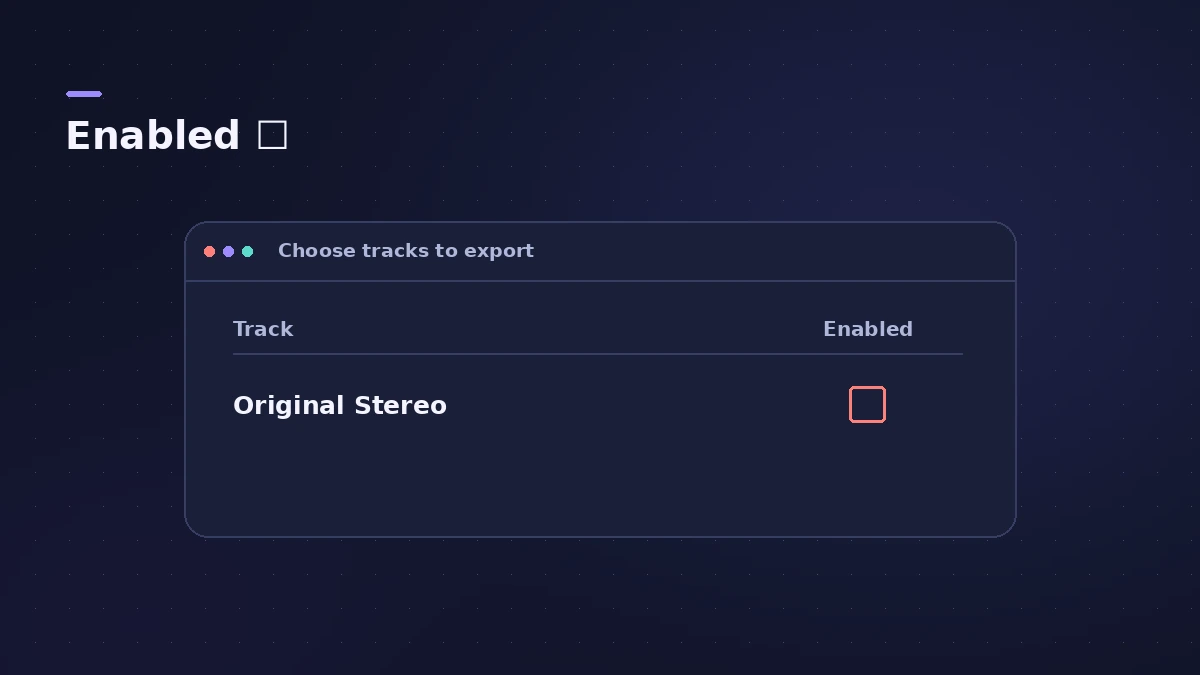
In the "Choose tracks to export" window, Berklee Online's guide says to leave Enabled unchecked. Ticking it adds the movie's original stereo track back in, so the file ends up with two soundtracks.
-
6
Check the result
Open the new movie in QuickTime Player and check it plays only your mix.
Common mistakes
- Ticking Enabled in the second dialog and getting the original soundtrack as an extra audio track.
- Expecting video edits made outside the movie file to appear — Logic Pro uses the movie as it is.
Need more control over the video?
For an editor who will keep working on the picture, send your audio as Final Cut Pro XML instead. Apple's instructions for Export Audio to Movie quoted here come from the Logic Pro X 10.1 help; the menu path is the same in current guides from Berklee Online.
Sources
- Apple — Logic Pro X 10.1 Help: Use movie audio tracks (old)
- Berklee Online — How to Correctly Export Audio & Video from Logic Pro (Jan 2024)
- Apple — Logic Pro User Guide: Export a Logic Pro for Mac project as a Final Cut Pro XML file
Checked November 2026. Logic ProFiles is independent of Apple; menu names can differ slightly between Logic Pro versions.
Frequently asked questions
Can Logic Pro export video?
+
It writes your audio into a copy of the movie you opened in the project. It doesn't edit or render the picture itself.
Why does my exported video have two audio tracks?
+
The original movie audio was enabled in the "Choose tracks to export" window. Export again with Enabled unchecked.
Related
- SMPTE timecode calculatorConvert SMPTE timecode to frames and seconds at 24, 25 or 30 fps, seconds back to timecode, and see frames per beat at any tempo for scoring to picture.
- Time display in Logic Pro: bars, beats and SMPTERead Logic Pro's LCD: bars, beats, divisions and ticks, SMPTE timecode with frames, display modes, giant time display, frame rate and SMPTE offset settings.
- Scoring to picture in Logic ProScore a film or video in Logic Pro: open the movie, show the Movie track, import its audio, add SMPTE-locked scene markers and export your music to the movie.
- Export a Logic Pro project as Final Cut Pro XMLSend audio from Logic Pro to Final Cut Pro with File > Export > Project to Final Cut Pro XML, with volume and pan automation, the video or a compound clip.
- How to bounce in Logic Pro — every bounce setting explainedBounce your Logic Pro project to WAV, MP3 or AAC: set the range, choose offline or realtime, include the reverb tail and pick the right normalize setting.
- Where does Logic Pro save bounces?Can't find your bounced song? Logic Pro saves bounces to ~/Music/Logic/Bounces by default. How to open the folder, change it and name files so you find them.
- Bounce and export in Logic Pro — songs, stems, MIDI and AtmosHow to get audio out of Logic Pro on Mac: bounce a song to WAV or MP3, export stems and MIDI, deliver Dolby Atmos, send a project to Pro Tools or a video.