Workflows
Make a singer-songwriter demo in Logic Pro
Start with what you play — guitar or piano and voice — then let Logic Pro's Session Players fill in a band that follows your chords.
 Owen Hartley

Where to find it
Audio tracks + Session Players
Build around your performance
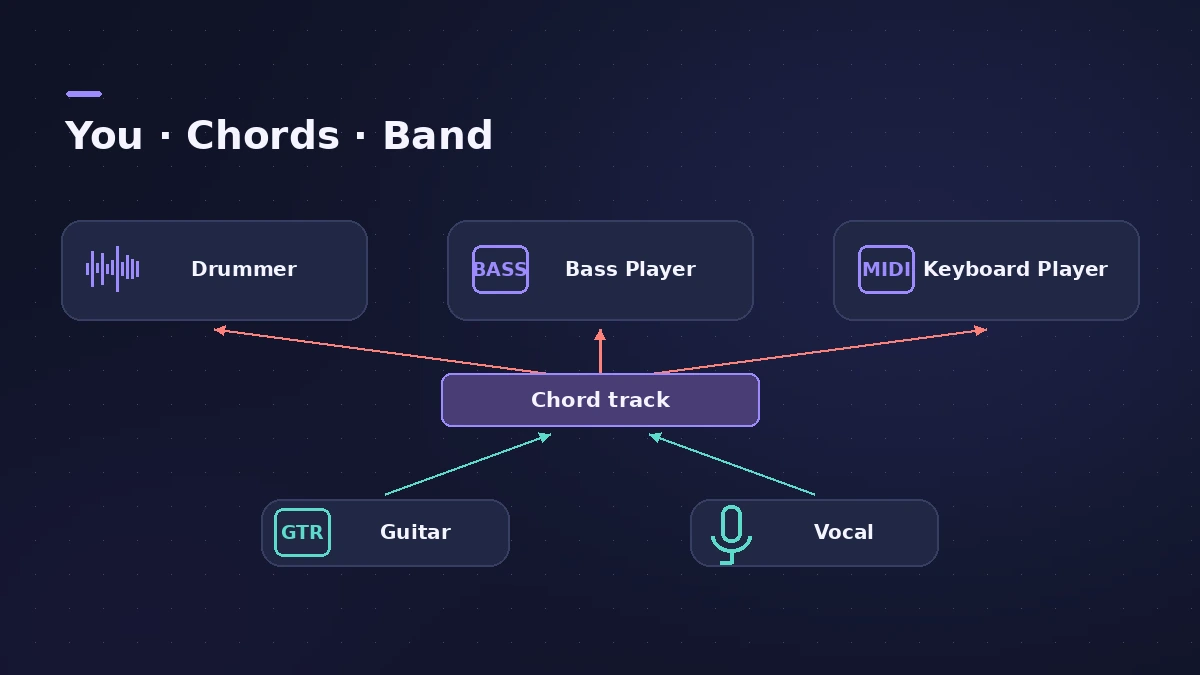
Record the parts only you can play, put the chords on the Chord track, then add Session Players that follow them. For mic placement, see record acoustic guitar.
Step by step
-
1
Record to a click or freely
Record guitar or piano and a guide vocal to the metronome — or play freely and let Smart Tempo follow you.
-
2
Add the chords
Enter the progression on the Chord track, or let Chord ID analyse your recording.
-
3
Add drums
Add an acoustic Drummer and choose a style from the Songwriter category.
-
4
Add bass
Add a Bass Player; it follows the Chord track.
-
5
Add keys
Add a Keyboard Player and pick a playing style such as Freely, Broken, Block, Arpeggiated or Pad.
-
6
Record the final vocal
Re-record the lead vocal over the band and comp the best takes.
Common mistakes
- Wrong chords on the Chord track: Session Players follow the Chord track, so check it first.
- Band too busy: Lower Complexity and Intensity so the players support the song.
Related workflows
For writing from a voice memo or demo, see songwriting with Chord ID.
Sources
- Apple — Logic Pro X 10.4 Help: Drummer overview (old)
- Peachpit — Session Players in Logic Pro (Apple Pro Training)
- Sound On Sound — Logic Pro 11 Session Players
- KVR Audio — Apple releases Logic Pro 11 (Keyboard Player styles)
Checked November 2026. Logic ProFiles is independent of Apple; menu names can differ slightly between Logic Pro versions.
Frequently asked questions
Which Drummer styles suit acoustic songs?
+
For acoustic kits the categories are Rock, Songwriter, Alternative and R&B; Songwriter suits most singer-songwriter material.
What styles does the Keyboard Player have?
+
Freely, Broken, Block, Arpeggiated and Pad.
Related
- Songwriting in Logic Pro with Chord ID and Session PlayersTurn a voice memo or guitar demo into a song in Logic Pro: detect chords with Chord ID, fill the Chord track, add Session Players and shape each section.
- Session Players in Logic ProHow Session Players work in Logic Pro: add a Drummer, Bass, Keyboard or Synth Player, pick a style, shape Complexity and Intensity, follow the Chord track.
- How to record acoustic guitar in Logic ProRecord acoustic guitar in Logic Pro with one or two mics: aim near the 12th fret about a foot away, use the 3:1 rule for two mics and set levels.
- How to record without a metronome in Logic ProRecord freely without a click in Logic Pro and let Smart Tempo build the tempo map: the Free Tempo Recording button, or Adapt/Auto mode with the metronome off.
- Logic Pro workflowsStep-by-step Logic Pro workflows by genre — house, techno, drum and bass, lo-fi, synthwave, orchestral, rock — plus beats, film scoring and podcasts.