Recording
How to record without a metronome in Logic Pro
Some songs feel better played freely. Logic Pro can record without a click and then analyse the take with Smart Tempo, so loops, Drummer and tempo-synced effects follow your timing afterwards.
 Owen Hartley

Where to find it
Free Tempo Recording button, or LCD > Smart Tempo menu
Which option to choose
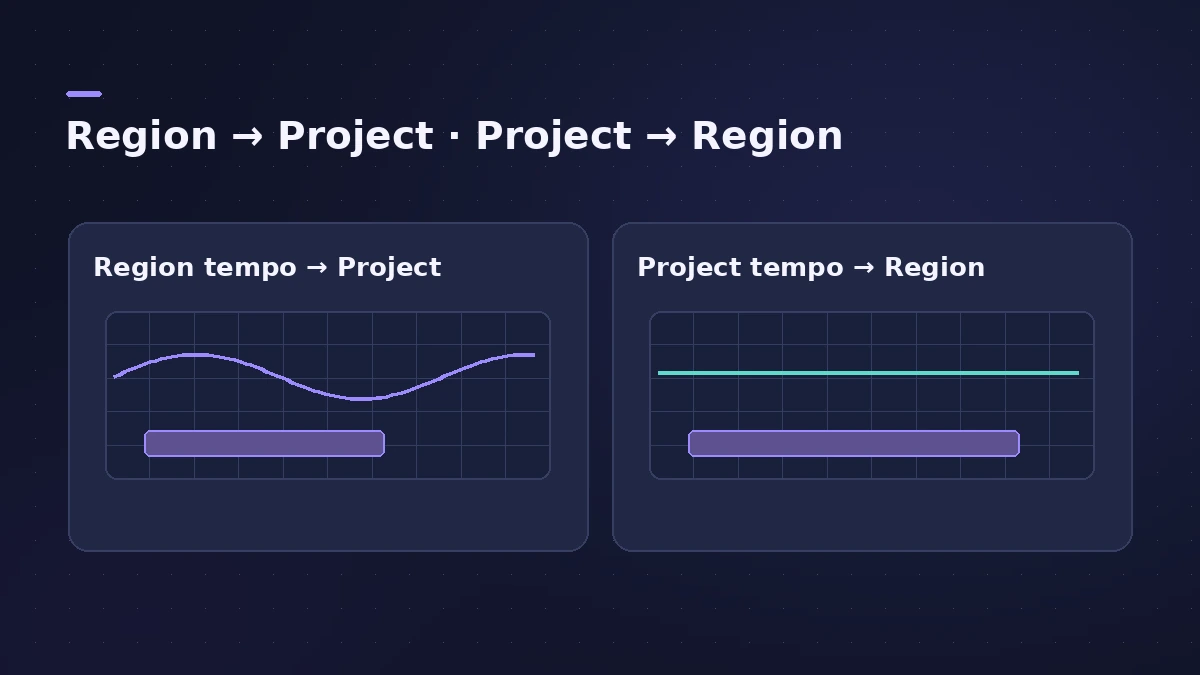
| Situation | Choose |
|---|---|
| First track in a new project | Apply region tempo to project tempo |
| Project already has tracks | Apply Project Tempo to Region |
| Many free takes in a row | Adapt or Auto mode, metronome off |
Step by step
-
1
Add the Free Tempo Recording button
Click the LCD's Display Mode menu, choose Customize Control Bar and Display, and select Free Tempo Recording under Transport.
-
2
Record freely
Click the button and play. Other tracks in the project are muted while you record. Click it again to stop.
-
3
Choose how to apply the tempo
Pick "Apply region tempo to project tempo" for a first track, or "Apply Project Tempo to Region" when other tracks exist, then click Apply.
-
4
Or use Adapt or Auto mode
In a new project, set the Smart Tempo menu to Adapt or Auto, turn the metronome off and record — a tempo map appears in the Tempo track.
-
5
Switch back afterwards
If you used Adapt, change to Auto or Keep so later recordings don't change the tempo map.
Common mistakes
- Leaving Adapt mode on for every recording — Apple says to use it only temporarily.
- Expecting Cycle mode in Adapt — the two are mutually exclusive.
Refine the analysis
If beats are detected in the wrong place, add hints and fix beat markers in the Smart Tempo Editor. If the tempo changes when you don't want it to, see tempo keeps changing.
Sources
- Apple — Match the tempo automatically in Logic Pro for Mac
- Apple — Logic Pro X 10.4 Help: Choose the Project Tempo mode (old)
- Apple — Logic Pro X 10.4 Help: Smart Tempo overview (old)
Checked November 2026. Logic ProFiles is independent of Apple; menu names can differ slightly between Logic Pro versions.
Frequently asked questions
Can I add drums to a song recorded without a click?
+
Yes. After Smart Tempo builds the tempo map, the metronome, Drummer and tempo-synced effects follow it.
What does Auto mode do with the metronome off?
+
In an empty project, Auto adapts the tempo to the recording when the metronome is off, and keeps the tempo when it's on.
Related
- Smart Tempo in Logic ProUse Smart Tempo in Logic Pro to record without a click and build a tempo map: choose Adapt, Keep or Automatic, fix the analysis with hints, multitrack.
- Logic Pro tempo keeps changingProject tempo jumps when you import audio or MIDI in Logic Pro? Set Smart Tempo to Keep Project Tempo, change the import setting, delete tempo points.
- Logic Pro metronome and count-inTurn the Logic Pro metronome on with K and the count-in with Shift-K, choose when it clicks, set the count-in length and change the click in Project Settings.
- Songwriting in Logic Pro with Chord ID and Session PlayersTurn a voice memo or guitar demo into a song in Logic Pro: detect chords with Chord ID, fill the Chord track, add Session Players and shape each section.
- Recording in Logic ProHow to record in Logic Pro: vocals, electric and acoustic guitar, bass, drums and MIDI, plus cycle takes, punch-in, Flashback Capture and step input.