Workflows
How to make a lo-fi hip-hop beat in Logic Pro
Lo-fi beats are slow, jazzy and deliberately imperfect: soft chords, a laid-back swung groove and a layer of crackle and wear. Logic Pro's stock instruments and effects cover every part.
 Owen Hartley

Where to find it
New project > Software Instrument track
The lo-fi recipe
| Element | Typical lo-fi treatment | Logic Pro tool |
|---|---|---|
| Tempo | 70–90 BPM | Project tempo |
| Harmony | Seventh and ninth chords | Vintage Electric Piano |
| Drums | Boom-bap based, swung | Drum Machine Designer, Drummer |
| Texture | Crackle, hiss, bit-crush | Bitcrusher, Tape Delay |
Step by step
-
1
Set the tempo
Lots of lo-fi sits between 70 and 90 BPM. Try 80.
-
2
Play jazzy chords
Load Vintage Electric Piano and play a short loop of seventh or ninth chords.
-
3
Program loose drums
Use Drum Machine Designer or Drummer and add swing so hats and snares sit behind the grid.
-
4
Add a simple bass
Follow the chord roots with a soft, warm bass part.
-
5
Degrade the sound
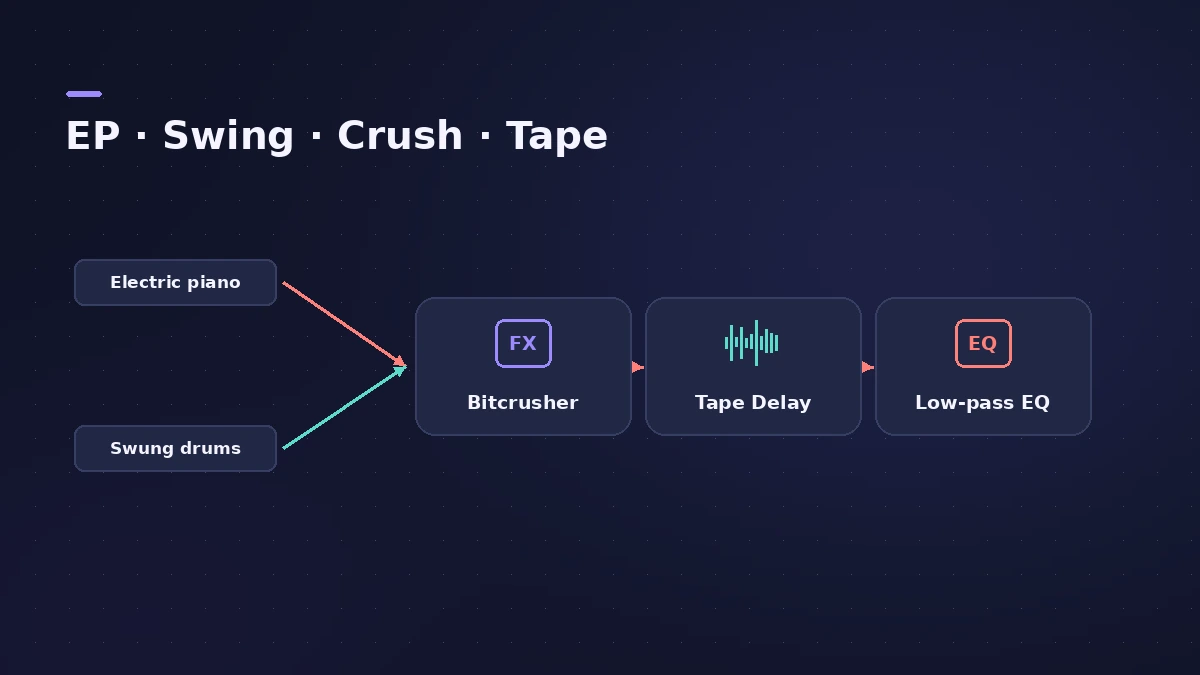
Add Bitcrusher for early-digital grit and Tape Delay with flutter for wobble; roll off highs with Channel EQ.
-
6
Layer texture
Add a quiet layer of vinyl crackle or tape hiss from a sample you own.
Common mistakes
- Too clean: Lo-fi depends on texture; add noise, wobble and filtering.
- Over-quantised drums: Keep some swing and velocity variation.
Tools
See Bitcrusher, Tape Delay and groove templates for swing.
Sources
- Produce Like A Pro — What is lo-fi music?
- Orphiq — What is lo-fi music?
- Splice — How to make lo-fi music
- Melodigging — Lo-fi beats genre guide
Checked November 2026. Logic ProFiles is independent of Apple; menu names can differ slightly between Logic Pro versions.
Frequently asked questions
What BPM is lo-fi hip hop?
+
Usually between 70 and 90 BPM.
What chords sound lo-fi?
+
Jazz-style chords — sevenths and ninths — on Rhodes-style electric piano or piano.
Related
- Vintage Electric Piano in Logic ProVintage Electric Piano in Logic Pro: choose a Rhodes, Wurlitzer or Hohner model, shape decay and bell, and add tremolo, chorus, phaser and drive to the sound.
- Distortion and Bitcrusher in Logic ProAdd grit with Logic Pro's distortion plug-ins: Bitcrusher resolution, downsampling and clip modes, plus Overdrive, Distortion and Clip Distortion.
- Tape Delay in Logic ProGet a vintage echo with Tape Delay in Logic Pro: sync to tempo, set feedback, choose Clean or Diffuse tape head, add flutter, LFO and tape saturation with Clip.
- How to make a hip-hop or trap beat in Logic ProMake a hip-hop or trap beat in Logic Pro with Drum Machine Designer, the Step Sequencer, hi-hat rolls, an 808 Bass Synth Player and chords that follow along.
- Logic Pro workflowsStep-by-step Logic Pro workflows by genre — house, techno, drum and bass, lo-fi, synthwave, orchestral, rock — plus beats, film scoring and podcasts.