LUFS gain calculator
Measure your bounce with Logic Pro's Loudness Meter, then enter the integrated loudness and true peak here. The calculator shows how much gain reaches your target, where the peaks land, and how much limiting you'd need.
 Owen Hartley
How it works
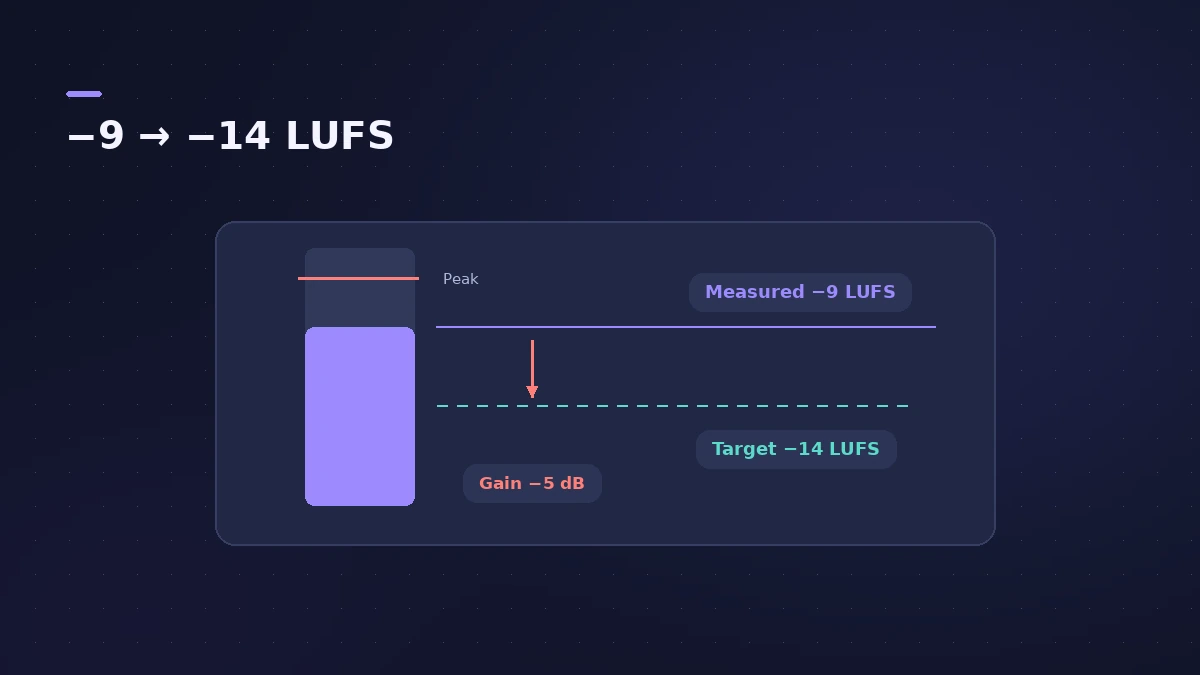
Gain (dB) = target LUFS − measured LUFS. One loudness unit equals one decibel, so a mix at −18 LUFS needs +4 dB to reach −14. The true peak moves by the same amount; if it ends up above your ceiling, you need a limiter rather than plain gain.
Logic Pro's Loudness Meter shows momentary, short-term and integrated loudness; use Start/Pause to measure the whole song, then read the Integrated value.
Spotify's numbers
| Spotify setting | What it does |
|---|---|
| Normal level | −14 LUFS (ITU 1770) |
| Louder masters | Turned down to −14 LUFS |
| Quieter masters | Turned up, leaving 1 dB headroom for lossy encoding |
| Mastering tip | Keep true peak below −1 dBTP (−2 dBTP if louder than −14 LUFS) |
Spotify's own example: a track at −20 LUFS with a −5 dBFS true peak is only lifted to −16 LUFS. More on targets in LUFS and loudness.
Sources
Checked November 2026. Logic ProFiles is independent of Apple; menu names can differ slightly between Logic Pro versions.
Frequently asked questions
How much do I turn up to go from -18 to -14 LUFS?
+
4 dB. Loudness units map one-to-one to decibels, so gain = target − measured.
Does Spotify turn loud masters down?
+
Yes. Spotify adjusts tracks to −14 LUFS during playback, using negative gain for louder masters.
Related
- LUFS in Logic Pro — how loud for Spotify and Apple MusicMeasure LUFS in Logic Pro with the Loudness Meter and hit streaming targets: Spotify's -14 LUFS and -1 dB true peak, Apple's headroom advice and normalization.
- Mastering in Logic Pro with Mastering AssistantMaster your song in Logic Pro with Mastering Assistant: insert it on the stereo output, pick a Character, adjust EQ, loudness and width, then bounce the master.
- How to bounce in Logic Pro — every bounce setting explainedBounce your Logic Pro project to WAV, MP3 or AAC: set the range, choose offline or realtime, include the reverb tail and pick the right normalize setting.
- Decibels to gain ratio calculatorConvert decibels to an amplitude multiplier and back: what −6 dB or +3 dB does to level and power, with a quick table for fader and Gain plug-in moves.
- Audio calculatorsFree audio calculators for Logic Pro: buffer latency, file size, BPM to delay time, bars to time, tempo change, samples to ms and note frequency.