Reference
Where Logic Pro plug-ins are installed
Third-party Audio Units plug-ins are installed as individual component files in the Library folders on your Mac. Logic Pro's own built-in instruments and effects aren't there — they can't be removed by hand.
 Owen Hartley
Where to find it
Finder > Go > Go to Folder
The two folders
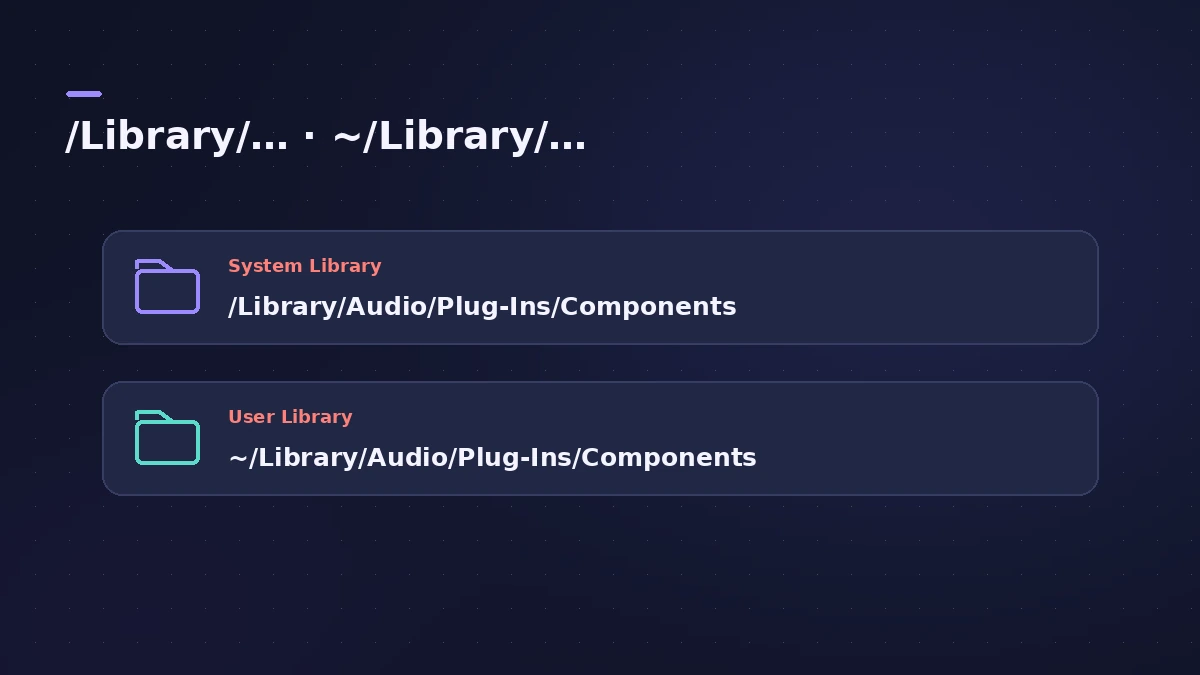
| Folder | Who it's for |
|---|---|
| /Library/Audio/Plug-Ins/Components | All users on the Mac (most installers use this) |
| ~/Library/Audio/Plug-Ins/Components | Your user account only |
Step by step
-
1
Open Go to Folder
In the Finder, choose Go > Go to Folder.
-
2
Check the main folder
Enter /Library/Audio/Plug-Ins/Components and click Go.
-
3
Check your home folder too
Enter ~/Library/Audio/Plug-Ins/Components to see plug-ins installed just for your account.
-
4
Remove a plug-in if you need to
Apple points to these folders for removing a third-party plug-in by hand. Check the maker's uninstall instructions first.
Common mistakes
- Looking for Apple's plug-ins: Built-in effects and instruments in Logic Pro, GarageBand and MainStage don't appear in these folders.
After installing or removing
Logic Pro scans the Audio Unit folder when it starts and picks up new plug-ins. Manage or disable them in the Plug-in Manager; if one is missing, see plug-ins not showing.
Sources
- Apple Support — Where are third-party Audio Units plug-ins installed on Mac?
- Apple Support — Audio Units in the Home folder Library
- Apple Support — Built-in Apple plug-ins aren't in the Library folders
- Native Instruments — Plug-in administration in Logic Pro
Checked November 2026. Logic ProFiles is independent of Apple; menu names can differ slightly between Logic Pro versions.
Frequently asked questions
Where are Audio Units stored on a Mac?
+
In /Library/Audio/Plug-Ins/Components, and sometimes in the same path inside your home Library.
Can I delete Logic Pro's built-in plug-ins?
+
No. They don't appear in the Library folders and can't be removed manually.
Related
- Where does Logic Pro save files?Where Logic Pro keeps files on a Mac: projects in Music > Logic, the Sound Library bundle, templates, key commands, settings files and third-party plug-ins.
- How to install third-party plug-ins in Logic ProInstall third-party plug-ins for Logic Pro: it uses Audio Units, which go in the Components folder. Install, restart, check the Plug-in Manager.
- Plug-in Manager in Logic ProUse Logic Pro's Plug-in Manager to check Audio Units compatibility, rescan a plug-in, run a full Audio Unit reset, disable plug-ins, add categories.
- Plug-ins not showing in Logic Pro — how to make them appearInstalled a plug-in but Logic Pro doesn't list it? Check it's an Audio Unit in the Components folder, then rescan in the Plug-in Manager or reset the AU cache.
- Logic Pro referenceLogic Pro reference: a plain-English glossary, supported audio and MIDI file formats, where plug-ins are installed, and how to make custom key commands.