Bounce & Export
How to export MP3 from Logic Pro
Logic Pro bounces MP3 directly — no converter needed. Tick MP3 in the Bounce dialog, set the bit rate and you're done. Bounce an uncompressed WAV in the same pass so you keep a full-quality master, because MP3 throws detail away.
 Owen Hartley
Where to find it
File > Bounce > Project or Section > MP3
Shortcut
Command-B
MP3 vs AAC vs WAV
| Format | Size | Quality | Use |
|---|---|---|---|
| MP3 | Small | Lossy | Demos, sharing, older players |
| M4A: AAC | Small | Lossy | Apple devices |
| M4A: Apple Lossless | Medium | Lossless | Apple devices, full quality |
| WAVE / AIFF | Large | Uncompressed | Masters, distributors — see export WAV |
Like MP3, the M4A: AAC option is limited to 48 kHz; Logic Pro converts higher-rate projects before encoding. Every format you tick is saved in the same folder with the same name — see where bounces are saved.
Step by step
-
1
Open the Bounce dialog
Choose File > Bounce > Project or Section, or press Command-B.
-
2
Tick MP3
Select MP3 in the Destination list. Tick Uncompressed too if you want a WAV master from the same bounce.
-
3
Choose the bit rate
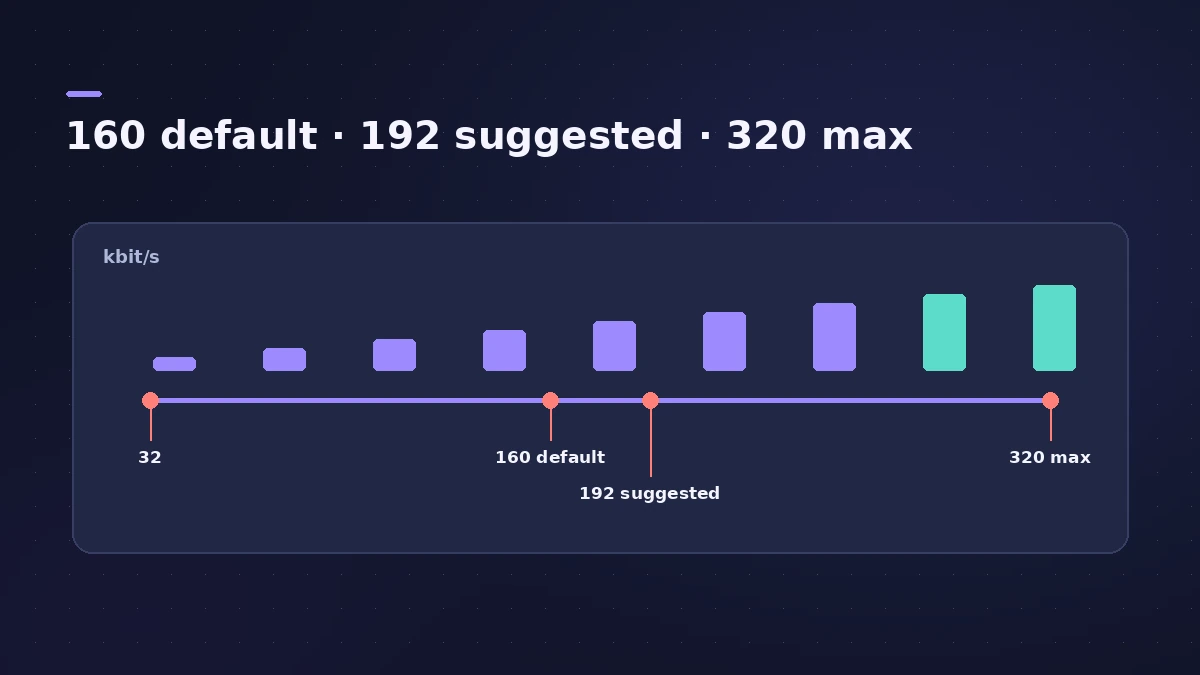
The defaults are 160 kbit/s stereo and 80 kbit/s mono. Apple suggests 192 kbit/s stereo for better quality; above that the gain is small and files get bigger.
-
4
Leave quality at Highest
Keep Quality on Highest and Use best encoding selected unless you're short of time.
-
5
Decide on VBR
Use Variable Bit Rate Encoding (VBR) often sounds better, but Apple notes that not every player decodes VBR files correctly.
-
6
Add tags and bounce
Tick Write ID3 tags and click ID3 Settings to add title, artist and tempo. Name the file and click Bounce.
Common mistakes
- Bouncing only an MP3 and deleting the session — keep an uncompressed master.
- Using MP3 files during production when you have the WAV or AIFF.
- Turning off "Filter frequencies below 10 Hz" — Apple says to deselect it only for subsonic test tones.
Sample rate and stereo mode
MP3 doesn't support sample rates above 48 kHz, so for higher-rate projects Logic Pro first makes a temporary 48 kHz copy. The Stereo Mode menu offers Joint Stereo or Normal; Apple says the difference depends on the material and suggests comparing both.
Sources
- Apple — Logic Pro User Guide: MP3 bounce options in Logic Pro for Mac
- Apple — Logic Pro User Guide: Bounce a project to an audio file in Logic Pro for Mac
- Apple — Logic Pro X 10.1 Help: M4A: AAC bounce options (old)
Checked November 2026. Logic ProFiles is independent of Apple; menu names can differ slightly between Logic Pro versions.
Frequently asked questions
What bit rate should I use for MP3 in Logic Pro?
+
Apple suggests 192 kbit/s for stereo and 96 kbit/s for mono. You can go up to 320 kbit/s, but Apple calls the improvement above that nominal.
Can Logic Pro export AAC or Apple Lossless instead?
+
Yes. Tick M4A: AAC in the Bounce dialog and choose AAC or Apple Lossless from the Encoding menu.
Can I bounce WAV and MP3 at the same time?
+
Yes. Tick both destinations in the Bounce dialog. Logic Pro saves them in the same folder with the same name and different extensions.
Related
- File formats Logic Pro supportsWhich file formats Logic Pro plays, records and bounces: AIFF, WAV (BWF), CAF, Apple Lossless, MP3, AAC, plus MIDI, AAF, Final Cut Pro XML and MusicXML.
- How to bounce in Logic Pro — every bounce setting explainedBounce your Logic Pro project to WAV, MP3 or AAC: set the range, choose offline or realtime, include the reverb tail and pick the right normalize setting.
- How to export WAV from Logic Pro — 24-bit or 16-bitBounce a WAV from Logic Pro for mastering, a distributor or CD: choose Uncompressed, WAVE, bit depth, sample rate, interleaved files and when to add dither.
- Where does Logic Pro save bounces?Can't find your bounced song? Logic Pro saves bounces to ~/Music/Logic/Bounces by default. How to open the folder, change it and name files so you find them.
- Bounce and export in Logic Pro — songs, stems, MIDI and AtmosHow to get audio out of Logic Pro on Mac: bounce a song to WAV or MP3, export stems and MIDI, deliver Dolby Atmos, send a project to Pro Tools or a video.