Reference
File formats Logic Pro supports
Logic Pro records to AIFF, CAF and WAV (Broadcast Wave), plays most common formats including MP3 and AAC, and bounces to AIFF, WAV, CAF, MP3 and M4A. For moving projects to other apps it handles MIDI files, AAF, Final Cut Pro XML and MusicXML.
 Owen Hartley
Audio formats
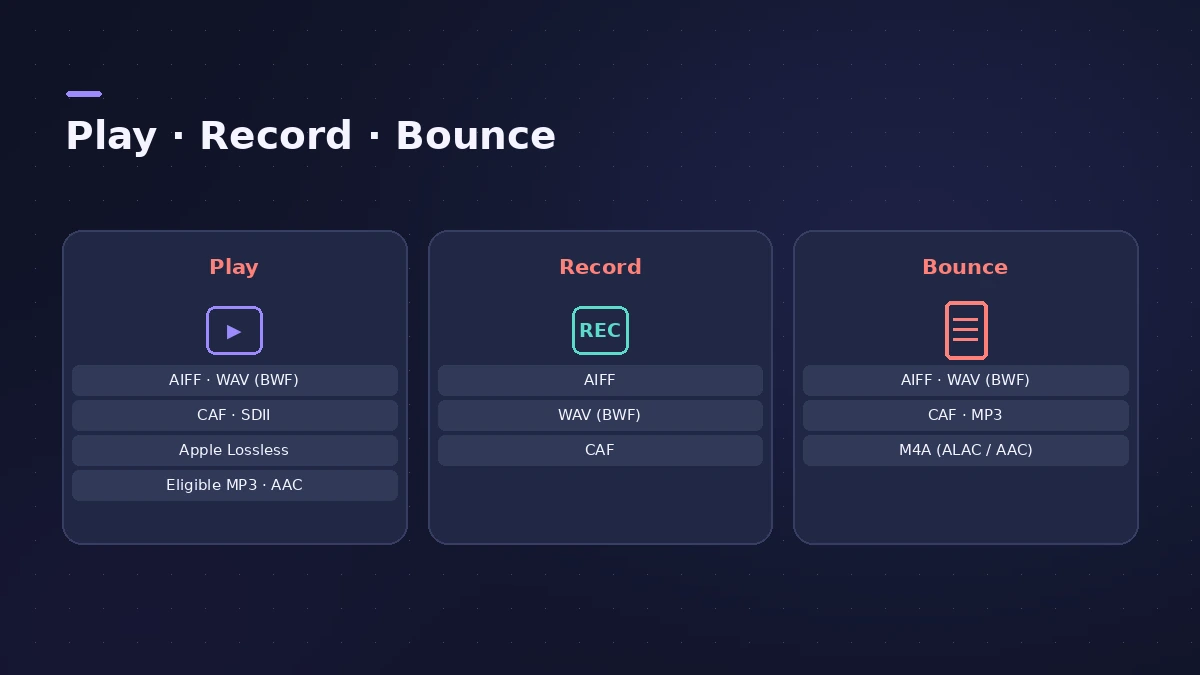
| Formats | |
|---|---|
| Play | AIFF, WAV (BWF), CAF, SDII, Apple Lossless, eligible MP3 and AAC |
| Record | AIFF, CAF, WAV (BWF) |
| Bounce | AIFF, WAV (BWF), CAF, MP3, M4A (Apple Lossless, AAC) |
All recorded and bounced WAV files are Broadcast Wave (BWF). MP3 and AAC throw away some audio information to make files smaller; Apple Lossless compresses without losing anything.
Project and data formats
| Format | What Logic Pro does with it |
|---|---|
| Standard MIDI file | Import and export MIDI regions |
| Apple Loops | Export MIDI and audio regions as Apple Loops |
| AAF | Import and export projects |
| Final Cut Pro XML | Import and export projects |
| MusicXML | Import and export notation |
Exporting a song? See WAV and MP3; sending a session to a Pro Tools studio, see AAF.
Sources
- Apple Support — Logic Pro technical specifications (file formats)
- Apple — Logic Pro User Guide for Mac: Glossary
- Apple — Logic Pro X 10.1 Help: Supported file formats (old)
- Apple — Logic Pro X User Manual: Supported media and file formats (old)
- Apple — Logic Pro User Guide for iPad: Supported file formats (bit depth, sample rates)
- Apple — Logic Pro User Guide for iPad: Core Audio Format files
- Apple — Logic Pro User Guide for iPad 2.2: QTA and MIDI files
Checked November 2026. Logic ProFiles is independent of Apple; menu names can differ slightly between Logic Pro versions.
Frequently asked questions
Can Logic Pro open MP3 files?
+
Yes. Logic Pro plays eligible MP3 and AAC files; files that aren't eligible are converted to PCM.
What format does Logic Pro record in?
+
AIFF, CAF or WAV (Broadcast Wave).
Is Apple Lossless really lossless?
+
Yes. ALAC compresses audio without discarding information, unlike MP3 and AAC.
Related
- How to export WAV from Logic Pro — 24-bit or 16-bitBounce a WAV from Logic Pro for mastering, a distributor or CD: choose Uncompressed, WAVE, bit depth, sample rate, interleaved files and when to add dither.
- How to export MP3 from Logic ProBounce an MP3 straight from Logic Pro: tick MP3 in the Bounce dialog, choose the bit rate, VBR, quality and stereo mode, and add ID3 tags. Settings explained.
- Send a Logic Pro project to Pro Tools — AAF or stemsMove a Logic Pro session to Pro Tools or another DAW: export an AAF with region positions and volume automation, or export every track as audio files.
- Logic Pro referenceLogic Pro reference: a plain-English glossary, supported audio and MIDI file formats, where plug-ins are installed, and how to make custom key commands.