Bounce & Export
Bounce a binaural version of your Atmos mix in Logic Pro
An ADM BWF master is for delivery, not listening. To let someone hear your Spatial Audio mix on ordinary headphones, bounce it as a two-channel binaural file. Apple says it gives the same immersive experience you heard in Logic Pro — on headphones, not speakers.
 Owen Hartley

Where to find it
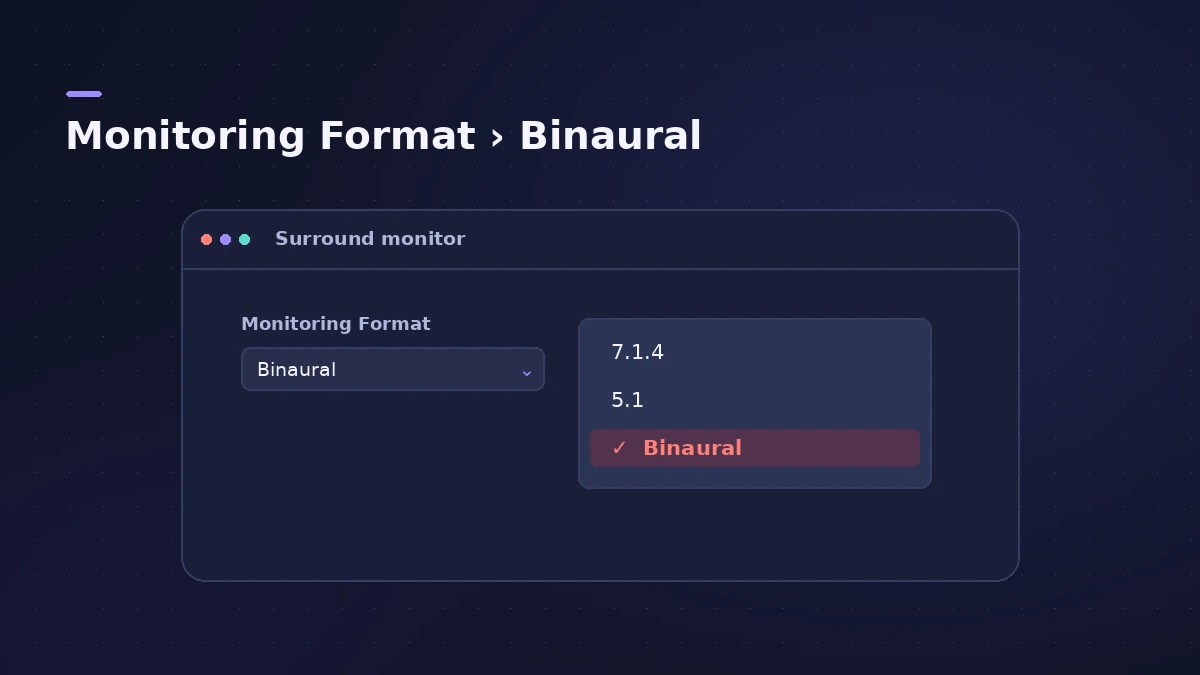
Dolby Atmos plug-in > Monitoring Format, then File > Bounce
Binaural bounce vs ADM BWF
Apple's user guide explains the split: Bounce renders the immersive mix in the channel-based format currently set as the monitoring format, so the file plays on normal systems. Export writes the object-based ADM BWF master for delivery. Make both — the master for Apple Music, the binaural file for your client's headphones.
Step by step
-
1
Choose a binaural monitoring format
Open the Dolby Atmos plug-in on the surround master channel strip and choose a binaural option from the Monitoring Format menu.
-
2
Open the Bounce dialog
Choose File > Bounce > Project or Section. Apple's user guide lists Command-B for the same command.
-
3
Choose an uncompressed stereo file
Select the uncompressed destination (PCM in Apple's 2024 article), then choose AIFF or Wave and set File Type to Interleaved.
-
4
Add it to Music if you like
Tick Add to Music to put the file in your music library. Apple notes this option is available only when Surround Bounce is off.
-
5
Bounce and listen on headphones
Name the file and click Bounce. Play it in QuickTime Player, Music or Quick Look, or AirDrop it to an iPhone and open it in Files.
Common mistakes
- Expecting head tracking in the file — Apple says it isn't carried into the bounce.
- Listening on AirPods without first turning off Spatialize Stereo, as Apple asks.
- Judging the binaural file on speakers.
Turn off Spatialize Stereo on AirPods
Apple's article asks you to turn off Spatialize Stereo or Spatial Audio for AirPods and Beats Fit Pro before listening. On a Mac, use the AirPods menu in the menu bar. On iPhone or iPad, open Control Center, touch and hold the volume control, and turn it off there.
Sources
- Apple — Listen to a binaural Logic Pro spatial audio mix on iPhone and other devices (Dec 2024)
- Apple — Logic Pro User Guide: Bounce a Spatial Audio project to a channel-based file
- Apple — Logic Pro User Guide: Spatial Audio with Dolby Atmos monitoring formats
- Apple — Logic Pro User Guide: Export a Spatial Audio project to a Dolby Atmos ADM BWF master file
Checked November 2026. Logic ProFiles is independent of Apple; menu names can differ slightly between Logic Pro versions.
Frequently asked questions
Can I hear my Logic Pro Atmos mix on normal headphones?
+
Yes. Bounce it with a binaural monitoring format selected. Any headphones can play the resulting two-channel file.
Why does my ADM BWF sound wrong on my phone?
+
Apple says many elements of the mix won't be heard if you play the ADM BWF directly. Use a binaural bounce for listening.
Related
- Export Dolby Atmos from Logic Pro — ADM BWF master and MP4Deliver a Dolby Atmos mix from Logic Pro: export the ADM BWF master for Apple Music or a mastering engineer, or a Dolby Digital Plus or AC-4 MP4 to check it.
- How to bounce in Logic Pro — every bounce setting explainedBounce your Logic Pro project to WAV, MP3 or AAC: set the range, choose offline or realtime, include the reverb tail and pick the right normalize setting.
- How to export WAV from Logic Pro — 24-bit or 16-bitBounce a WAV from Logic Pro for mastering, a distributor or CD: choose Uncompressed, WAVE, bit depth, sample rate, interleaved files and when to add dither.
- How to mix in Dolby Atmos in Logic ProStart a Dolby Atmos mix in Logic Pro: switch to Spatial Audio, use bed tracks and up to 118 objects, monitor on headphones or speakers, then export the master.