Editing
Score Editor in Logic Pro — sheet music from MIDI
The Score Editor shows MIDI regions as standard notation — notes, clefs, key and time signatures and bar lines. You can add symbols, lyrics and chord grids, extract parts and print or export the score, including as a PDF.
 Owen Hartley

Where to find it
Window > Open Score Editor (Command-5)
What the Score Editor can do
| Task | Where |
|---|---|
| Show notes as notation | Score Editor (Command-5) |
| Add dynamics, pedal marks, chord symbols | Part box |
| Tablature and chord grids | Part box |
| Lyrics and titles | Text in the score |
| Extract parts | Score sets and staff options |
| Print or PDF | File > Print in Page view |
Apple also mentions exporting part of a score as an image with the Camera tool.
Step by step
-
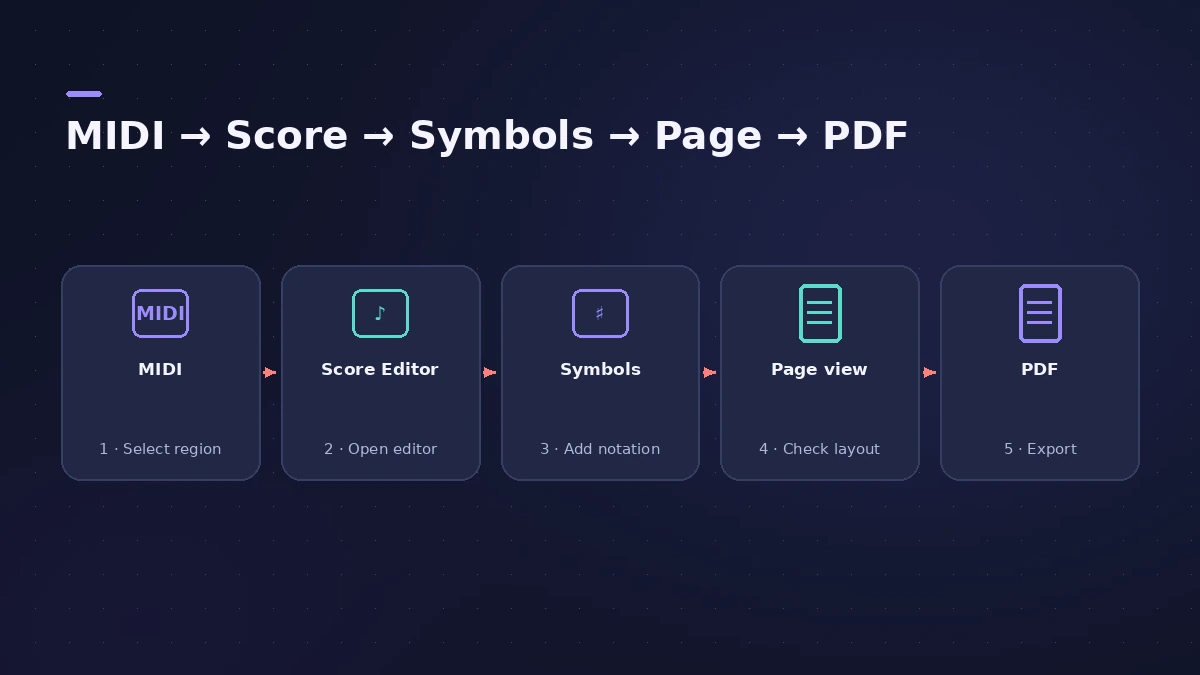
1
Open the Score Editor
Select a MIDI region or software instrument track and choose Window > Open Score Editor (Command-5). Each track appears as its own staff.
-
2
Tidy the notation
Edit notes and add symbols from the Part box — dynamics, sustain pedal markings, chord symbols and more.
-
3
Add text, chord grids and tablature
Add lyrics and titles, and use the Part box for chord grids and tablature for guitar.
-
4
Lay out the page
Switch to Page view to see the full score on facing pages and refine the layout.
-
5
Print or save as PDF
With the Score Editor active, choose File > Print (Command-P). From the print dialog you can save a PDF.
Common mistakes
- Printing straight from a real-time recording without tidying it — the score can look cluttered.
- Trying to print from a different window; the Score Editor must be the active window.
- Editing layout details in the Event List instead of the Score Editor.
Clean the MIDI first
Quantize the part before you print — see quantize — and fix individual notes in the Piano Roll. To send the music to another app, export MIDI.
Sources
- Apple — Logic Pro X 10.1 Help: Score Editor overview (old)
- Apple — Logic Pro X 10.1 Help: Notation overview (old)
- Apple — Logic Pro X 10.1 Help: Print the score (old)
- Apple — Logic Pro X 10.4 Help: Print the score (old)
- Apple — Logic Pro X 10.1 Help: Score Editor views (old)
- Apple — Logic Pro X 10.1 Help: Part box, tablature and chord grids (old)
- Apple — Logic Pro User Guide: Overview of score layout
Checked November 2026. Logic ProFiles is independent of Apple; menu names can differ slightly between Logic Pro versions.
Frequently asked questions
Can Logic Pro make sheet music?
+
Yes. The Score Editor shows MIDI as standard notation that you can edit and print or save as PDF.
Can Logic Pro show guitar tab?
+
Yes. The Part box includes tablature and guitar performance symbols, and you can create chord grids.
Related
- The Logic Pro Piano Roll EditorEdit MIDI in the Logic Pro Piano Roll: open it with P, add and move notes, change length and velocity, quantize selected notes and colour notes by velocity.
- How to quantize MIDI and audio in Logic ProQuantize MIDI and audio in Logic Pro: pick a grid in the Region inspector, add swing, use strength and range to keep the feel, quantize notes in the Piano Roll.
- How to export a MIDI file from Logic ProExport MIDI regions from Logic Pro as a standard MIDI file for another DAW or notation app: Selection as MIDI File, Format 0 vs Format 1 and region prep.
- Event List in Logic ProUse the Event List in Logic Pro to see and edit every MIDI event as numbers: position, channel, value and length; filter by type; fix stray controllers.
- Editing in Logic ProEdit audio and MIDI in Logic Pro: comp takes, quantize, Flex Time, Smart Tempo, change tempo or key, Stem Splitter, audio to MIDI, fades and Remove Silence.